Hello @PM.5 ,
I did a simple example for you on the STM32F746G-DISCO board, I will join it to this post.
To explain quickly what I did for making it work :
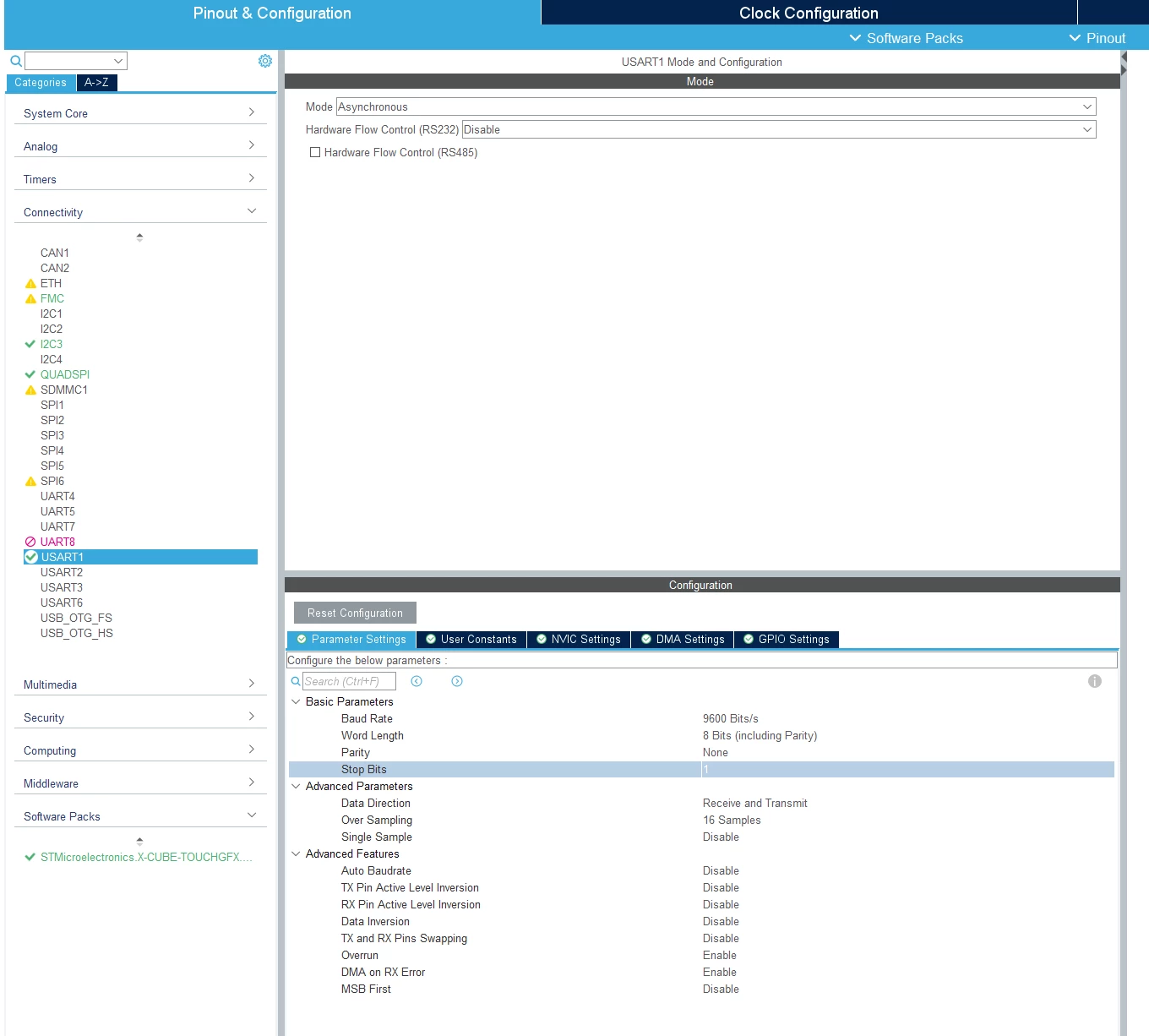
- Identify which USART port you are using (can be found in the schematic file of your MCU) and provide the following parameters in CubeMX. You can choose also another Baud Rate of course. When everything is set, generate code in CubeMX.
- In TouchGFXDesigner, add a TextArea with a wildcard (and enable wildcard buffer).
- In Model.cpp include the file "stm32xxxx_hal.h" (depending on your MCU). This file contains the reference to the "stm32xxxx_hal_uart.h" file, which implements the functions for transmitting and receiving data through the serial port.
- Still in Model.cpp, in the tick() method, call the HAL_UART_Receive() function declared in "stm32xxxx_hal_uart.h". That will enable you, after putting it in a if statement, to detect when the serial port receives data and propagate it through the ModelListener and the ScreenPresenter for updating the UI.
void Model::tick()
{
 uint8_t pData[1] = {0};

 if (HAL_UART_Receive(&huart1, pData, 1, 10) == HAL_OK)
 {
 modelListener->updateCharacter(pData[0]);
 }
}
- Create a new virtual function in ModelListener.hpp: updateCharacter(char character).
- Then in ScreenPresenter.cpp, which inherits from the ModelListener, forward this character to the screen.
void Screen1Presenter::updateCharacter(char character)
{
 view.updateCharacter(character);
}
- Finally, in the screen you want to display this value, create the corresponding method and copy the character in the wildcard buffer. Don't forget to invalidate the TextArea also.
void Screen1View::updateCharacter(char character)
{
 Unicode::strncpy(textArea1Buffer, &character , 1);
 textArea1.invalidate();
}
Now, if you wanna try it out, you can use a tool like Putty for simulating the UART value transmission part :
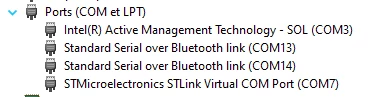
- In the device manager, check the virtual serial port associated to your board (COM7 for me).
- In Putty, select the right COM Port and select the Baud Rate you previously chose in CubeMX.
- Start connection and send characters into the terminal by using your keyboard.
This project could be improved, for example by using interrupts instead, but I think that might be a good start for you.
Hope that it helped,
/Yoann