

Associate III
Oct 20, 2024 4:59 PM UTC
Solved

DSI display is mirrored

I am working with a custom board I designed using this display(LINK) They provide init codes on the product page that I have integrated into my project but they do not provide any any porch, timing or polarity information.  I first setup LTDC and the DSI host and was able to display a solid color on the display by generating a frame buffer in code and setting each pixel.  I then moved on to integrating touchGFX and was also able to get that working fairly easily but the display is mirrored on the x-axis as shown here:
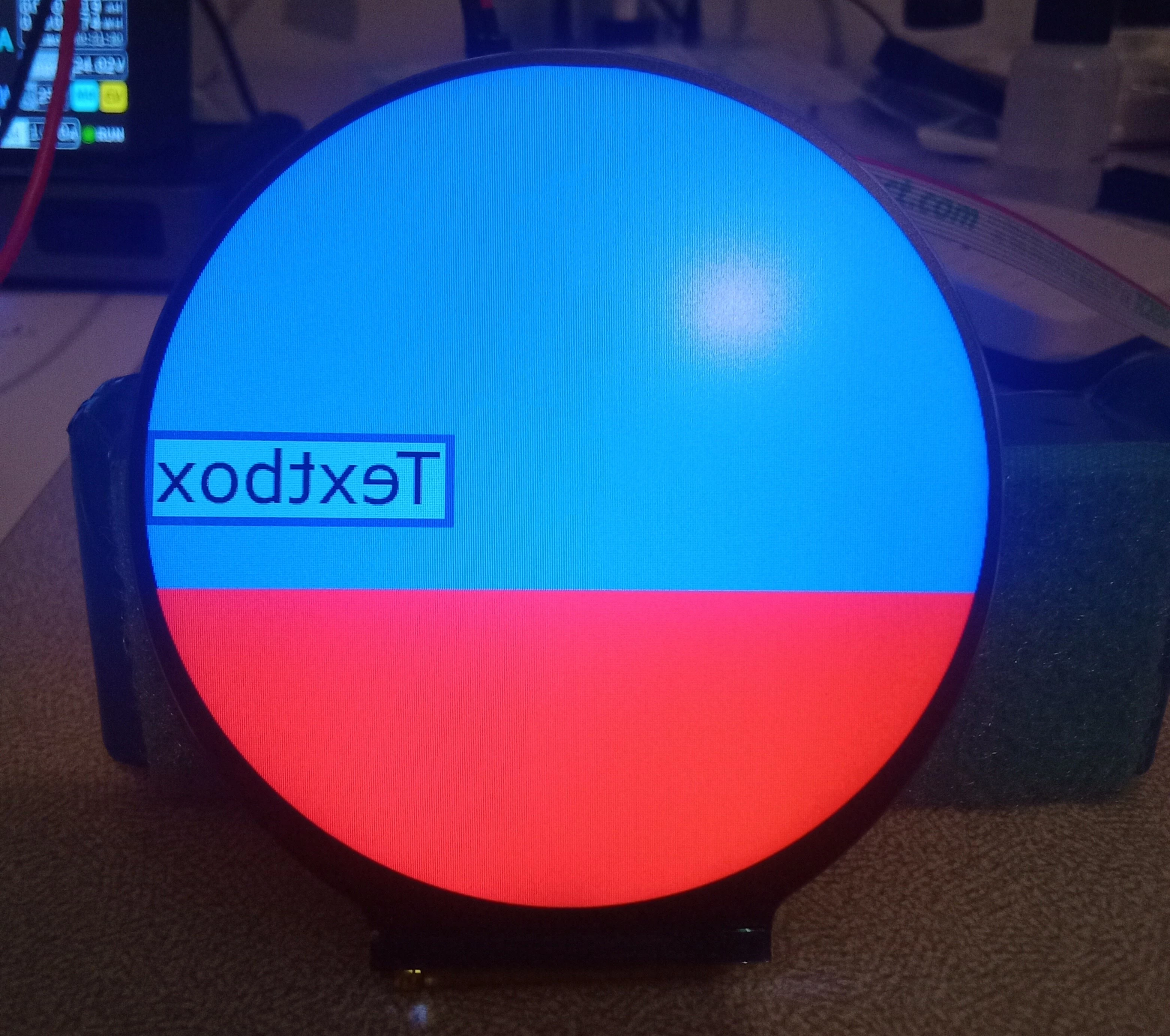
1000000497.jpg

The display is using a ST7701s controller, I found the MADCTL register in the datasheet that I believe should be able to mirror the display but I am not getting the expected output. 
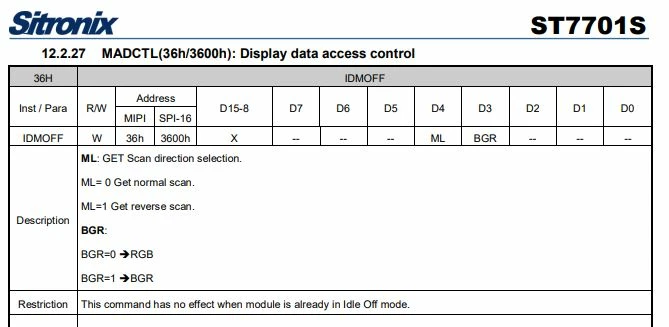
Capture1.JPG

Here is how I am writing to this register


HAL_DSI_ShortWrite(&hdsi, 0, DSI_DCS_SHORT_PKT_WRITE_P1, 0x36, 0x10);


And this is the output after doing so
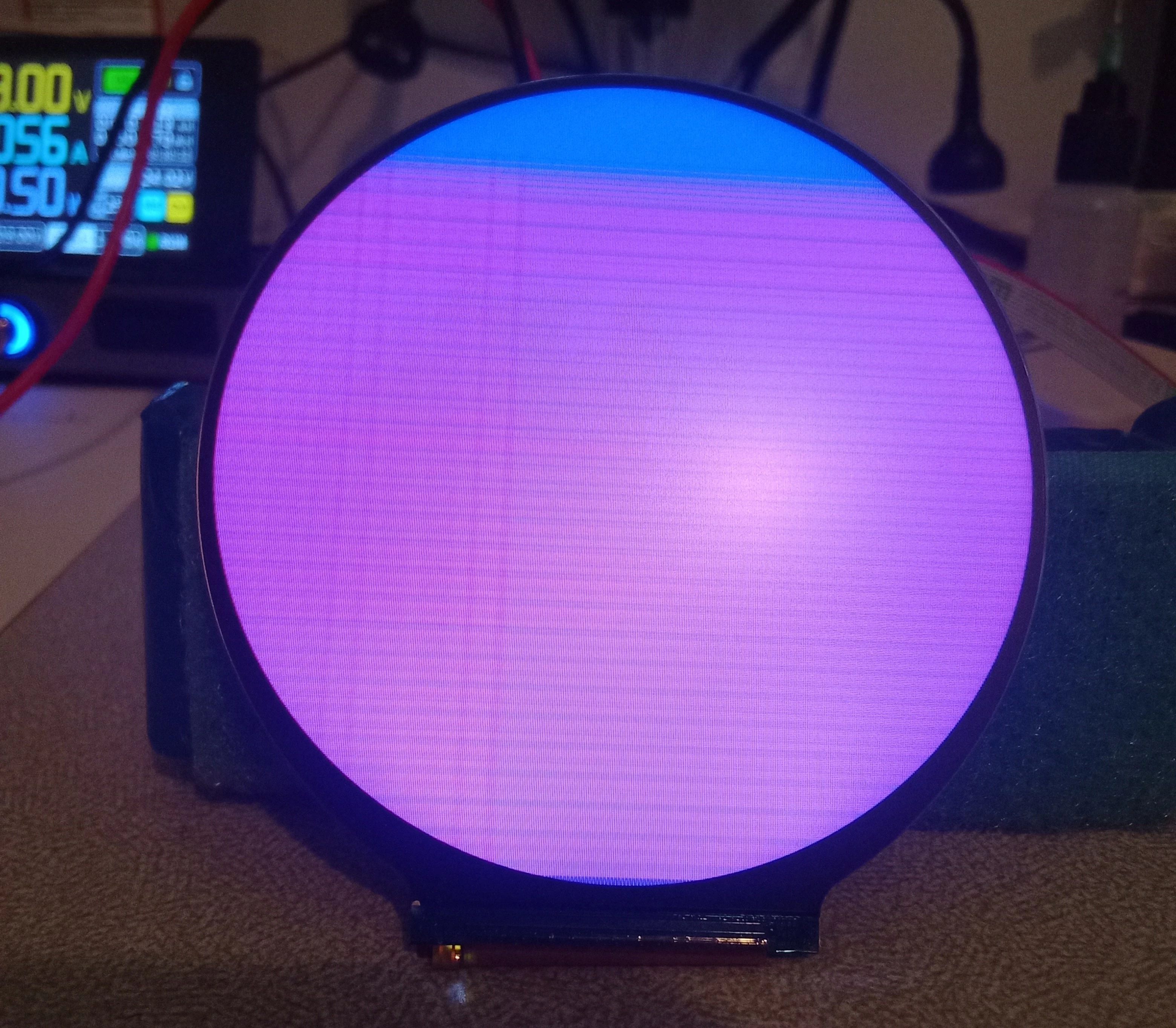
1000000496.jpg


I have verified the ability to write to this register by setting the "BGR" bit to a 1 and the display will swap the red and blue channels, I am not sure where to even start with troubleshooting this issue.
 

This topic has been closed for replies.
mathiasmarkussenBest answer
ST Technical Moderator
Nov 5, 2024 12:20 PM UTC

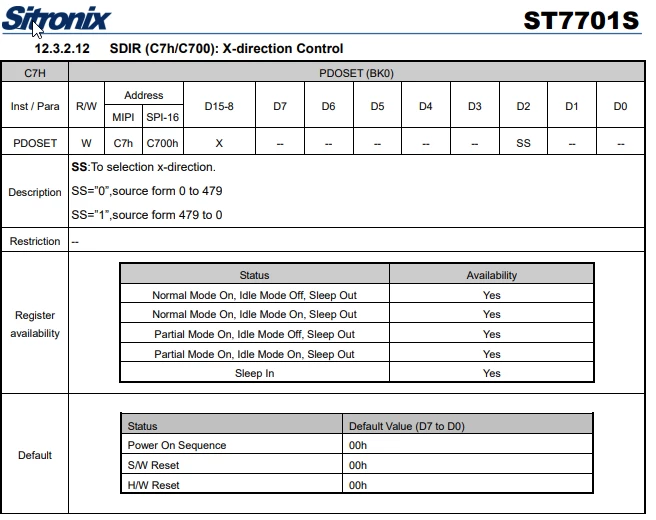
The init code sets the SS bit in SDIR. This will flip on the X direction. Remove that code, and you should be fine. 

SDIR.png

6 replies

Tesla DeLorean
Guru
Oct 20, 2024 6:24 PM UTC

Check if you can fix on the STM32 side, and how it renders the frame buffer.

Or the top/bottom is not well defined, controller supports 480x864, not 480x480

ie LNESET = (480 / 8) - 1

ML is used to flip vertically

Tips, Buy me a coffee, or three.. PayPal Venmo (See Profile) Up vote any posts that you find helpful, it shows what's working..
brohr01Author
Associate III
Oct 20, 2024 7:43 PM UTC

I am very new to working with displays, especially DSI ones, thank you for the response.  I am setting LNESET as follows per the recommended init codes provided from the the display supplier

uint8_t InitcodesC0[] = { 0x3B, 0x00 };
HAL_DSI_LongWrite(&hdsi, 0, DSI_DCS_LONG_PKT_WRITE, sizeof(InitcodesC0), 0xC0, InitcodesC0);

(0x3B + 1) * 8 = 480 that seems to be correct.
I have also tried to change the SDIR (0xC7) register to SS=”1” source form 479 to 0, that makes no visible difference.
I also changed the vertical porch settings in cubeMX to match the values that I pulled from the init codes for PORCTRL (0xC1) register (0x10, 0x3C). I set VBP to 16 and VFP to 12.  I have no idea what I should be using for horizontal porch settings.


Could this be an issue with the porch settings I am using?

brohr01Author
Associate III
Oct 31, 2024 1:30 AM UTC

I am still struggling to solve this issue. I could really use some advise from someone familiar with DSI displays.

Visitor II
Jul 19, 2025 12:01 PM UTC

For SDIR to work you first need to enable Command2 BK0. It should look like that:

const char CND2BKxSEL = 0xFF;
const char SDIR = 0xC7;
char sdir = 0x04; // Mirror X on
const char CN2BK0SEL[] = {0x77, 0x01, 0x00, 0x00, 0x10};
const char CN2BKxDIS[] = {0x77, 0x01, 0x00, 0x00, 0x00};
// Enable BK0
command(CND2BKxSEL, sizeof(CN2BK0SEL), CN2BK0SEL);
// Apply SDIR
command(SDIR, 1, &sdir);
// Disable all command banks
command(CND2BKxSEL, sizeof(CN2BKxDIS), CN2BKxDIS);