

Solved
DMA2D signals transfer completion too soon?
I used STM32CubeIDE to create the LCD_DSI_CmdMode_DoubleBuffer for the STM32F769I-DISCOVERY board. It works fine, but I made some modifications to just draw a rectangle:
if 1
 BSP_LCD_SetTextColor(LCD_COLOR_RED);
 BSP_LCD_FillRect(0, 0, 800, 240);
#else
 /* Display example brief */
 LCD_BriefDisplay();

 /* Copy Buffer 0 into buffer 1, so only image area to be redrawn later */
 CopyBuffer((uint32_t *)Buffers[0], (uint32_t *)Buffers[1], 0, 0, 800, 480);

 /*Draw first image */
 CopyBuffer((uint32_t *)Images[ImageIndex++], (uint32_t *)Buffers[front_buffer], 240, 160, 320, 240);
 pend_buffer = 0;
#endif

 /* Send Display On DCS Command to display */
 HAL_DSI_ShortWrite(&(hdsi_discovery),
 0,
 DSI_DCS_SHORT_PKT_WRITE_P1,
 OTM8009A_CMD_DISPON,
 0x00);

 /* Refresh the LCD display*/
 HAL_DSI_Refresh(&hdsi_discovery);

#if 1
 /* Infinite loop */
 while (1);
#else
 /* Infinite loop */
 while (1)
 {
 if(pend_buffer < 0)
 {
 /* Prepare back buffer */
 CopyBuffer((uint32_t *)Images[ImageIndex++], (uint32_t *)Buffers[1- front_buffer], 240, 160, 320, 240);
 pend_buffer = 1- front_buffer;

 if(ImageIndex >= 2)
 {
 ImageIndex = 0;
 }

 /* Refresh the display */
 HAL_DSI_Refresh(&hdsi_discovery);

 /* Wait some time before switching to next stage */
 HAL_Delay(2000);
 }
 }
#endif
However the red rectangle is only partially drawn (it's supposed to take up half the screen):
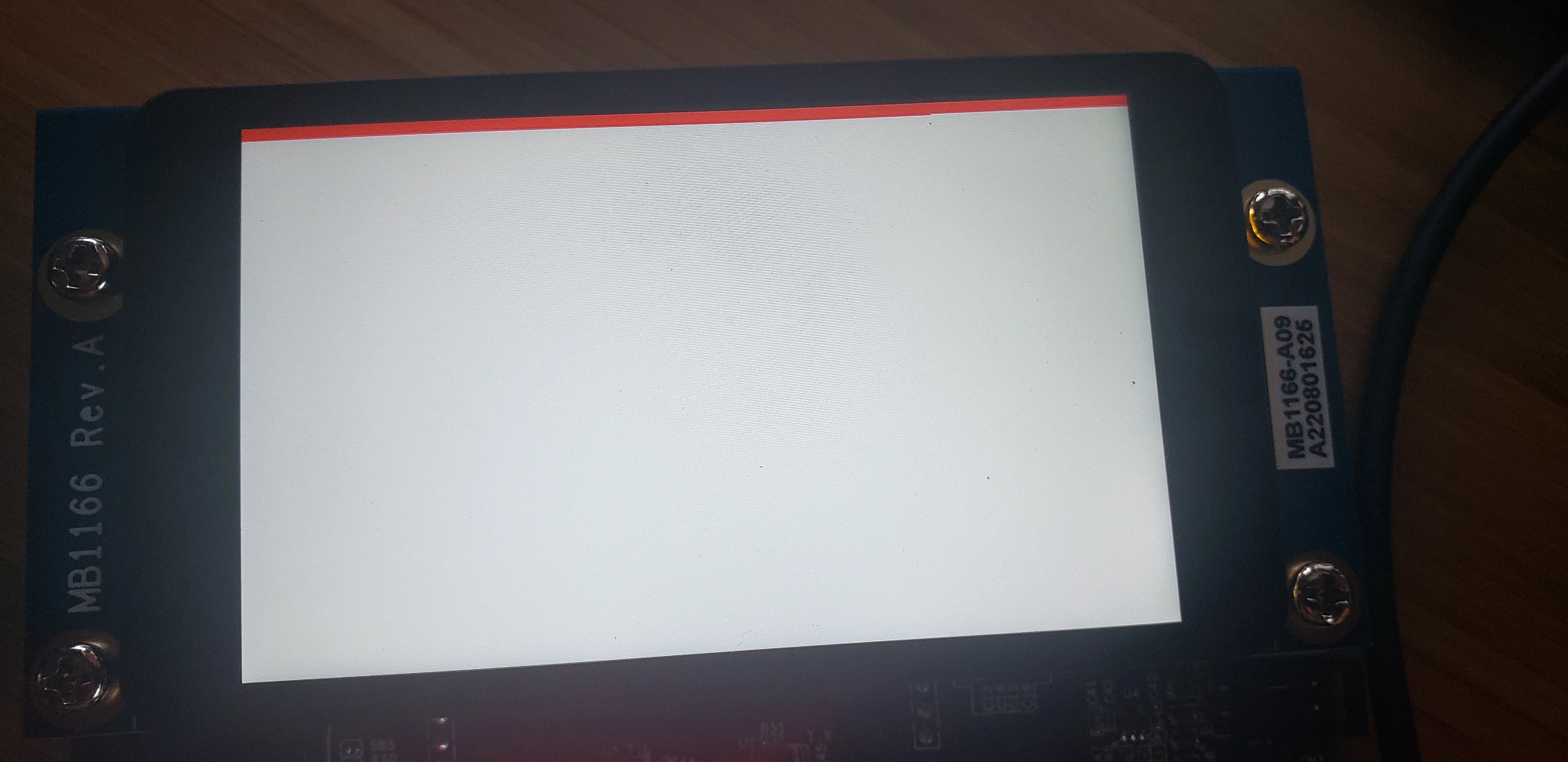
If I put a HAL_Delay before the refresh, it draws the whole rectangle. This suggests the DMA2D isn't finishing the transfer to the framebuffer even though it says it is (HAL_DMA2D_PollForTransfer() is returning in LL_FillBuffer()), but I'm really not sure as I'm pretty new to this stuff.
Thanks in advance.