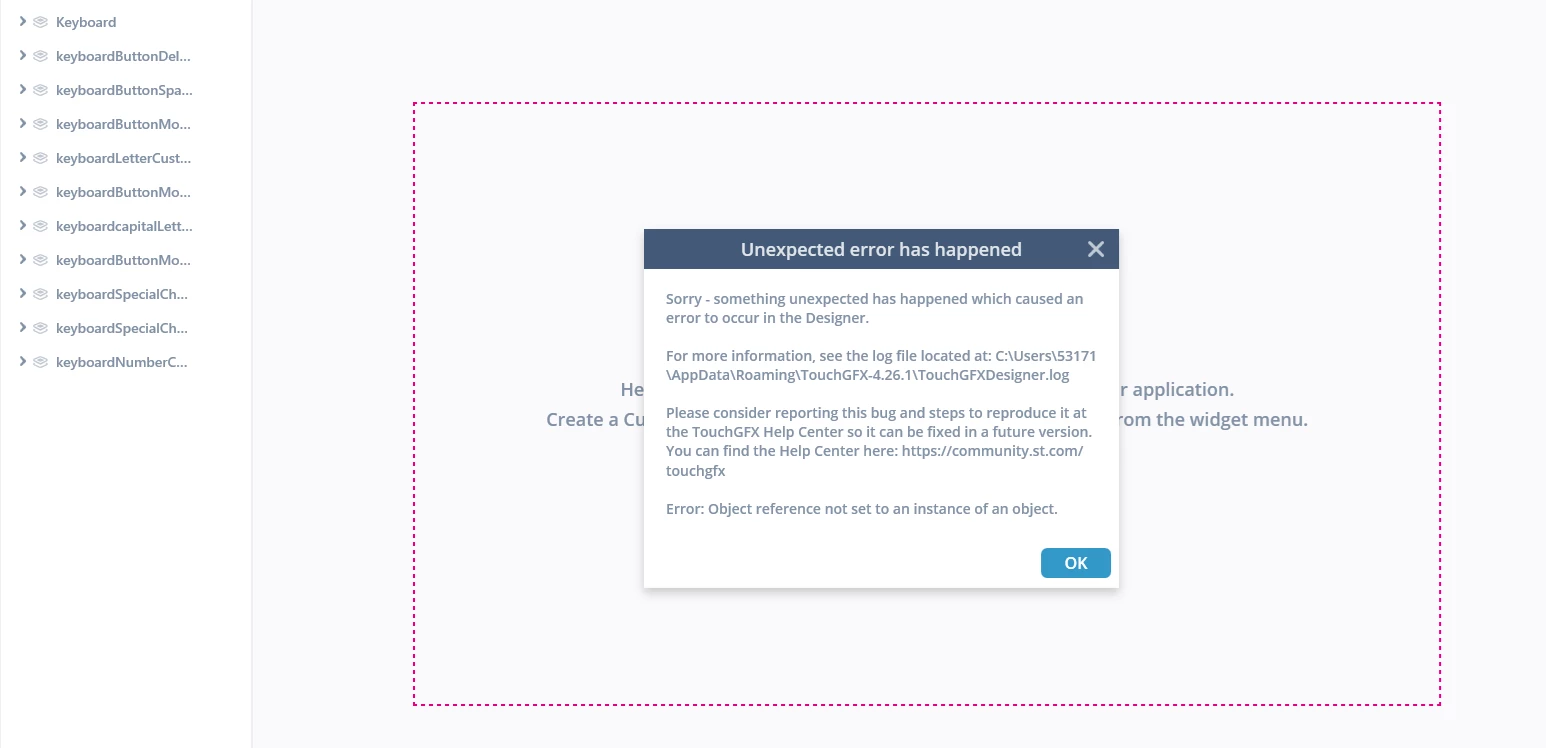
Custom widget import error
Hi,
I have a problem with my custom container. I made a custom keyboard container in my project (4.26.1 compile is ok). I would like use this in another project.
I exported this container which works.
In the another project i import the widget, but compiler get unexpected error.
What is the problem with widget?
Thank you!
These are the designer logs:
2026-06-19 09:15:01,186 [1] ERROR TouchGFXDesigner.App: Object reference not set to an instance of an object.
System.NullReferenceException: Object reference not set to an instance of an object.
at TouchGFXDomainModel.LoadSave.Serial.ToSerial.Convert(TriggerCustom t)
at TouchGFXDomainModel.LoadSave.Serial.ToSerial.Convert(Interaction i)
at System.Linq.Enumerable.IListSelectIterator`2.ToList()
at TouchGFXDomainModel.LoadSave.Serial.ToSerial.Convert(CustomContainerDefinition c)
at System.Linq.Enumerable.IListSelectIterator`2.ToList()
at TouchGFXDomainModel.LoadSave.Serial.ToSerial.Convert(Application a)
at TouchGFXDomainModel.LoadSave.Serial.ToSerial.Convert(Model m)
at TouchGFXDomainModel.LoadSave.LoadSave.SaveDotTouchgfx(String filename, Model model)
at TouchGFXDomainModel.LoadSave.LoadSave.Save(String filename, Model model)
at TouchGFXApplication.MonitorCommands.SaveCommand.Execute()
at TouchGFXApplication.TouchGFXApplication.Save()
at TouchGFXDesigner.Main.Project.ProjectCommands.Save(Object obj)
at ComponentViewModels.DelegateCommand.Execute()
at TouchGFXDesigner.Main.MainWindowViewModel.ViewClosing(Object sender, CancelEventArgs e)
at TouchGFXDesigner.Main.MainWindow.MainView_OnClosing(Object sender, CancelEventArgs e)
at System.Windows.Window.WmClose()
at System.Windows.Window.WindowFilterMessage(IntPtr hwnd, Int32 msg, IntPtr wParam, IntPtr lParam, Boolean& handled)
at System.Windows.Interop.HwndSource.PublicHooksFilterMessage(IntPtr hwnd, Int32 msg, IntPtr wParam, IntPtr lParam, Boolean& handled)
at MS.Win32.HwndSubclass.DispatcherCallbackOperation(Object o)
at System.Windows.Threading.ExceptionWrapper.InternalRealCall(Delegate callback, Object args, Int32 numArgs)
at System.Windows.Threading.ExceptionWrapper.TryCatchWhen(Object source, Delegate callback, Object args, Int32 numArgs, Delegate catchHandler)