

January 2, 2021
Question

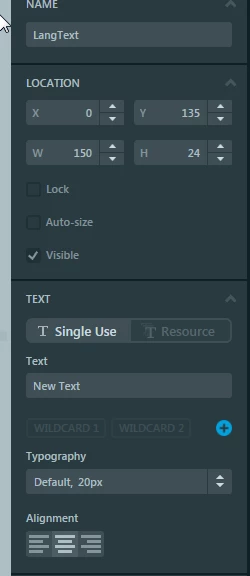
Central text alignment doesn't work
  • January 2, 2021
  • 4 replies
  • 1249 views

0693W000006HKJkQAO.png 

void SmallFlag_Container::SetLanguage(Bitmap icon, TEXTS lang)
{
 FlagImage.setBitmap(icon);
	 LangText.setTypedText(TypedText(lang));
	// LangText.resizeToCurrentTextWithAlignment();
 		LangText.invalidate();
}

In TouchGFX all is right
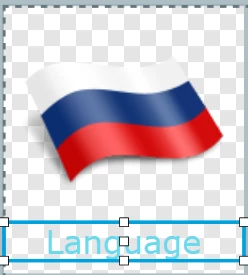
0693W000006HKK9QAO.png 

but in real life text is always aligned at left....

How to fix?

This topic has been closed for replies.

4 replies

MM..1
Super User
January 2, 2021

I use this

	textArea1.setWildcard(textArea1Buffer);
	textArea1.invalidate();
	textArea1.resizeToCurrentTextWithAlignment();
	textArea1.invalidate();

and Center need be set in texts.xls or screen Texts in designer

January 2, 2021

Problem solved!

Alexandre RENOUX
Visitor II
January 5, 2021

Hi EEuge,

When your question is answered, please close this topic by choosing Select as Best.

/Alexandre