Associate II
September 9, 2024
Solved

Cannot add USART2 initialization through CubeMX to the main program when using TouchGFX

  • September 9, 2024
  • 1 reply
  • 1320 views

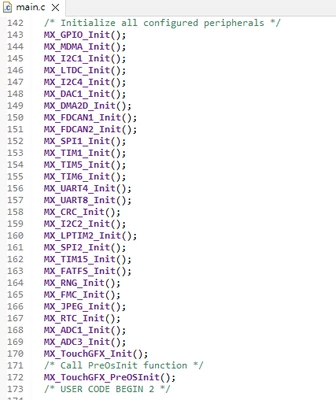
I'm using RVT101HVSNWC00-B.I use TouchGFX 4.24.0 to generate initial code.

There's no MX_USART2_UART_Init(); , even though I generate code again through CubeMX.

I have to add it by myself to initial USART2.
ChungEN_0-1725870683752.png


This topic has been closed for replies.
Best answer by STTwo-32

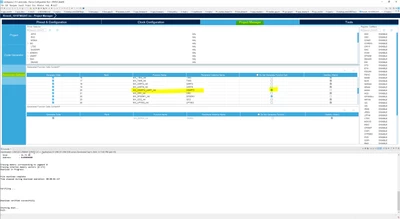
To generate the "MX_USART2_UART_Init();" function, you have to go to your .ioc file->Project Manager->Advanced Settings and unselect the "Do Not Generate Function Call" For the Peripheral Instance Name "USART2".

STTwo32_1-1725950692203.png

Best Regards.

STTwo-32

1 reply

STTwo-32
ST Technical Moderator
September 9, 2024

Hello @ChungEN 

If possible, can you add you .ioc file?

Best Regards.

STTwo-32

To give better visibility on the answered topics, please click on Accept as Solution on the reply which solved your issue or answered your question.
ChungENAuthor
Associate II
September 10, 2024

Here's the .ioc file.

Best Regards,

ChungEn

STTwo-32
STTwo-32Best answer
ST Technical Moderator
September 10, 2024

To generate the "MX_USART2_UART_Init();" function, you have to go to your .ioc file->Project Manager->Advanced Settings and unselect the "Do Not Generate Function Call" For the Peripheral Instance Name "USART2".

STTwo32_1-1725950692203.png

Best Regards.

STTwo-32

To give better visibility on the answered topics, please click on Accept as Solution on the reply which solved your issue or answered your question.