Sandy.Dahl
Associate III
February 4, 2021
Solved

Can you turn textareas upsidedown?

  • February 4, 2021
  • 2 replies
  • 1236 views

Is it possible to turn textareas upsidedown without having to use texturemapper?

This topic has been closed for replies.
Best answer by Romain DIELEMAN

Hi,

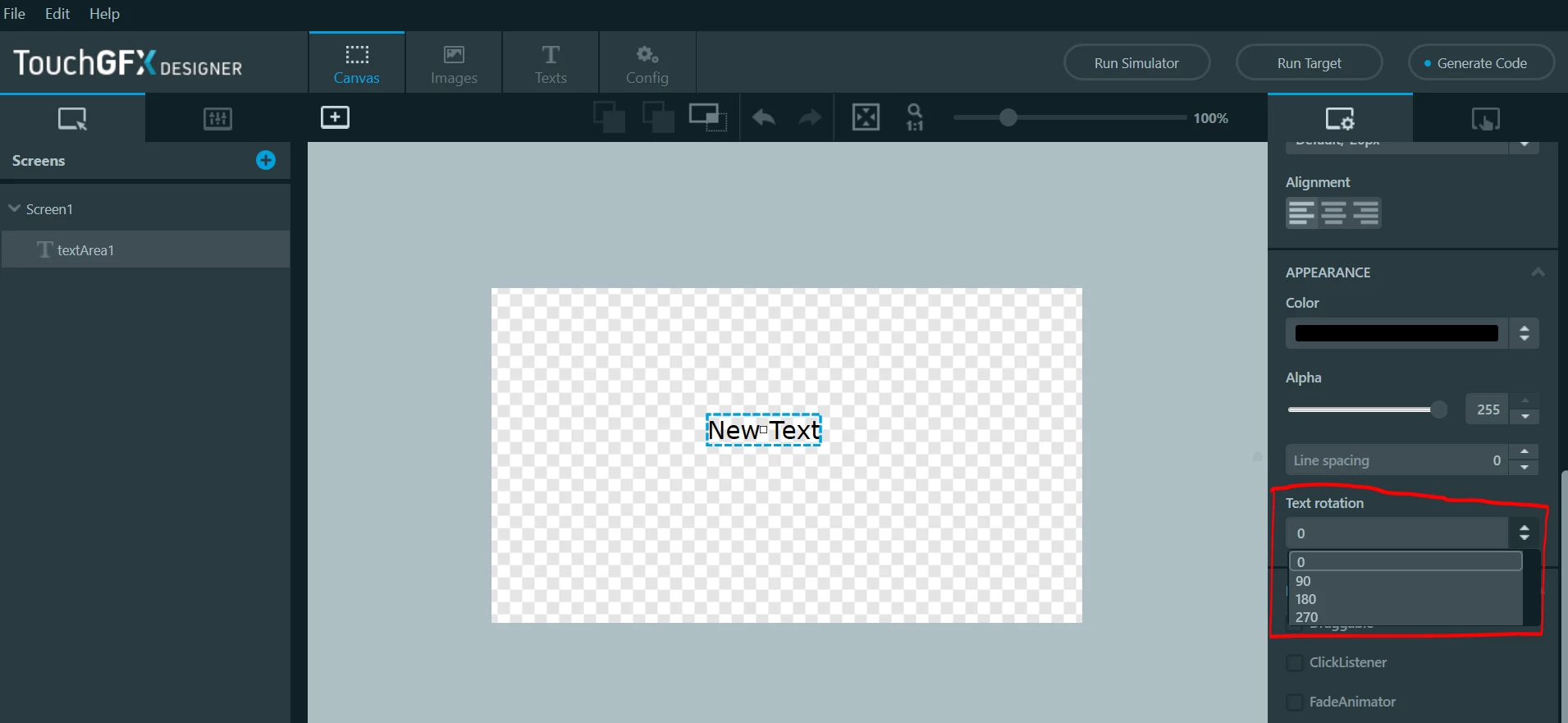
In the property settings of a textArea widget in Designer, you can set the rotation angle of your widget : 0° ("normal"), 90°, 180° and 270°. I believe you are looking for the 180degree rotation. If you wish other angles and you do not need to modify your text then I would recommend to not use a textArea but a texturemapper like you said.

0693W000007DxJzQAK.png 

/Romain

2 replies

Romain DIELEMAN
Romain DIELEMANBest answer
ST Employee
February 4, 2021

Hi,

In the property settings of a textArea widget in Designer, you can set the rotation angle of your widget : 0° ("normal"), 90°, 180° and 270°. I believe you are looking for the 180degree rotation. If you wish other angles and you do not need to modify your text then I would recommend to not use a textArea but a texturemapper like you said.

0693W000007DxJzQAK.png 

/Romain

Romain DIELEMAN
ST Employee
February 5, 2021

Was it enough for your project ? I found a project of mine with a custom widget to rotate the text at any angle if you wish.

/Romain

Sandy.Dahl
Associate III
February 8, 2021

Hi @Romain DIELEMAN​ ,

thanks for your answer, that was exctly what I was look for!

Kind regads,

Sandy

Romain DIELEMAN
ST Employee
February 9, 2021

Perfect :thumbs_up: