BSP_LCD_DrawBitmap() image,png,Bitmap problems
Hello,
After search on net too much time, i found a software that
@sebastien Dumoulin (Community Member) made.
https://www.electro-info.ovh/bitmap2headerfile
He or she did really well program, but i have some problems with that.
BSP_LCD_DrawBitmap function in stm32746g_discovery_lcd.c:
void BSP_LCD_DrawBitmap(uint32_t Xpos, uint32_t Ypos, uint8_t *pbmp)
{
uint32_t index = 0, width = 0, height = 0, bit_pixel = 0;
uint32_t address;
uint32_t input_color_mode = 0;
/* Get bitmap data address offset */
index = pbmp[10] + (pbmp[11] << 8) + (pbmp[12] << 16) + (pbmp[13] << 24);
/* Read bitmap width */
width = pbmp[18] + (pbmp[19] << 8) + (pbmp[20] << 16) + (pbmp[21] << 24);
/* Read bitmap height */
height = pbmp[22] + (pbmp[23] << 8) + (pbmp[24] << 16) + (pbmp[25] << 24);
/* Read bit/pixel */
bit_pixel = pbmp[28] + (pbmp[29] << 8);
/* Set the address */
address = hLtdcHandler.LayerCfg[ActiveLayer].FBStartAdress + (((BSP_LCD_GetXSize()*Ypos) + Xpos)*(4));
/* Get the layer pixel format */
if ((bit_pixel/8) == 4)
{
input_color_mode = CM_ARGB8888;
}
else if ((bit_pixel/8) == 2)
{
input_color_mode = CM_RGB565;
}
else
{
input_color_mode = CM_RGB888;
}
/* Bypass the bitmap header */
pbmp += (index + (width * (height - 1) * (bit_pixel/8)));
/* Convert picture to ARGB8888 pixel format */

 for(index=0; index < height; index++)
 {
 /* Pixel format conversion */
 LL_ConvertLineToARGB8888((uint32_t *)pbmp, (uint32_t *)address, width, input_color_mode);

 /* Increment the source and destination buffers */
 address+= (BSP_LCD_GetXSize()*4);
 pbmp -= width*(bit_pixel/8);
 }
}
Software export (in pictures.h):
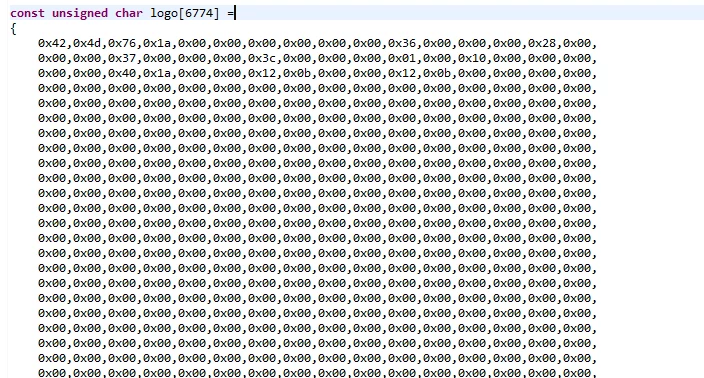
stm32f746g-disco BSP_LCD_DrawBitmap() function main.c:
#include "pictures.h"
BSP_SDRAM_Init(); /* Initializes the SDRAM device */
__HAL_RCC_CRC_CLK_ENABLE(); /* Enable the CRC Module */
BSP_TS_Init(480, 272);
BSP_LCD_Init();
BSP_LCD_LayerDefaultInit(0, LCD_FB_START_ADDRESS);
BSP_LCD_DisplayOn();
BSP_LCD_SelectLayer(0);
BSP_LCD_Clear(LCD_COLOR_RED);
BSP_LCD_DisplayStringAt(0, 100, (uint8_t *)"Hello!", CENTER_MODE);
HAL_Delay(700);
BSP_LCD_Clear(LCD_COLOR_RED);
BSP_LCD_DrawBitmap((BSP_LCD_GetXSize() - 80) / 2, (BSP_LCD_GetYSize() - 80) / 2, (uint8_t *)logo);
HAL_Delay(500);
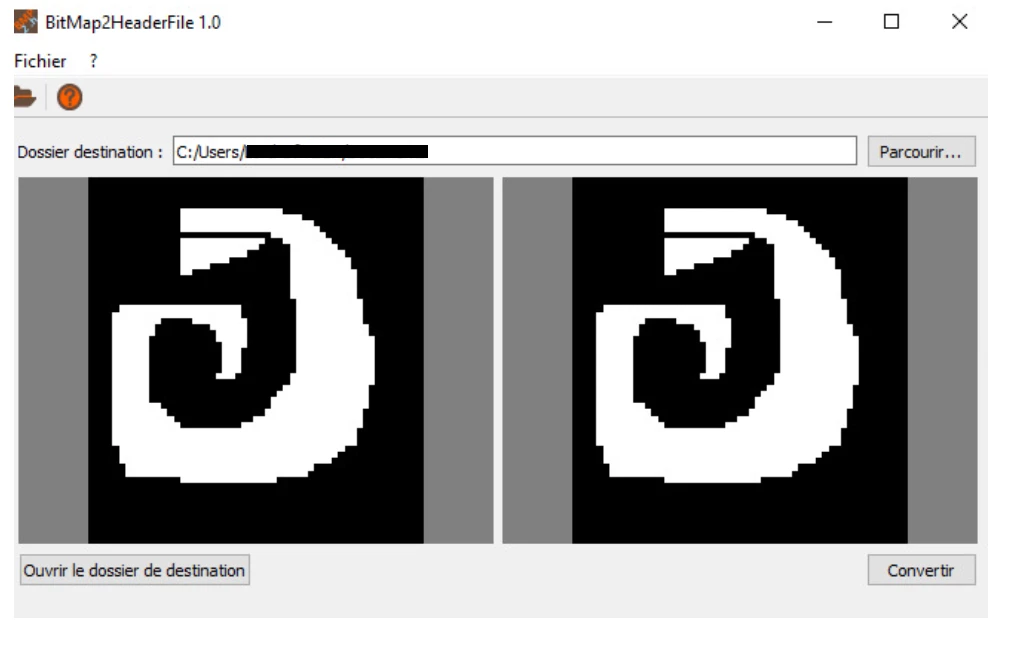
Software with png:
 but after upload to stm32f746g-disco showing on lcd this:
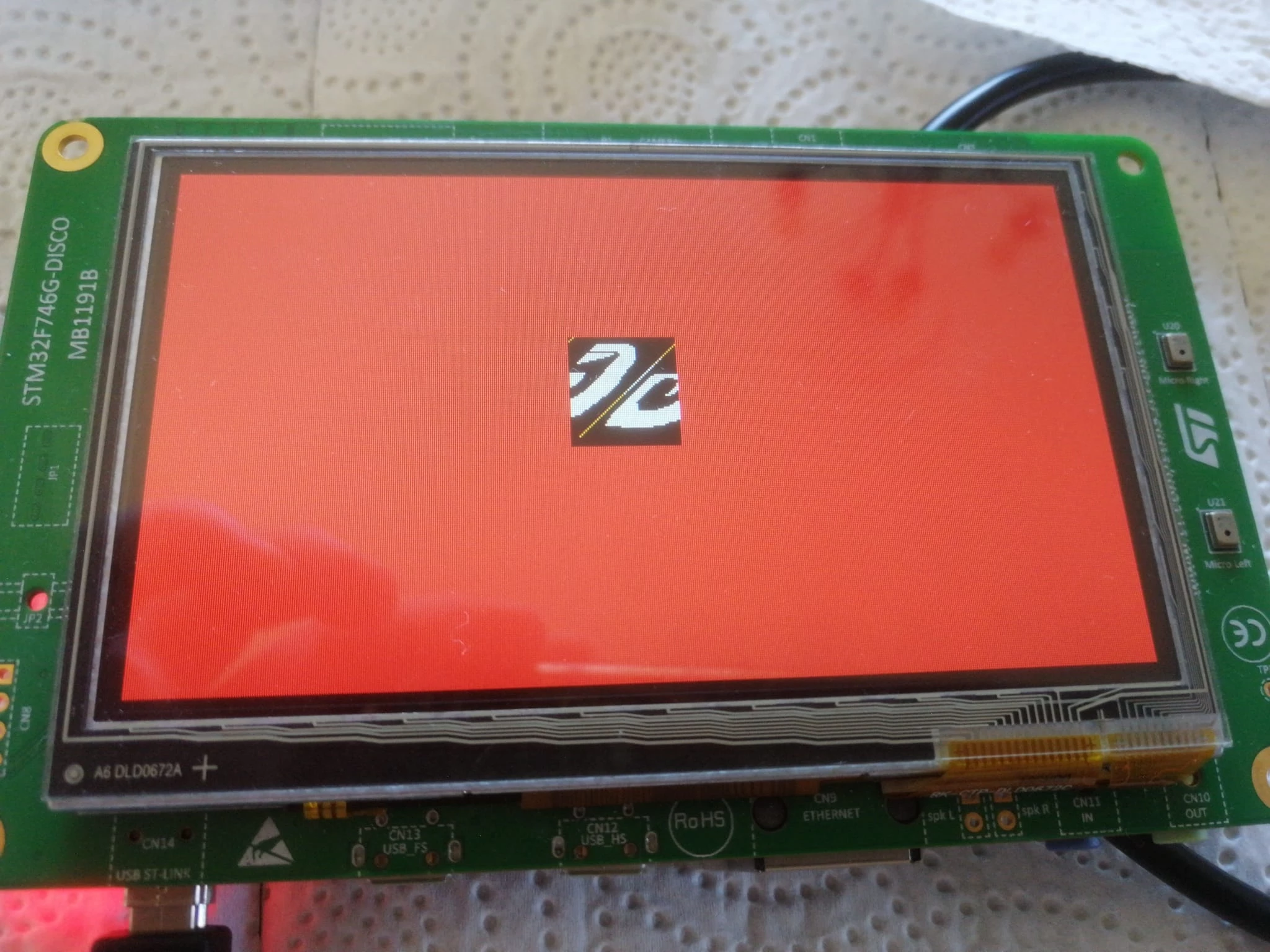 Problems:
1)The picture started to drawing on half of the picture.
2)The picture slipped a little.
Do anyone have any opinion how to fix these ?
Software owner said that this program open source software. Could someone say how to change somethings in The software ?
Could someone recommend a program like this software that png to .h file with this format correctly ?