Senior III
September 1, 2026
Solved

Artifacts when handleDragEvent and startMoveAnimation

  • September 1, 2026
  • 5 replies
  • 32 views

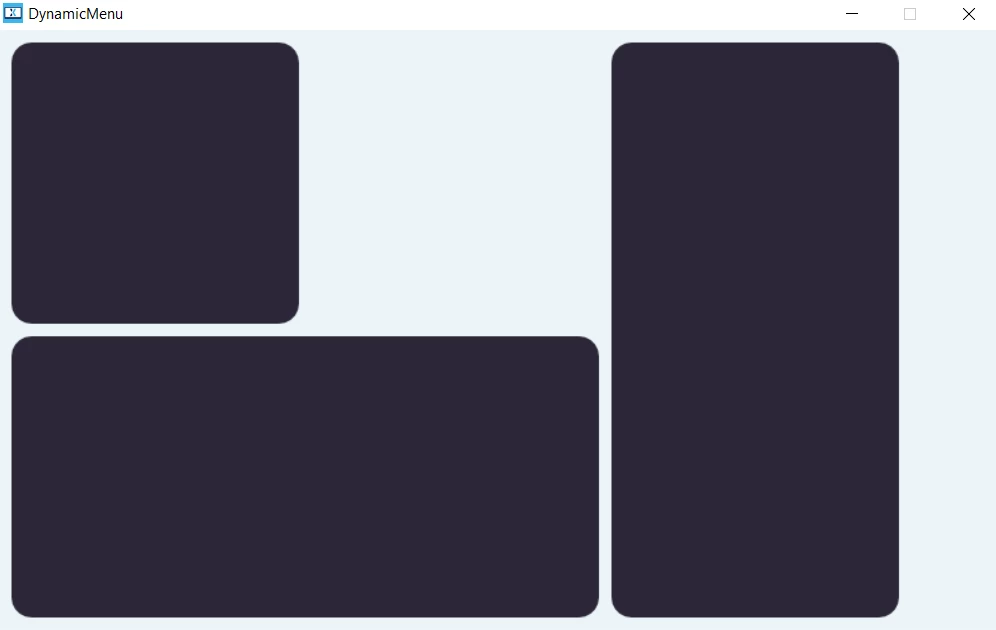
I’ve implemented a sort of dynamic menu where there are 6 positions and you can resize the menu item to become 2x1 or 1x2 (see screenshot for a better understanding)

It is achieved by a custom widget class built on top of Shape

The elements can be dragged and moved around and I’m using handleDragEvent to achive that. When dragging around there’s a method that re-position the element to avoid overlapping.

For some reason, sometimes, not always, when the elements are moved automatically around, some strange artifacts. Is there a reason for that; where should I watch?

(at the moment I’m only using the simulator)
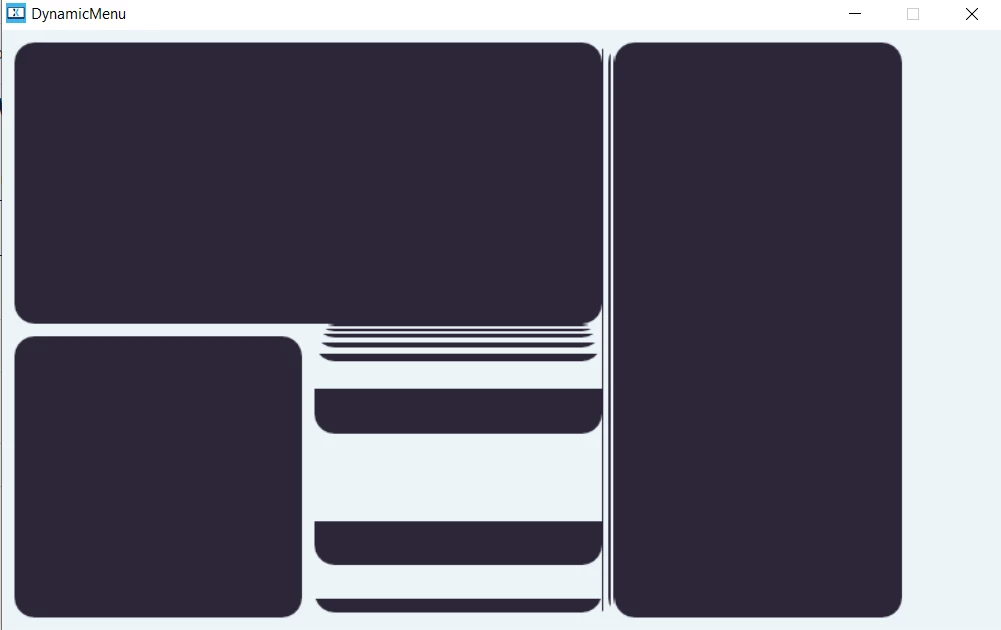
artifacts
how it should render
Best answer by nico23

@Osman SOYKURT you were right

I was applying the new geometry and then invalidating the area; this meant that, if a geometry was 2x1, when resized, it would become 1x1 and then invalidated. The remaining 1x1 area would have been invalidated only if a new tile was moved in that specific area.

Because of that, during the animation the area that was not cleaned was instantly showing the garbage data in the framebuffer that wasn’t invalidated.

I’ve fixed the issue adding also a new invalidate before applying the new geometry

void updateShape()
{
this->invalidate();
// calculate the new shape and apply
this->invalidate();
}

5 replies

Osman SOYKURT
ST Technical Moderator
September 2, 2026

Hello ​@nico23 ,

Do you use single/double framebuffer strategy?

ST Software Developer | TouchGFX
nico23Author
Senior III
September 2, 2026

It’s a simulator-only project created directly with the template in TouchGFX so, I think it has maintained the default settings

Osman SOYKURT
ST Technical Moderator
September 2, 2026

Ok because to me it looks like some invalidation issue. You might need to check where do you call invalidate() to your elements.

ST Software Developer | TouchGFX