AKhri.1
Associate
Mar 26, 2021 11:06 AM UTC
Question

SBSFU - FW too big

I am adapting the NUCLEO-H753ZI single-slot project to work on a NUCLEO-H745ZI-Q board.

My development environment is linux and I am using minicom for the ymodem upload.

When flashed, the binary seems to function perfectly, but when I corrupt the image and attempt to upload a new sfb file the board keeps failing the download saying that the firmware is too big.

The project I am working on is largely unmodified other than setting the flags for the minicom communication in app_sfu.h and the workaround for the double include for the userapp.

Below are screenshots of the problem:
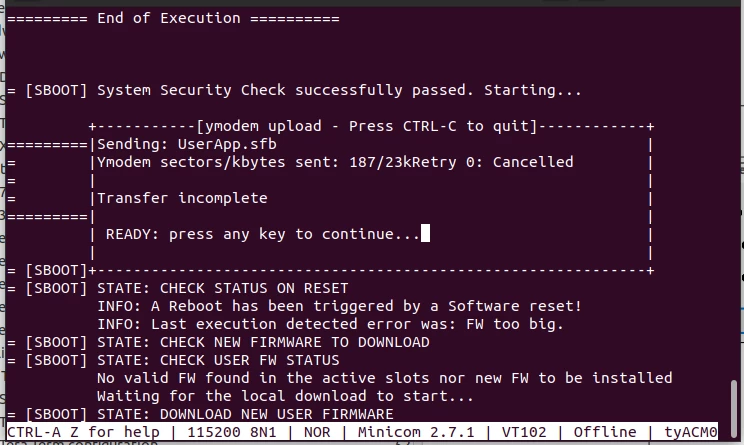
0693W000008y0DMQAY.png0693W000008y0DRQAY.pngI have verified that minicom is indeed configured correctly as the guide requires:
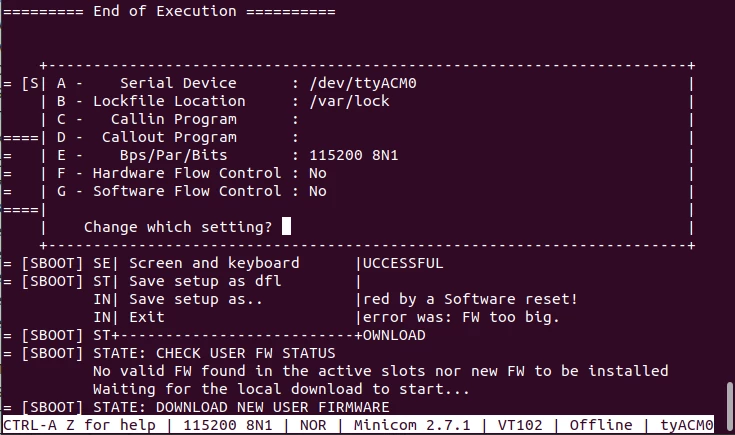
0693W000008y0DvQAI.pngIs there something I am missing? Yes, I have read the integration guide and I have modified the project to support the dual core board.

    This topic has been closed for replies.

    3 replies

    Jocelyn RICARD
    ST Employee
    Jun 10, 2021 2:10 PM UTC

    Hello ,

    I'm sorry I've just seen your request.

    I guess you probably solved it now.

    I made a quick check on my side with STM32H753 project of SBSFU V2.4.0, using the corrupt image menu and flashing again the image in the 2 images project and it works fine.

    If you still have the issue I would need you provide your modified files to that I can reproduce and debug.

    Best regards

    Jocelyn

    Associate III
    Mar 20, 2024 4:10 PM UTC

    Hello,

    I am also adapting the NUCLEO-H753ZI single-slot project to work on a NUCLEO-H743ZI2 board and got the same error using minicom on linux.
    How did you fix it?

    aco990_0-1710950963848.png
    aco990_1-1710950993376.png


    Associate III
    Mar 20, 2024 8:02 PM UTC

    Shifting the DWL area pointer by the received header size (192 bytes) fixed the issue for me.

    aco990_0-1710964862082.png