

What do I use the complementary PWM output?
Hi.
I'm a beginner in programming stm32 microcontrollers. I am developing a control for brushless motors using DMA.
I am using the microcontroller STM32F103C8T6 (Chinese development kit "bluepill") at 72Mhz.
To connect two LEDs for test, set 1 TIMER1 PWM channel with complementary output (CH1 and CH1N) on the STM32 Cube MX.
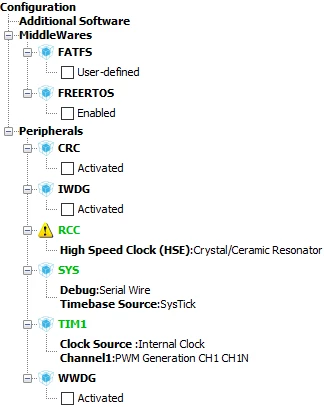
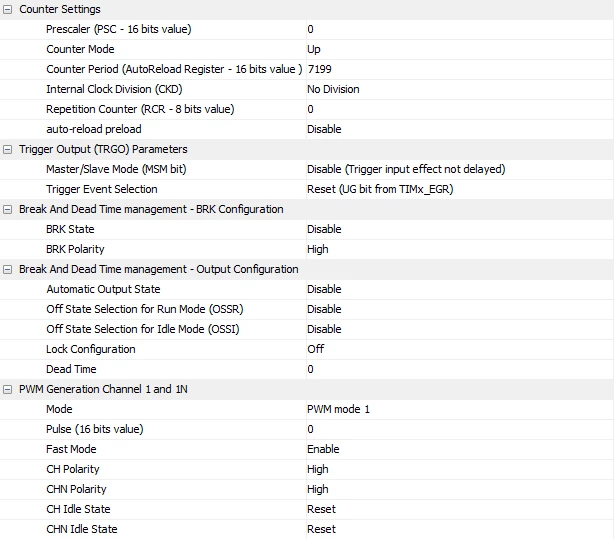
At the moment I'm just testing the PWM outputs and their respective complementary outputs. But I do not know how to halt them. Only on a LED, which is connected to the PA8 (CH1) pin, does the brightness change. How do I enable companion output?
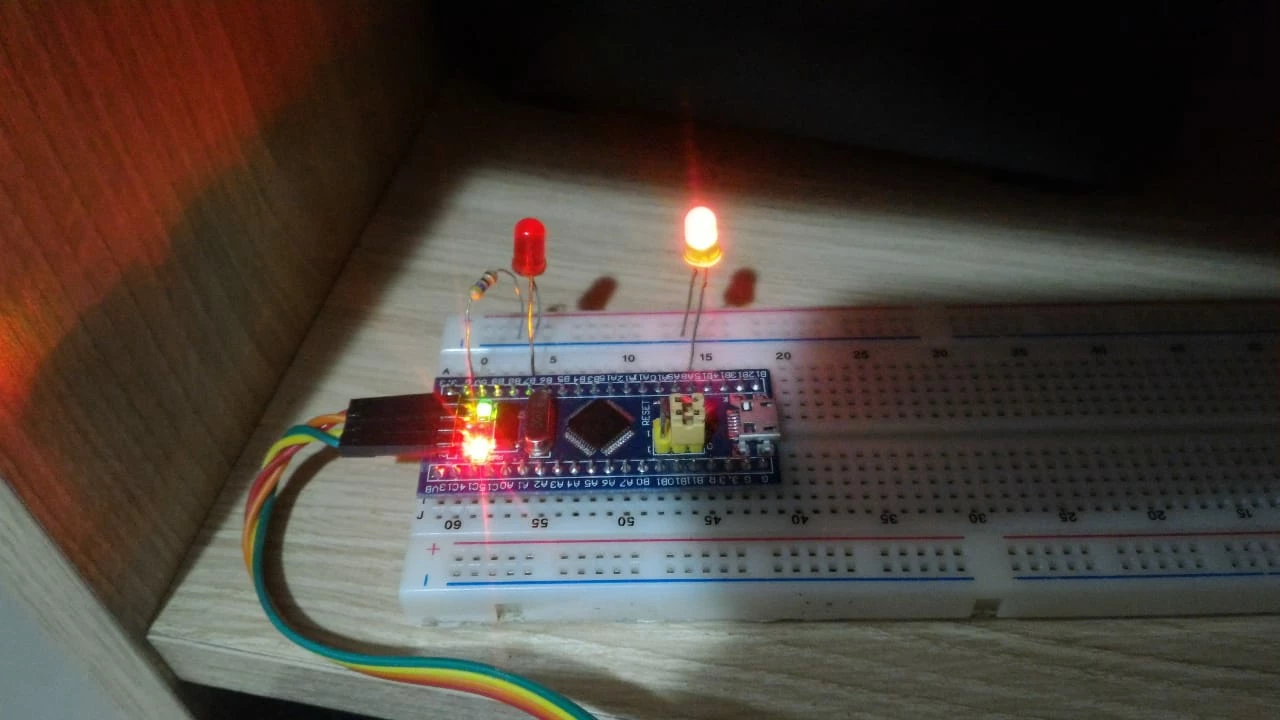
What I modified in main.c is below:
volatile int value [60] = {0,376,752,1126,1496,1863,2224,2579,2928,3268,3599,3920,4231,4530,4817,5090,5349,5594,5824,6037,6234,6414,6576,6720,6846,6953,7041,7110,7159,7189,7199,7189,7159,7110,7041,6953,6846,6720,6576,6414,6234,6037,5824,5594,5349,5090,4817,4530,4231,3920,3599,3268,2928,2579,2224,1863,1496,1126,752,376};
int i;
.
.
.
HAL_TIM_PWM_Start(&htim1, TIM_CHANNEL_1);
HAL_TIMEx_PWMN_Start(&htim1, TIM_CHANNEL_1);
.
.
.
while (1)
{
/* USER CODE END WHILE */
/* USER CODE BEGIN 3 */
for(i=0;i<=60;i++)
{
HAL_Delay(20);
TIM1 -> CCR1 = value[i];
}
}
I'm using google translator. So maybe it's a little harder for you to understand what I want to get through.
Thank you all!
Daniel M. Vieira
