
RS009
Associate II
January 27, 2023
Solved

unexpected output

  • January 27, 2023
  • 3 replies
  • 3353 views

0693W00000Y9N0cQAF.pngBelow is my code:

uint8_t line[50]="Application is Running\n";

uint8_t Buf[50];

uint8_t A=0,B=0;

  while(! HAL_GPIO_ReadPin(GPIOC, GPIO_PIN_13)); // wait for user button press

  HAL_Delay(200);

  strcpy((char*)Buf," \n\nI am in the Loop \n");

  HAL_UART_Transmit(&huart1, Buf, strlen((char*)Buf), HAL_MAX_DELAY);

  HAL_Delay(200);

  strcpy((char*)Buf," Enter the number A : ");

  HAL_UART_Transmit(&huart1, Buf, strlen((char*)Buf), HAL_MAX_DELAY);

  HAL_UART_Receive(&huart1,&A, 2, 5000);

  strcpy((char*)Buf," \nEnter the number B : ");

  HAL_UART_Transmit(&huart1, Buf, strlen((char*)Buf), HAL_MAX_DELAY);

  HAL_UART_Receive(&huart1, &B, 2, 5000);

  sum=A+B;

  sprintf((char*)Buf,"\n Number A = %d",A);

  HAL_UART_Transmit(&huart1, Buf, strlen((char*)Buf), HAL_MAX_DELAY);

  sprintf((char*)Buf,"\n Number B = %d",B);

  HAL_UART_Transmit(&huart1, Buf, strlen((char*)Buf), HAL_MAX_DELAY);

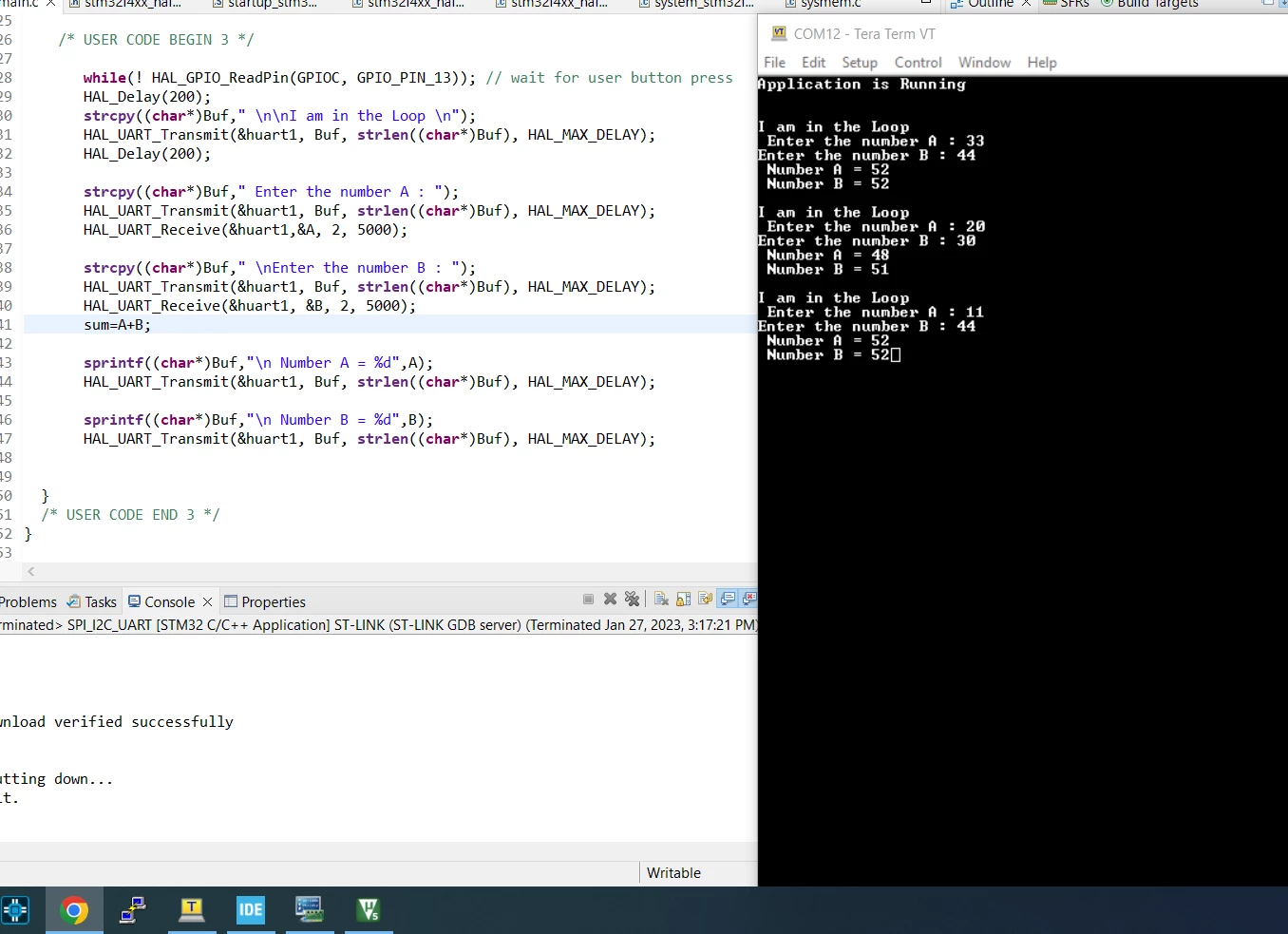
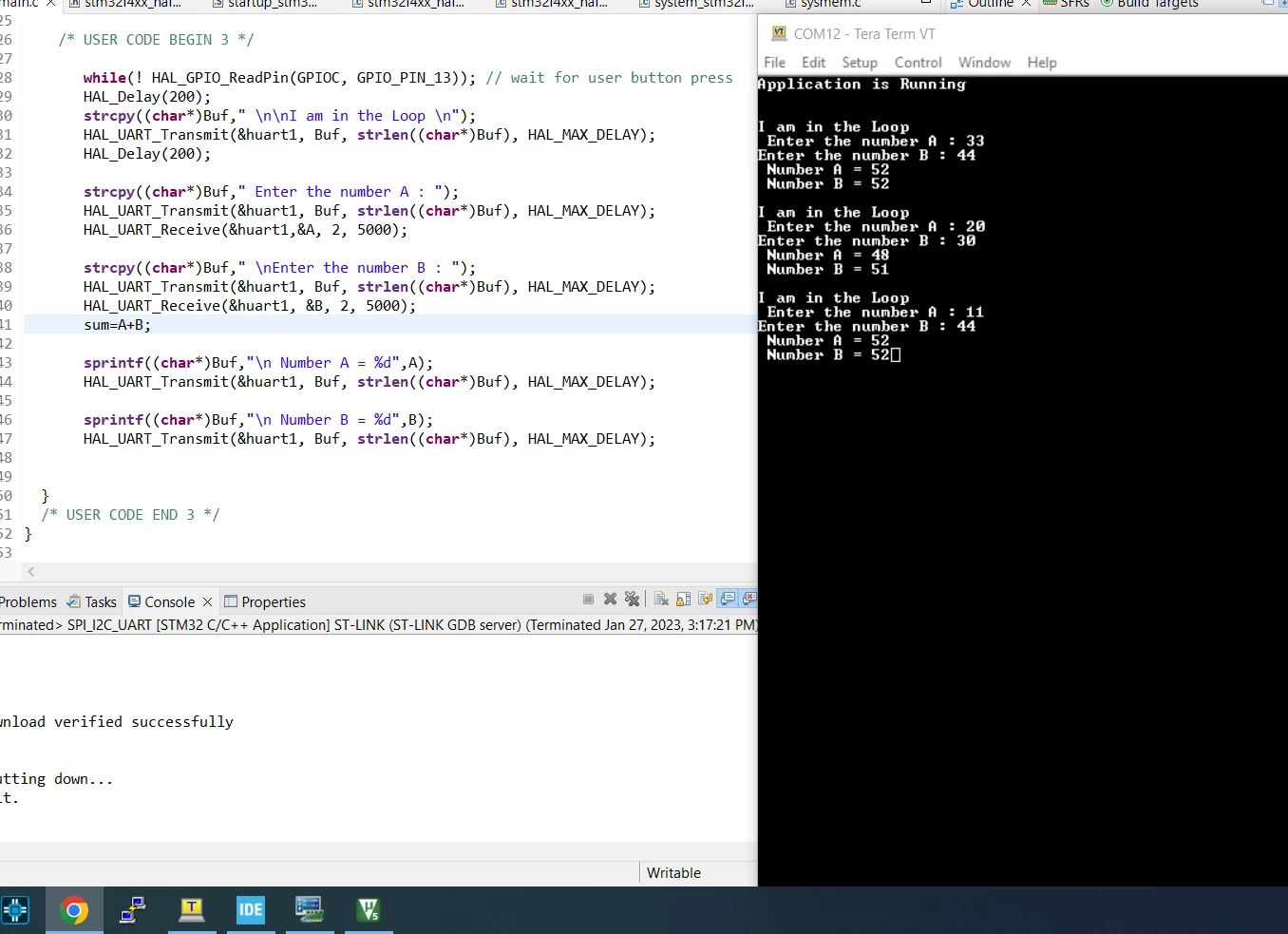
I am getting unexpected output on serial monitor

what is wrong
0693W00000Y9MyRQAV.png 

This topic has been closed for replies.
Best answer by Michal Dudka

1) UART_Receive reading two bytes and writes them into one byte variable -> that is dangerous mistake (array overflow)

2) If you are looking for way "to read numbers from terminal" you are confused about strings, ASCII codes and numbers. From UART you want to read strings (array of characters), then you have to convert it to numbers (by sscanf() or atoi() or atol() or another way) and then you can print these numbers by sprintf().

3 replies

Michal Dudka
Michal DudkaBest answer
Lead
January 27, 2023

1) UART_Receive reading two bytes and writes them into one byte variable -> that is dangerous mistake (array overflow)

2) If you are looking for way "to read numbers from terminal" you are confused about strings, ASCII codes and numbers. From UART you want to read strings (array of characters), then you have to convert it to numbers (by sscanf() or atoi() or atol() or another way) and then you can print these numbers by sprintf().

RS009
RS009Author
Associate II
January 30, 2023

Thank you Michal, I really confused about that. I cleared it now but I have question, what if I want to store 40505600.56989 (frequency) in a variable by entering in a terminal

Michal Dudka
Lead
January 30, 2023

The same way as integer.

1) Receive string from UART (google "receiving strings UART STM32 HAL")

2) Then convert received string to floating point number for example by sscanf() or atof().

gbm
Lead III
January 27, 2023

The output is at least partially expected. It's a miracle your program doesn't fail completely, since you are attempting to read 2 bytes into one-byte variable. I guess by pure luck A is placed in memory right after B, so while trying to receive two digits into B you actually read one digit into B and another into A, overwriting the previous value of A. ASCII code of digit n is 48+n, so the output is correct (48 -> digit 0, 51 - digit 3, 52 -> digit 4, etc.).

My STM32 stuff on github - compact USB device stack and more: https://github.com/gbm-ii/gbmUSBdevice
RS009
RS009Author
Associate II
January 30, 2023

Thank you gbm , I cleared my doubt with this tips

S.Ma
Principal
January 28, 2023

I feel a basic console C example in STM32Cube would help most users...