Associate
Jan 9, 2025 5:44 AM UTC
Solved

unable to interface VL53L4CX with STM32F030

Hi team,


I am new to the STM32 Cube IDE environment and would like to interface and control the VL53L4CX Time-of-Flight sensor using an STM32F030 DEMO Board. I kindly seek your guidance and support in achieving this.


Here are the details of the hardware I am working with:


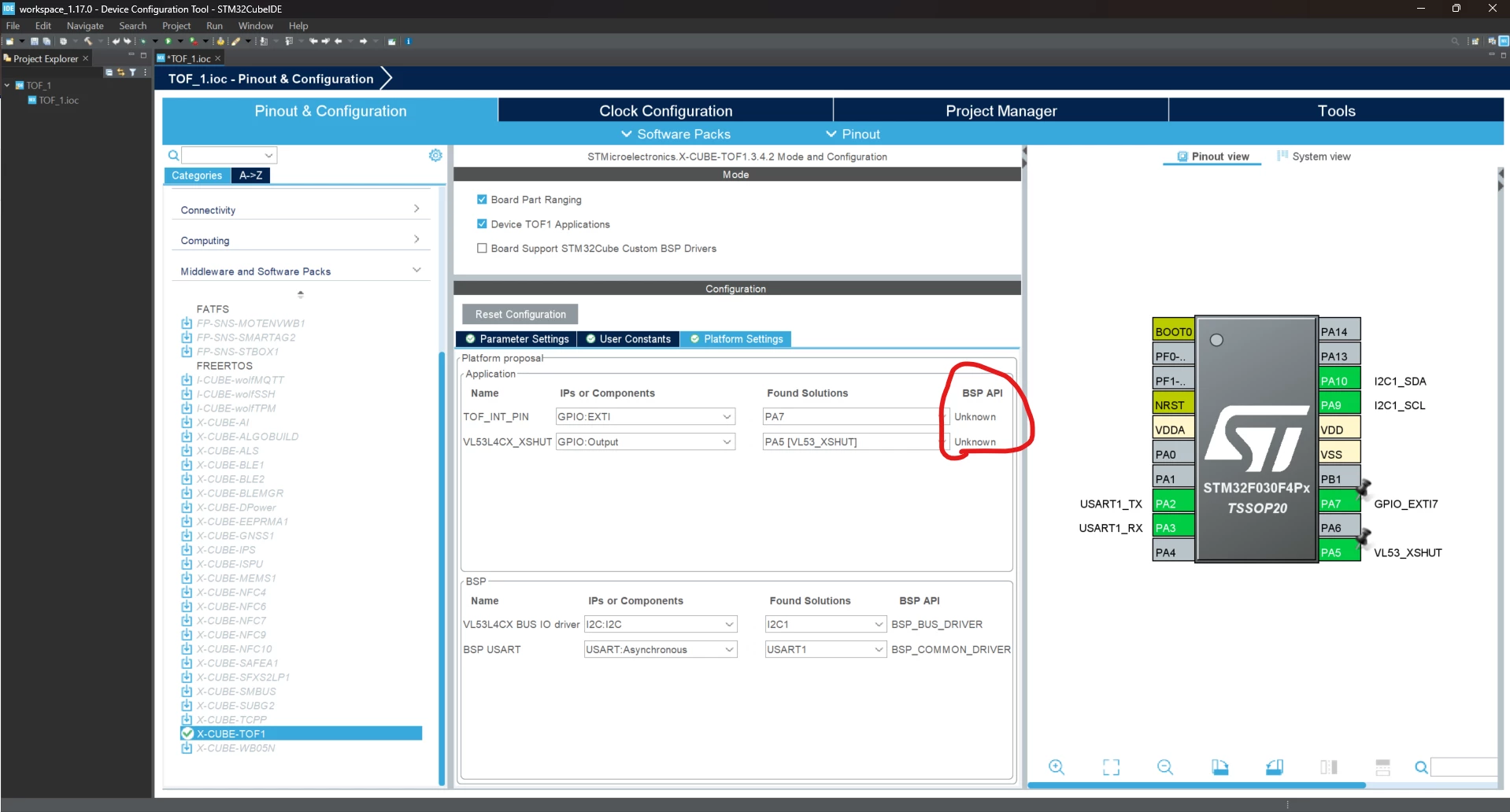
I only have an STM32F030 DEMO Board to work with, When I try to do the Pin assignments for the MCU (STM32F030F4P6), by including the software pack X-CUBE-TOF1 in simple ranging mode; the BSP APIs for the pins TOF_INT_PIN and VL53L4CX_XSHUT are unknown, Please find the attached image for your kind reference,


Anirudh_balaji_4-1736401237886.png


Additionally, is vl53l4 only compatible with Nucleo boards? Correct me if I am wrong, but if that is not the case, can you please guide me in establishing communication between STM32F030 and VL53L4CX?


I am also available to schedule a call with the ST team to discuss and resolve this. I look forward to your support.

Thanks and Regards,

Anirudh

This topic has been closed for replies.
Julien NGUYEN
Julien NGUYENBest answer
ST Employee
Jan 29, 2025 8:52 AM UTC

Hello Anirudh,

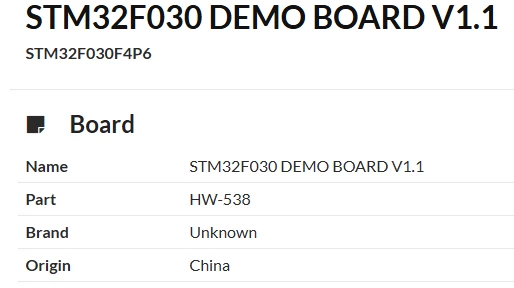
The STM32 board you are using is not a ST product.


JulienNGUYEN_4-1738140656917.png

STM32F030F4P6 - STM32F030 DEMO BOARD V1.1 | STM32-base project

JulienNGUYEN_3-1738140594419.png


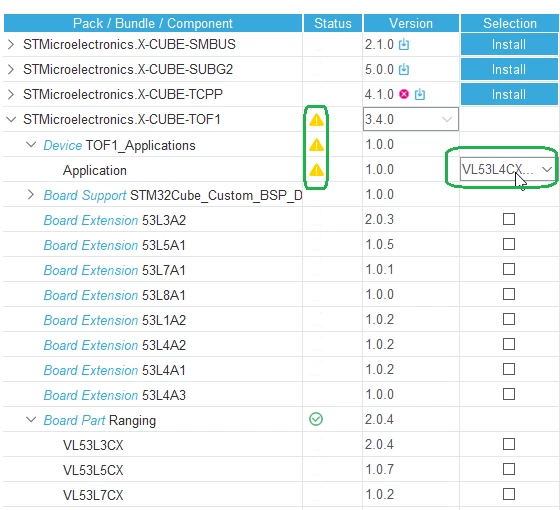
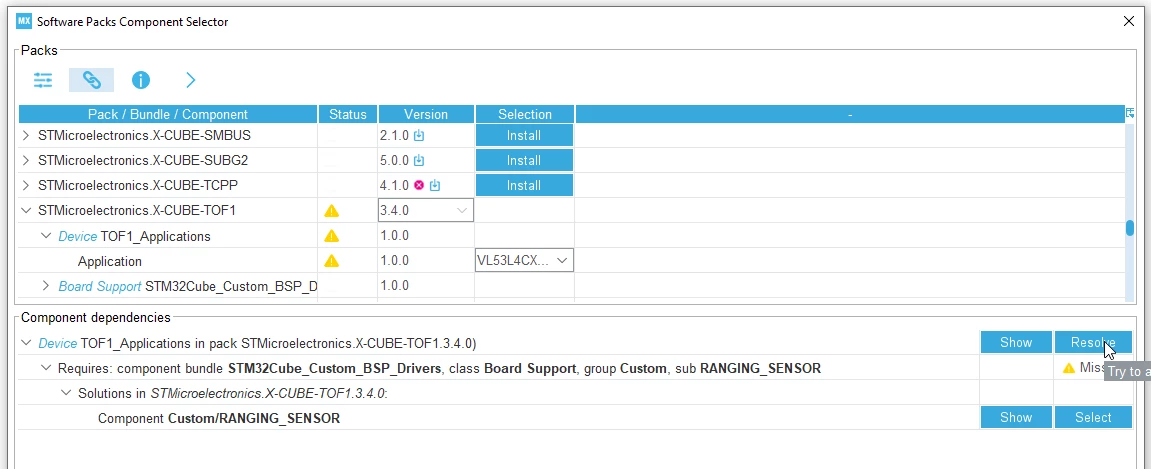
Anyway, I think I understand your issue: You may forget to select the Application and resolve the warnings by importing the BSP driver class. Please try it and let us know if it works for you, I cannot give you more support than I did on a no-ST product.

JulienNGUYEN_0-1738140292741.png


JulienNGUYEN_1-1738140332899.png


Julien


In order to give better visibility on the answered topics, please click on 'Accept as Solution' on the reply which solved your issue or answered your question.

1 reply

Julien NGUYEN
Julien NGUYENBest answer
ST Employee
Jan 29, 2025 8:52 AM UTC

Hello Anirudh,

The STM32 board you are using is not a ST product.


JulienNGUYEN_4-1738140656917.png

STM32F030F4P6 - STM32F030 DEMO BOARD V1.1 | STM32-base project

JulienNGUYEN_3-1738140594419.png


Anyway, I think I understand your issue: You may forget to select the Application and resolve the warnings by importing the BSP driver class. Please try it and let us know if it works for you, I cannot give you more support than I did on a no-ST product.

JulienNGUYEN_0-1738140292741.png


JulienNGUYEN_1-1738140332899.png


Julien


In order to give better visibility on the answered topics, please click on 'Accept as Solution' on the reply which solved your issue or answered your question.