Associate
Apr 17, 2024 4:55 PM UTC
Question

UCPD SINK Application NUCLEO-u575ZI-Q

I'm trying to run a simple UCPD SINK application on the NUCLEO-U575ZI-Q.

I attempted to follow the example provided here: 

https://wiki.stmicroelectronics.cn/stm32mcu/wiki/STM32StepByStep:Getting_started_with_USB-Power_Delivery_Sink#-5BOPTIONAL-5D_Configure_Tracer_for_debug

With debug setup and everything: 

If I allow the application to remain a FreeRTOS application the device does not at all get recognized in STM32CubeMonitor-UCPD.

If I do a no RTOS iteration: 

```

MX_ADC1_Init();

/* USER CODE BEGIN 2 */


/* USER CODE END 2 */


/* Init scheduler */

// osKernelInitialize();

/* USBPD initialisation ---------------------------------*/

MX_USBPD_Init();


/* Call init function for freertos objects (in cmsis_os2.c) */

// MX_FREERTOS_Init();


/* Start scheduler */

// osKernelStart();


/* We should never get here as control is now taken by the scheduler */


/* Infinite loop */

/* USER CODE BEGIN WHILE */

while (1)

{

/* USER CODE END WHILE */

USBPD_DPM_Run();

// HAL_GPIO_TogglePin(BLUE_LED_GPIO_Port, BLUE_LED_Pin);

// HAL_Delay(1000);


/* USER CODE BEGIN 3 */

}

/* USER CODE END 3 */

}

```

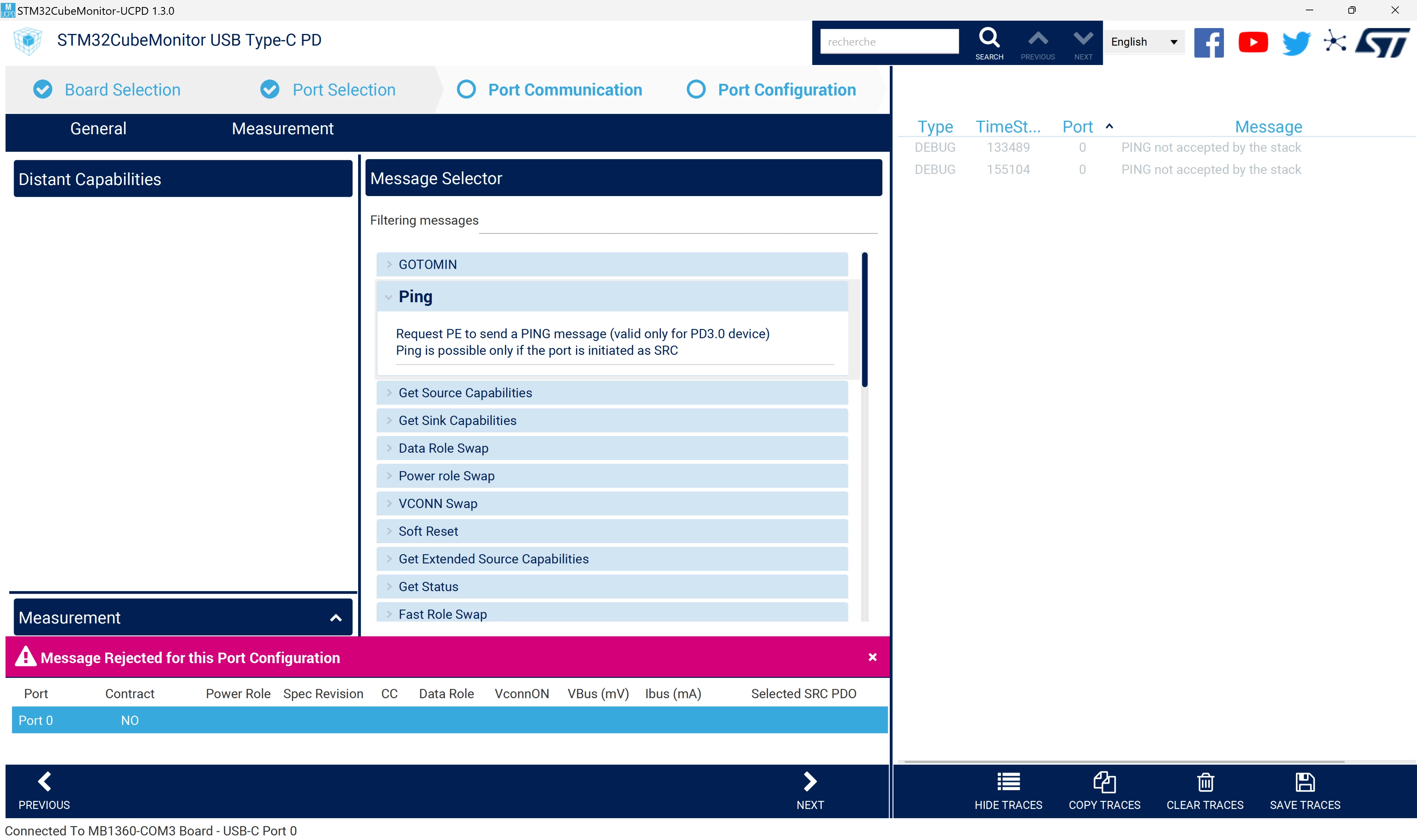
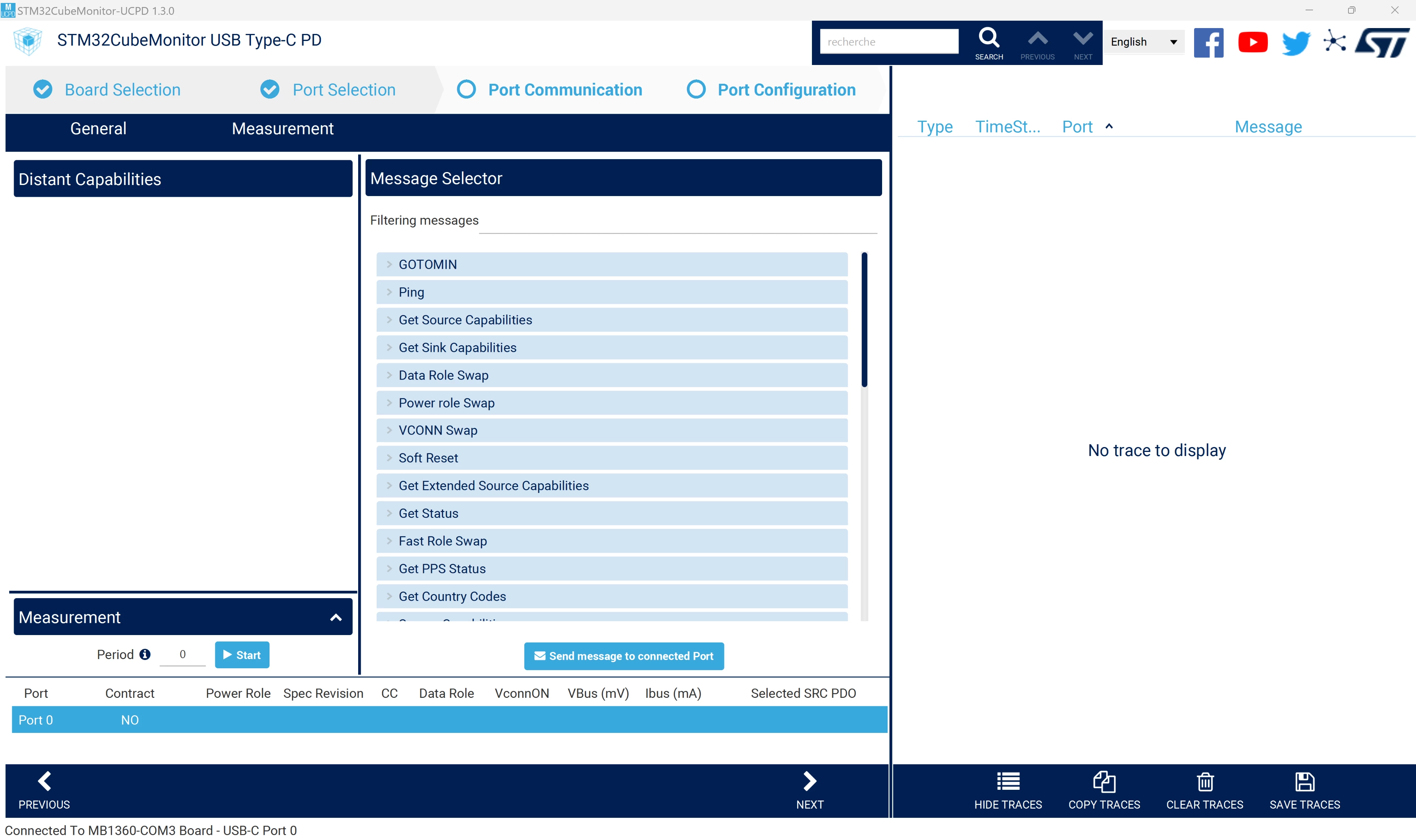
I can connect to the device but I get no trace visibility:
acipriano_1-1713372587747.png

And I cannot communicate:

acipriano_2-1713372661433.png

And I am running in debug mode I see that I'm infinitely in the `USBPD_DPM_Run();` function. Not sure I am doing wrong here?

This topic has been closed for replies.

10 replies

aciprianoAuthor
Associate
Apr 17, 2024 4:59 PM UTC

Interestingly enough I tried to follow the example given in the step by step guide above with the exact board mentioned above and I still do not get any traces: 

acipriano_0-1713373006294.png

I don't believe I missed any steps. Let me know how I can upload the sample code (since .zip uploads are not permitted)


AScha.3
Super User
Apr 17, 2024 5:43 PM UTC

>.zip uploads are not permitted

try .7z . 

If you feel a post has answered your question, please click on " Best Answer ".
Nicolas P.
ST Employee
Apr 25, 2024 5:00 PM UTC

Hello @acipriano,

You didn't answer to my first question : did you plug two devices together ?

Did you reach explicit contract ? (On, the picture you shared on the ‎2024-04-17 09:59 AM, we see "Contract : NO")

On the bottom lines of UCPD monitor, as on the picture below (here it is a G0-Eval board with port 1 and port 2 looped) we should see this status :

image.png

Only if you have two devices connected, you will see protocol exchanges.

As you can see on the trace side, we see messages going out (orange) and going in (green). And every time we get a GoodCRC acknowledge.

For a sink, you need to adapt the PDO request depending on the source capabilities. Have a look at this wiki chapter. You will find links to code examples. Adding PDOs in the UCPD monitor configuration will not trigger automatic voltages request. You need to establish your own strategy in the embedded application.

Getting answers like "not accepted by the stack" means most of the time that you didn't respect the right protocol sequence.

Not having reached explicit contract, or not having the right power role is a good investigation starting point for example.

Regards,

Nicolas

aciprianoAuthor
Associate
Apr 25, 2024 5:48 PM UTC

Hey Nicolas.

Sorry I missed that question: I have a USB-C power supply connected to the USB-C port of my board. But I'm unable to get an explicit contract. Should I be able to get an explicit contract under these conditions?

acipriano_0-1714067006872.png


Nicolas P.
ST Employee
Apr 26, 2024 7:31 AM UTC

Yes, I think it is the first point to investigate.

Have you tried different cables/ chargers ?

In the end, have you instantiated freeRTOS ?

Do you get UCPD interrupts ? Where do you read the 5V ? From an oscilloscope on the board ?

Don't you even get a trace message like "USBPD_CAD_STATE_DETACHED" at reset when you use UCPD monitor using just the tracer part (on the right side, pointing to the COM port manually in the dark blue "Select Tracer Port" drop down list, not by clicking on the board selection tab) ?

For me it seems that you have no scheduling of the CAD task. (The CAble Detection part)

Nicolas

aciprianoAuthor
Associate
Apr 26, 2024 7:17 PM UTC

Hey Nicolas,

Thanks for pointing me in the right direction. I'm now getting USBPD CAD messages:

acipriano_0-1714158651977.png

And yes, I'm reading the 5V signal from an oscilloscope and have tried plugging the USBC to my computer and to the wireless charger.

I'm also getting the UCPD interrupts if I attach or detach the USBC cable from my computer. 

I managed to adapt the G0 example to get the FreeRTOS to work. 

I still can't get the contract to work still. Any further insight into what this might be caused by?

Thanks

Amilcar

Nicolas P.
ST Employee
May 2, 2024 1:59 PM UTC

Hello Amilcar.

Looks better.

However I doubt that the STM32 gets the good VBUS level thanks to the ADC measurement.

Are you starting ADC measurements on VBUS_SENSE pin PC2 ? (See for example BSP_USBPD_PWR_VBUSInit)

Can you try to print the VBUS level thanks to the user button and the code described in the Wiki here ?

What value is returned by BSP_USBPD_PWR_VBUSGetVoltage ?

Because I see some debug messages in your trace that would indicate some code is missing.

Whenever you have "ADVICE: Update xxx" it means that you have to fill in this part of code. (And of course, once filled, you can remove the ADVICE print...)

What is the value of the dead battery pin PB5 (UCPD_DBn) ? (see again the wiki for G0, but you need to adapt it for U5)

Regards,

Nicolas

Nicolas P.
ST Employee
May 3, 2024 12:52 PM UTC

Hello @acipriano Amilcar,

one thought : how is your JP4 jumper ?

Is your VDD@1V8, or 3V3 ?

Because UCPD will work only at 3.3V.

Regards,

Nicolas