

Associate II
August 16, 2026
Solved

The EXTI STM32H7R7I8t6 is not working.

  • August 16, 2026
  • 21 replies
  • 221 views

Hello everyone.

My fight with STM32H7R7 continues.

I'm trying to get the simplest example of triggering the EXTI interrupt on an STM32H7R7I8T6. I've run this thousands of times on other H7 series MCUs and never had any problems. I have a button and an LED connected to the MCU as shown in the diagram.
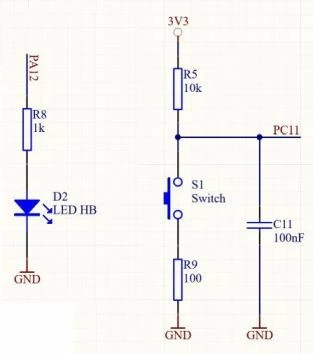
Pin PC11 configured as below:

/*Configure GPIO pin : PC11 */
GPIO_InitStruct.Pin = GPIO_PIN_11;
GPIO_InitStruct.Mode = GPIO_MODE_IT_FALLING;
GPIO_InitStruct.Pull = GPIO_NOPULL;
HAL_GPIO_Init(GPIOC, &GPIO_InitStruct);

/* EXTI interrupt init*/
HAL_NVIC_SetPriority(EXTI11_IRQn, 0, 0);
HAL_NVIC_EnableIRQ(EXTI11_IRQn);


I added to the Callback code as always:

/* USER CODE BEGIN 4 */
void HAL_GPIO_EXTI_Callback(uint16_t GPIO_Pin)
{
    if(GPIO_Pin == GPIO_PIN_11)
    {
        HAL_GPIO_TogglePin(GPIOA, GPIO_PIN_12);
    }
}
/* USER CODE END 4 */


Optionally, I also added lines in the Callback itself:

/* USER CODE BEGIN 4 */
void HAL_GPIO_EXTI_Callback(uint16_t GPIO_Pin)
{
if(GPIO_Pin == GPIO_PIN_11)
{
HAL_GPIO_TogglePin(GPIOA, GPIO_PIN_12);
__HAL_GPIO_EXTI_CLEAR_IT(GPIO_PIN_11);
}
}
/* USER CODE END 4 */

While debugging, I can see that the registers respond correctly to pressing and releasing the button:
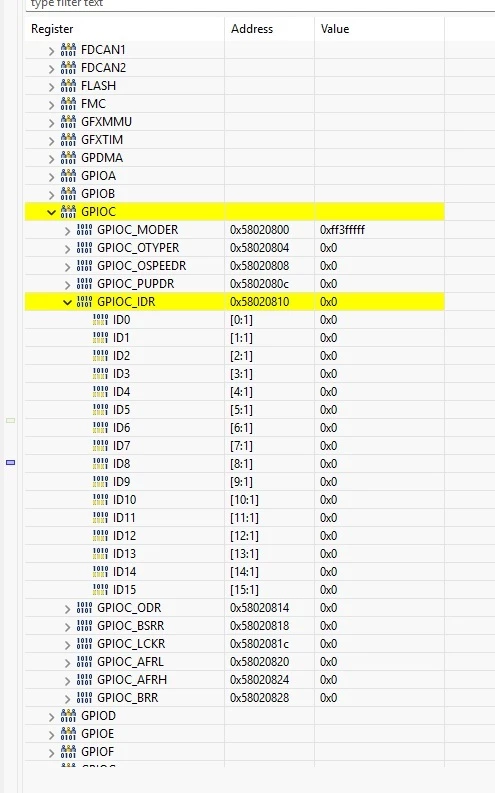
 

When the button is pressed.
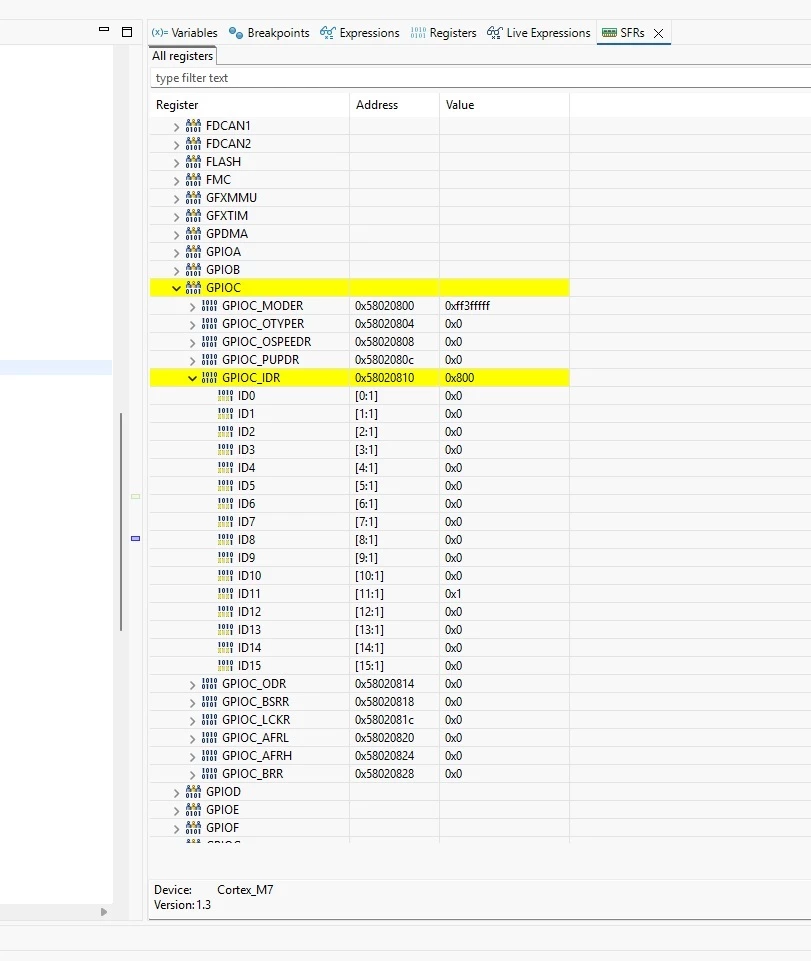
 

When the button is released.
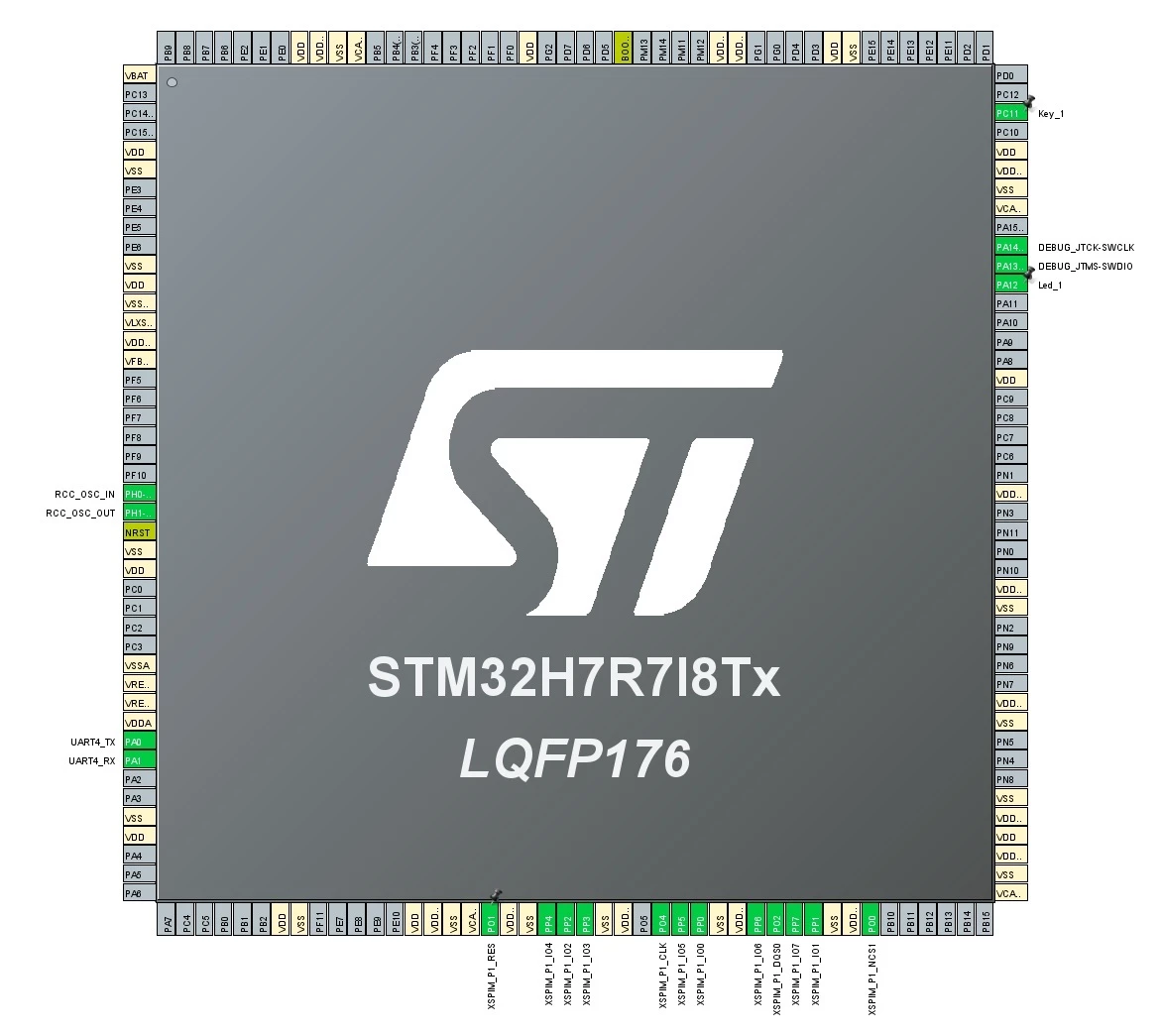


I tried reconnecting the key to different pins. Same result. The main loop definitely works. Interrupts are enabled... I tried with different priorities. The EXTI handler isn't called. I'm using the latest STM32CubeIde and STM32CubeMX. The project is attached.

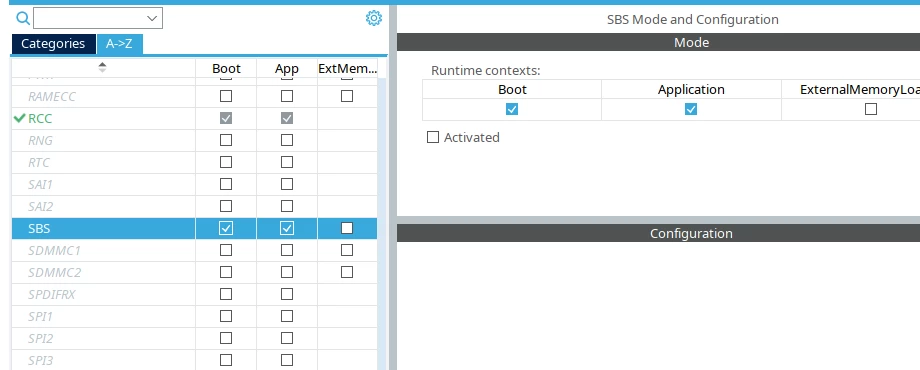
Best answer by AScha.3

if sbs setting has effect, set in Cube:

...should do it.

21 replies

Pavel A.
August 17, 2026

Do other interrupts work in your projects? Systick for one?


ProcekAuthor
Associate II
August 17, 2026

All other interrupts work. I have a UART that works with interrupts. I launched the TouchGFX project on the same PCB where the LTDC interrupts are. Now I was supposed to add a touch controller that uses EXTI. But EXTI didn't work, so I created a clean project with just EXTI to find the error... but so far I can't find it. I uploaded the same code to three other MCUs: the H743, H563, and H750, and it worked on all of them. Considering that in the previous version, the STM32CubeMX ST had a rather serious bug with the STM32H743ZIT6, preventing it from setting the clock to 480MHz, which has been reported by many users on the forum, I wonder if a bug hasn't crept in here too...

AScha.3
Super User
August 17, 2026

Hi,

try: put the LED toggle direct  in the INT call, to check : the INT is enabled and executed.

 - >

void EXTI11_IRQHandler(void)
{
/* USER CODE BEGIN EXTI11_IRQn 0 */
HAL_GPIO_TogglePin(GPIOA, GPIO_PIN_12);
/* USER CODE END EXTI11_IRQn 0 */
HAL_GPIO_EXTI_IRQHandler(GPIO_PIN_11);
/* USER CODE BEGIN EXTI11_IRQn 1 */

/* USER CODE END EXTI11_IRQn 1 */
}


If you feel a post has answered your question, please click on " Best Answer ".
ProcekAuthor
Associate II
August 17, 2026

I've already tried that...No success.

AScha.3
Super User
August 17, 2026

ok..just whats different here from my generated code :

the project setting in Cube : (i am on Linux system)


...under root !?   I would try it… but i dont know it has effect or not here.

If you feel a post has answered your question, please click on " Best Answer ".
ProcekAuthor
Associate II
August 17, 2026

I tried that too.

ProcekAuthor
Associate II
August 17, 2026

This is the EXTI register in the STM32F446. The IMR register is set in it.


For some reason the STM32H7R7 doesn't do this and this is probably the reason.

ProcekAuthor
Associate II
August 17, 2026

I set the register manually.


And the IMR1 register is still set to zero. I don't understand this.


AScha.3
Super User
August 17, 2026

try: ena SBS clk + exti call ...15_10

_HAL_RCC_SBS_CLK_ENABLE(); 

GPIO_InitStruct.Pin = GPIO_PIN_11;
GPIO_InitStruct.Mode = GPIO_MODE_IT_FALLING;
GPIO_InitStruct.Pull = GPIO_NOPULL;
HAL_GPIO_Init(GPIOC, &GPIO_InitStruct);

/* EXTI interrupt init - Jetzt auf dem korrekten Gruppen-Vektor */
HAL_NVIC_SetPriority(EXTI15_10_IRQn, 0, 0);
HAL_NVIC_EnableIRQ(EXTI15_10_IRQn);


If you feel a post has answered your question, please click on " Best Answer ".
ProcekAuthor
Associate II
August 17, 2026

This won't work.


AScha.3
Super User
August 17, 2026
  • just put the sbs clk enable  -- then ?
If you feel a post has answered your question, please click on " Best Answer ".
ProcekAuthor
Associate II
August 17, 2026

In debug mode, I've initialized the GPIO. But when I enter the "HAL_GPIO_Init(GPIOC, &GPIO_InitStruct);" instruction, the debugger redirects me to the HAL_GPIO_Init function in the BOOT section, not the Application section. And these pins aren't initialized in the Boot section. So I also added the configuration to the Boot section, but that didn't help either.


AScha.3
AScha.3Best answer
Super User
August 17, 2026

if sbs setting has effect, set in Cube:

...should do it.

If you feel a post has answered your question, please click on " Best Answer ".
ProcekAuthor
Associate II
August 17, 2026

I did this and it helped!!!! Thank you so much!!!


ProcekAuthor
Associate II
August 17, 2026

This option is probably for external memories powered by 1.8V?? I have an MX25LM51245G powered by 3.3V.

ProcekAuthor
Associate II
August 17, 2026

It would be good if someone from ST commented and gave some tips.

ProcekAuthor
Associate II
August 17, 2026

I wanted to view the .ioc file with the EXTI configuration in the examples from the NUCLEO-H7S3L8 repositories, but it turns out that it is a clean configuration.