STM32H753ZIT6 on Custom PCB: Unable to Program Fresh MCU via UART Bootloader (STM32CubeProgrammer Timeout), Same Method Works on NUCLEO-H753ZI
Hi everyone,
I am using an STM32H753ZIT6 on our custom PCB. Before this, I was successfully programming the STM32H753ZI on the NUCLEO-H753ZI board using the UART bootloader (system memory boot mode) with STM32CubeProgrammer and a USB-to-UART TTL converter. I have never used an ST-LINK for programming.
I followed the same hardware connections and programming procedure on our custom PCB, but STM32CubeProgrammer always returns a timeout error and cannot connect to the MCU.
Setup
-
MCU: STM32H753ZIT6
-
Software: STM32CubeProgrammer
-
Programming interface: UART bootloader (not ST-LINK)
-
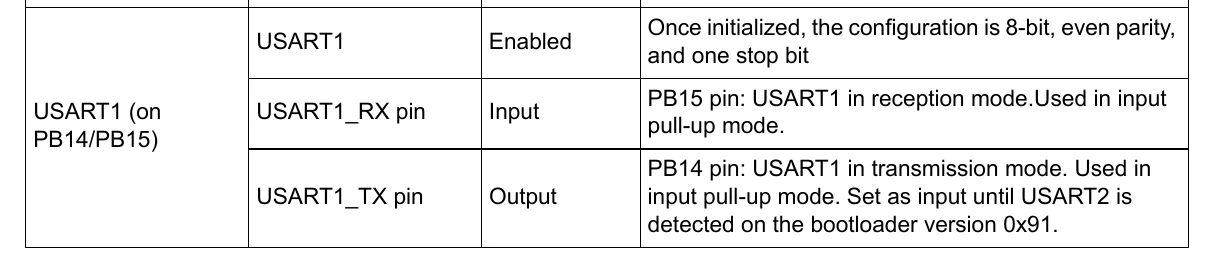
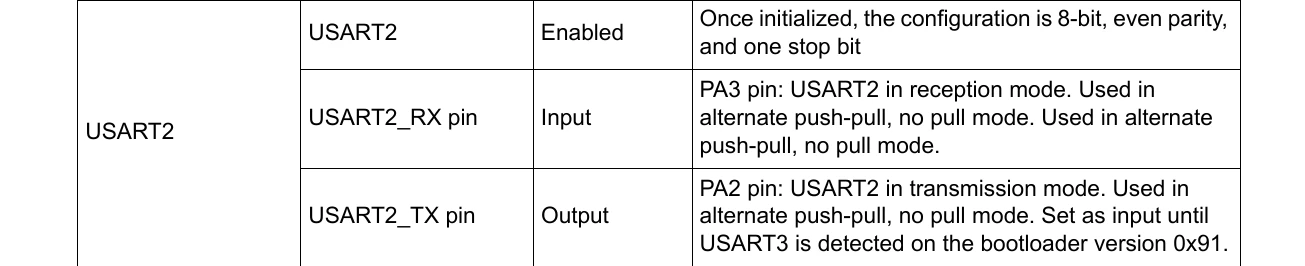
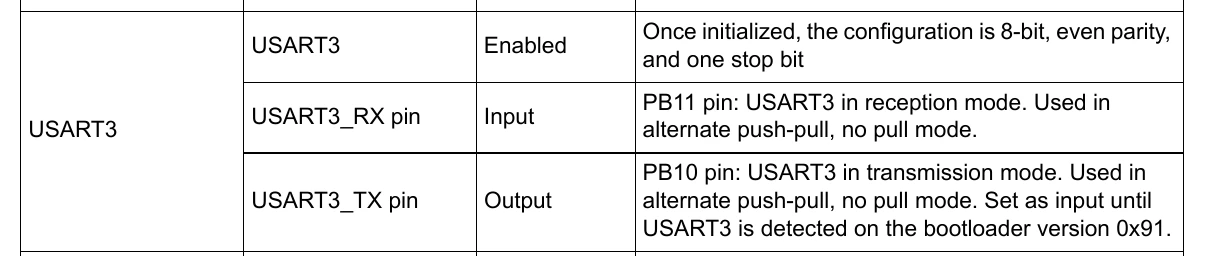
USB-to-UART converter connected to USART1
-
TX of USB-UART → STM32 PB15 (USART1_RX)
-
RX of USB-UART → STM32 PA9 (USART1_TX)
-
Manual boot mode selected (not using RTS/DTR auto boot)
Programming Procedure
-
Hold BOOT0 HIGH.
-
Reset or power-cycle the board.
-
Release RESET while keeping BOOT0 HIGH.
-
Click Connect in STM32CubeProgrammer.
This exact procedure works on the NUCLEO-H753ZI but fails on our custom PCB.
STM32CubeProgrammer Result
The software detects the COM port but eventually reports a timeout error (waiting for acknowledgment), and the connection fails.
My Questions
-
Is a brand-new STM32H753ZIT6 expected to be programmable directly through the factory UART bootloader on a custom PCB without first using ST-LINK?
-
Are there any hardware requirements that must be met for the factory UART bootloader to work (other than BOOT0, power, reset, UART connections, etc.)?
-
Is there any reason why a fresh MCU would require initial programming through ST-LINK before UART programming can be used?
-
Are there any common custom PCB design mistakes that would cause the UART bootloader to time out even though the same wiring works on the NUCLEO board?
Any suggestions on what to verify would be greatly appreciated.
Thank you.