

Question
STM32H7 Segger J-Link Debugging Issue
Hello,
When trying to do a debug session onto these different STM32H7 devices:
- STM32H743IIT6 / STM32H753IIT6
- STM32H7A3IGT6
we are receiving the error
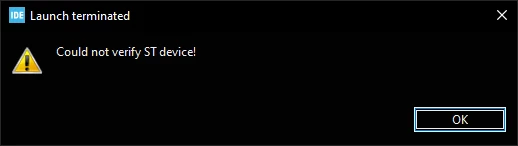 with the following console statements:
SEGGER J-Link GDB Server V7.62a Command Line Version

JLinkARM.dll V7.62a (DLL compiled Feb 23 2022 16:58:13)

Command line: -port 2331 -s -device STM32H753II -endian little -speed 12000 -if swd -vd
-----GDB Server start settings-----
GDBInit file: none
GDB Server Listening port: 2331
SWO raw output listening port: 2332
Terminal I/O port: 2333
Accept remote connection: localhost only
Generate logfile: off
Verify download: on
Init regs on start: off
Silent mode: off
Single run mode: on
Target connection timeout: 0 ms
------J-Link related settings------
J-Link Host interface: USB
J-Link script: none
J-Link settings file: none
------Target related settings------
Target device: STM32H753II
Target interface: SWD
Target interface speed: 12000kHz
Target endian: little

Connecting to J-Link...
J-Link is connected.
Firmware: J-Link V10 compiled Nov 2 2021 12:14:50
Hardware: V10.10
S/N: 50100143
Feature(s): GDB
Checking target voltage...
Target voltage: 3.31 V
Listening on TCP/IP port 2331
Connecting to target...
Connected to target
Waiting for GDB connection...Connected to 127.0.0.1
Reading all registers
Read 4 bytes @ address 0x08049122 (Data = 0x4B09681A)
Received monitor command: WriteDP 0x2 0xF0
O.K.
Read 4 bytes @ address 0x24066F48 (Data = 0x00000001)
Read 4 bytes @ address 0x24066A68 (Data = 0x24065DE0)
Reading 32 bytes @ address 0x24066ECC
Reading 32 bytes @ address 0x240116B8
Reading 516 bytes @ address 0x240116B4
Reading 32 bytes @ address 0x24029A18
Reading 516 bytes @ address 0x24029A14
Reading 32 bytes @ address 0x240660B0
Reading 516 bytes @ address 0x240660AC
Reading 32 bytes @ address 0x240207A8
Reading 516 bytes @ address 0x240207A4
Reading 32 bytes @ address 0x2400A448
Reading 516 bytes @ address 0x2400A444
Reading 32 bytes @ address 0x24024878
Reading 516 bytes @ address 0x24024874
Reading 32 bytes @ address 0x24066EE0
Reading 32 bytes @ address 0x240072A8
Reading 516 bytes @ address 0x240072A4
Reading 32 bytes @ address 0x240169F8
Reading 516 bytes @ address 0x240169F4
Reading 32 bytes @ address 0x24018398
Reading 516 bytes @ address 0x24018394
Reading 32 bytes @ address 0x24017AC8
Reading 516 bytes @ address 0x24017AC4
Reading 32 bytes @ address 0x24016128
Reading 516 bytes @ address 0x24016124
Reading 32 bytes @ address 0x24066EFC
Reading 32 bytes @ address 0x24066F28
Reading 32 bytes @ address 0x24014058
Reading 516 bytes @ address 0x24014054
Reading 32 bytes @ address 0x24019468
Reading 516 bytes @ address 0x24019464
Reading 32 bytes @ address 0x24019D38
Reading 516 bytes @ address 0x24019D34
Reading 32 bytes @ address 0x2401E6D8
Reading 516 bytes @ address 0x2401E6D4
Reading 32 bytes @ address 0x2401A608
Reading 516 bytes @ address 0x2401A604
Reading 32 bytes @ address 0x2400B518
Reading 516 bytes @ address 0x2400B514
Reading 32 bytes @ address 0x24028948
Reading 516 bytes @ address 0x24028944
Reading 32 bytes @ address 0x24009378
Reading 516 bytes @ address 0x24009374
Reading 32 bytes @ address 0x2400F5E8
Reading 516 bytes @ address 0x2400F5E4
Reading 32 bytes @ address 0x24013788
Reading 516 bytes @ address 0x24013784
Read 4 bytes @ address 0x24066F44 (Data = 0x00000000)
Reading 32 bytes @ address 0x24066A6C
Reading 32 bytes @ address 0x24065DE4
Reading 516 bytes @ address 0x24065DE0
Received monitor command: ReadAP 0x2
O.K.:0x00000000
Reading 32 bytes @ address 0xE00FFFD0
Reading 32 bytes @ address 0xF0000FD0
WARNING: Failed to read memory @ address 0xF0000FD0
WARNING: Failed to read memory @ address 0xF0000FD0
WARNING: Failed to read memory @ address 0xF0000FEF
GDB closed TCP/IP connection (Socket 1084)
Restoring target state and closing J-Link connection...
Shutting down...
We are able to connect most of the time, but there are times when we have to re-start the debugger 5+ times of getting this error before it will finally attach. We have tried a Segger J-Link Base / Plus / Pro and all exhibit the same issue. We have also tried different programming speeds (console captured w/ 12000khz)
Is this an issue on Segger's side, or is this an issue with STM32CubeIDE trying to verify the ID of the STM?
Extra info:
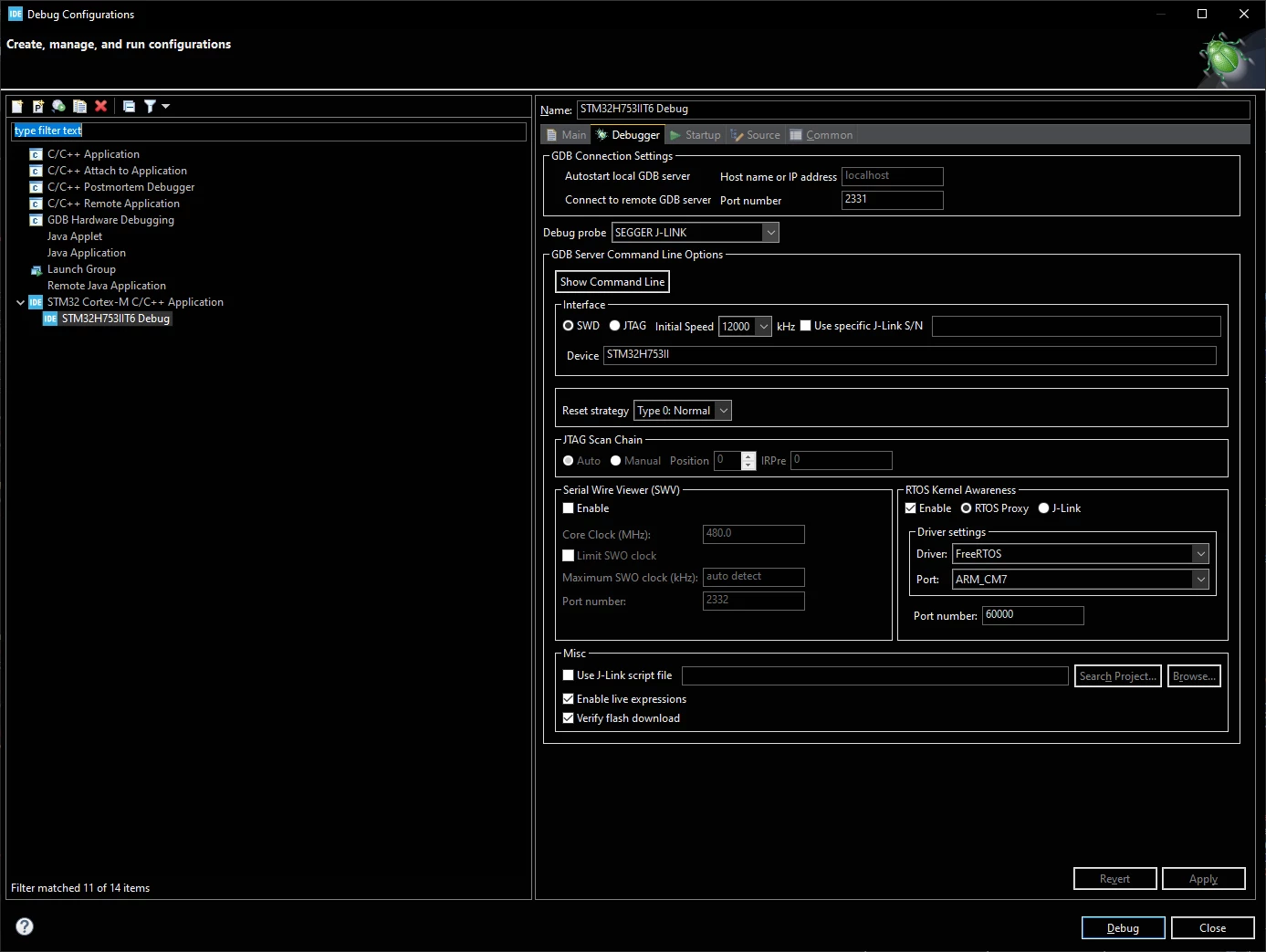
Thanks,
Marshall
