

Explorer
Sep 26, 2025 1:46 PM UTC
Solved

STM32F1xx/ Reference manual RM0008: USB_HP_CAN_TX and USB_LP_CAN_RX0 question

I'm reading the RM0008 Reference manual.....
I can't find a description of the registers and events associated with the entry point of Vector table for USB_HP_CAN_TX and USB_LP_CAN_RX0....
What does it mean USB High Priority and USB Low Priority ?
How do these relate to the events?
I'm studying Table 63. Vector table for other STM32F10xxx devices...

This topic has been closed for replies.
mƎALLEm
mƎALLEmBest answer
ST Technical Moderator
Sep 26, 2025 2:04 PM UTC

Hello,


@genni wrote:

I'm reading the RM0008 Reference manual.....
What does it mean USB High Priority and USB Low Priority ?


I'm not expert of USB subjects but from the RM0008:

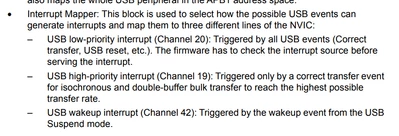
– USB low-priority interrupt (Channel 20): Triggered by all USB events (Correct
transfer, USB reset, etc.). The firmware has to check the interrupt source before
serving the interrupt.
– USB high-priority interrupt (Channel 19): Triggered only by a correct transfer event
for isochronous and double-buffer bulk transfer to reach the highest possible
transfer rate.

mALLEm_1-1758895441824.png


To give better visibility on the answered topics, please click "Best answer" on the reply which solved your issue or answered your question.

1 reply

mƎALLEm
mƎALLEmBest answer
ST Technical Moderator
Sep 26, 2025 2:04 PM UTC

Hello,


@genni wrote:

I'm reading the RM0008 Reference manual.....
What does it mean USB High Priority and USB Low Priority ?


I'm not expert of USB subjects but from the RM0008:

– USB low-priority interrupt (Channel 20): Triggered by all USB events (Correct
transfer, USB reset, etc.). The firmware has to check the interrupt source before
serving the interrupt.
– USB high-priority interrupt (Channel 19): Triggered only by a correct transfer event
for isochronous and double-buffer bulk transfer to reach the highest possible
transfer rate.

mALLEm_1-1758895441824.png


To give better visibility on the answered topics, please click "Best answer" on the reply which solved your issue or answered your question.