

Associate
March 10, 2025
Question

STM32F103RBT6 USB communication problem

Hello,

I have a problem with the STM32F103RBT6 to setup USB communication.

I tried to setup it up according to this instruction: https://shawnhymel.com/1795/getting-started-with-stm32-nucleo-usb-virtual-com-port/

Then I found that my MCU has a special pin(PA9) for the initial that USB is connected to board.

The board is custom made. I am using an 12MHz external oscillator. I checked the wiring from USB(PC) to MCU (PA10 - USB_DM, PA11 - USB_DP), clock settings (48MHz).
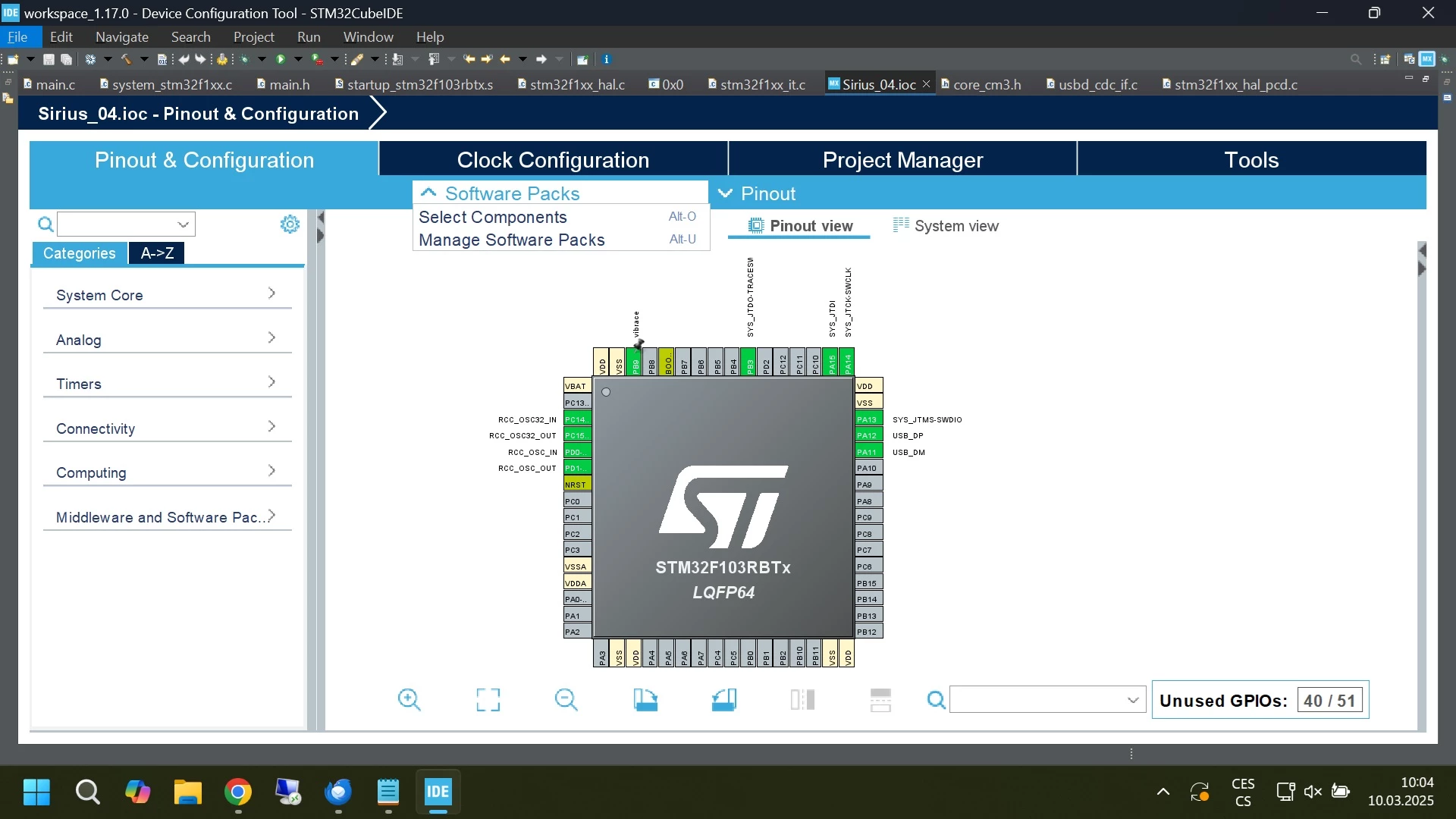
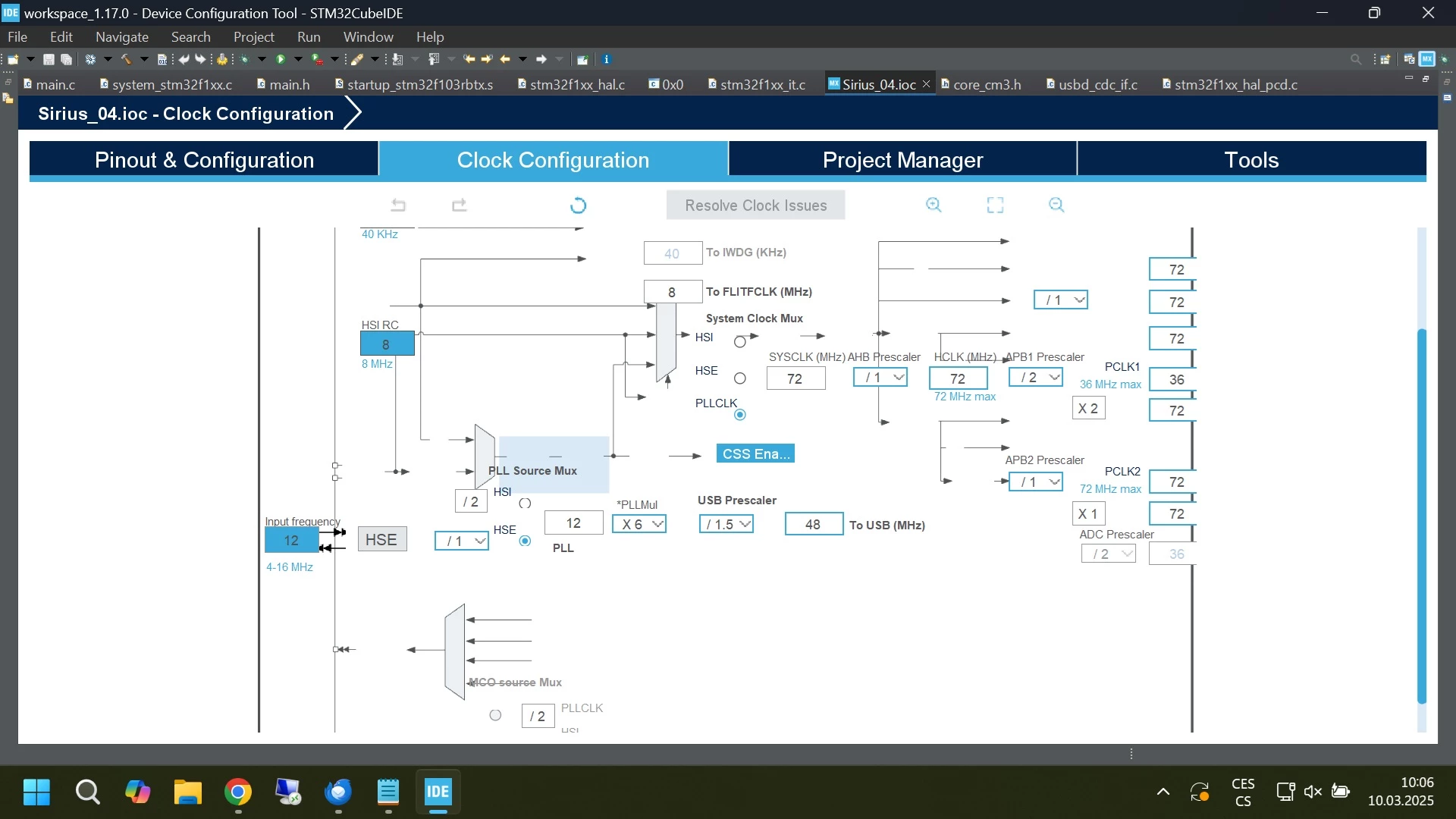
prscr1.jpg

prscr2.jpg

Everything seems to be fine, but it still doesn't work and my device is not visible in device manager.

I don't know where the problem could be.

Could you please help me?

Thank you very much.

Radek

This topic has been closed for replies.

3 replies

ST Technical Moderator
March 10, 2025

Hi @radekklepal99 

Did you add external pull up on DP? Note that STM32F1 and STM32F3x3 need an external pull up on DP for full speed operations. You are following STM32F0 tutorial. CubeMX clock tree seems like buggy? Could you attach IOC file to report?

To give better visibility on the answered topics, please click on "Best answer" on the reply which solved your issue or answered your question.Best regards,FBL
Associate
March 10, 2025

CubeMX clock seems correct to me.
IOC file is attached in the attachment.

I have now connected an external resistor. The computer already registers that the device is connected. However, this device has the error message "Device Failed Enueration: Unknown Device".

Associate
March 10, 2025

radekklepal99_0-1741605820289.png

Now I recognized the buggys in the picture of Clock Config. I restarted my IDE. Now it's fine, but the device has an error  "Device Failed Enueration: Unknown Device".