Katzenberger.Michael
Associate III
November 14, 2017
Question

STM Studio: gdb parse error ?

  • November 14, 2017
  • 4 replies
  • 2001 views
Posted on November 14, 2017 at 22:33
Hi !

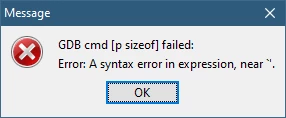
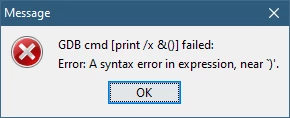
Using STM Studio with my current project gives me 2 errors while loading the elf file:

0690X0000060PEKQA2.png

0690X0000060PELQA2.png

Seems to be parsing problem of the used gdb.exe tool.

As a result the provided symbol list is very small ...

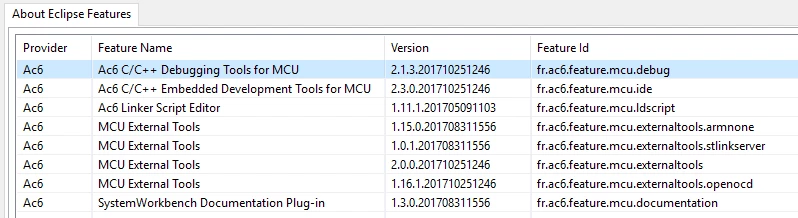
  • Installed toolchain which creates the elf file (attached):

0690X0000060PD4QAM.png

  • used STM Studio version: 3.5.1

    This topic has been closed for replies.

    4 replies

    S C
    ST Employee
    March 6, 2018
    Posted on March 06, 2018 at 18:56

    Hello,

    The STMStudio allows to select variables from elf file provided they are static (address is known at link time). Your elf file seems to contain few of such variables. You can have an idea of what STMStudio is parsing by running the following sequence (from STMStudio/dll, assuming you also copy your elf file there):

    gdb.exe -stmstudio

    symbol-file EnginesF4.elf

    info variables

    The displayed errors are due to an unexpected case in the line:

    const bool std::_Function_base::_Base_manager<void (*)(unsigned char*, unsigned char)>::__stored_locally;

    but are not critical and not impacting the overall result of the parsing.

    As example for your case, 'leftEngines' is defined as a pointer, the STM Studio is able to display the value of the pointer (known at link time), but not the pointed contents (would be much useful, probably, but unknown at link time). If you know the address of pointed contents (depending on your application runtime), you can manually define variables displaying it (right click + 'New' in 'display variables settings' panel).

    Katzenberger.Michael
    Associate III
    March 7, 2018
    Posted on March 07, 2018 at 20:33

    Thanks for your feedback.

    I was not aware of the fact that only static variables can be shown by the tool.

    My previous assumption was induced by the error messages - sorry for that.

    So I was looking for an other root cause why so many variables are missing.

    Most of the modules are programmed in c++ using namespaces.

    It seems that variables in namespaces are not supported:

    Here is an example (each test variable is used in the code to prevent  a deletion due to optimization)

    0690X0000060A0KQAU.png

    only the variable outside the namespace is available:

    0690X0000060A0PQAU.png
    S C
    ST Employee
    March 8, 2018
    Posted on March 08, 2018 at 10:11

    You are right, I confirm there is also an issue with C++ namespaces. See also

    https://community.st.com/0D50X00009XkYHESA3

    In the elf file you posted, I mainly saw const variables defined this way, for which gdb is not able to find an address; so I'm even wondering how the linker is managing them ? Do they appear in the map file ? They are perhaps embedded in the code itself (where used), without any address information in the elf file.