

Associate II
May 7, 2024
Question

stlink not connect with the programmer after uploading on cube ide

  • May 7, 2024
  • 24 replies
  • 10398 views

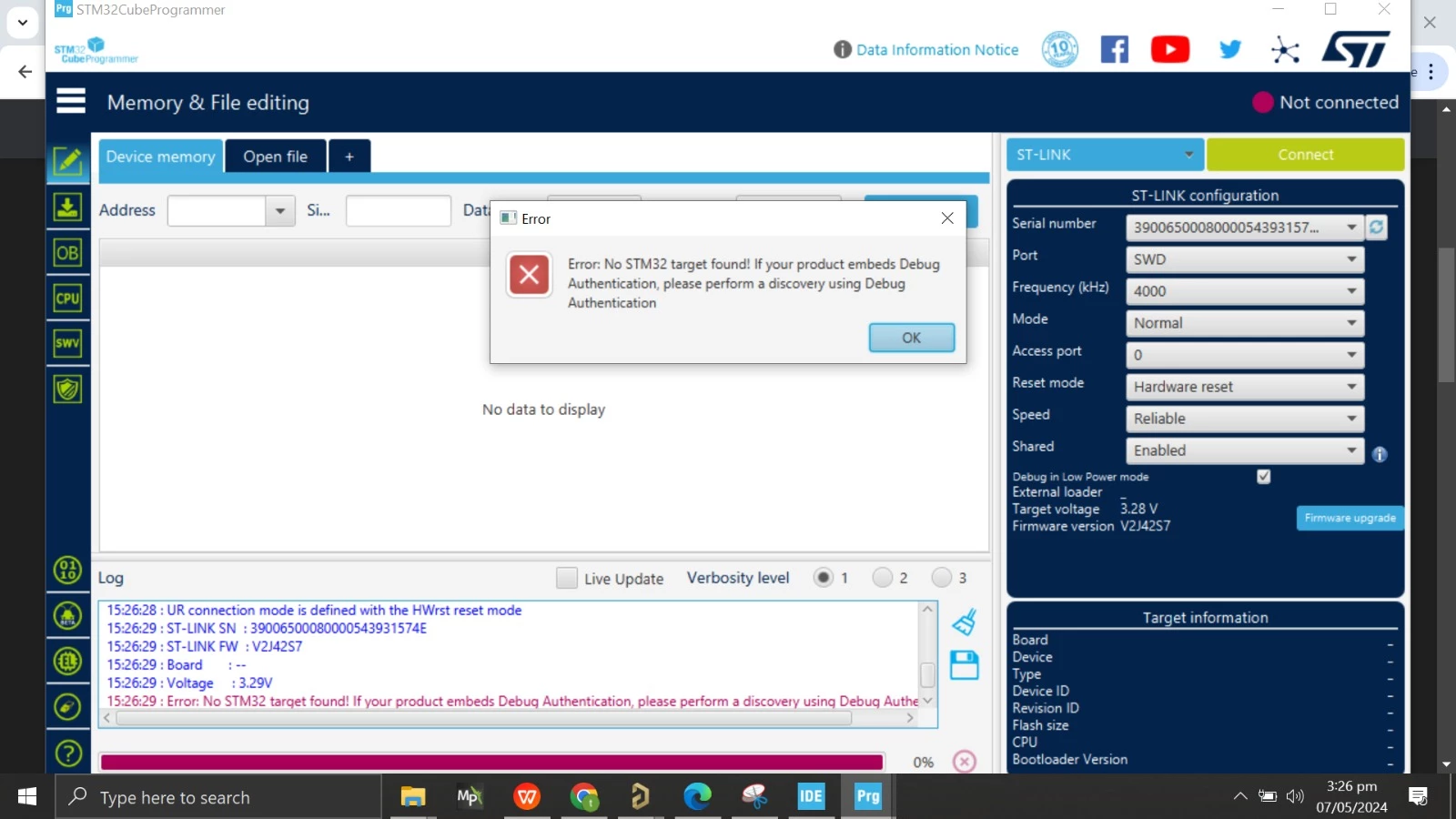
firstly we connect stlink v2 debugger to the  cube programmer later it connect and i get the blue led that show the connection ..after i make all the thing on stm32cube ide and debug according to the video of PHILL LAB after that neither program upload nor it connect to the programmer.

cube programmer show stlink not connected where as it show accurate voltage.cube programmer.jpeg
This topic has been closed for replies.

24 replies

Tesla DeLorean
Guru
May 7, 2024

Not clear what you're working with identify the board and show the wiring diagram.

Tips, Buy me a coffee, or three.. PayPal Venmo (See Profile) Up vote any posts that you find helpful, it shows what's working..
RizviAuthor
Associate II
May 7, 2024

I have an stm32f405 fitted on the 64 pin breakout board till yesterday the board was connected succesfully with this procedure but today when i try to upload a code on my stm32 using stm cube after building it ask me about the debugger setting i did as same as the philips lab video suddenly after that my stm disconnected from the computer now its not connecting in cube programmer neither in cube ideWhatsApp Image 2024-05-07 at 5.10.45 PM.jpeg

RizviAuthor
Associate II
May 7, 2024

its like something changed just after the uploading of code using cube ide before that its perfectly fine connecting to pc as well.

RizviAuthor
Associate II
May 8, 2024

firstly i connect my stm to the computer using the cube programmer it connects (stm32 is fitted on a tqfp 64 pins board) then i use stm ide taking guide from a phillips lab video i set my pin out config (gpio pin as a out and enable predefined pins like crystal and serial wire(dio and clk) then do some clock setting set it to the 16mhz (external ) and upload the generated code while uplaoding it ask me about debugger do some setting there after that my stm32 stops connecting with the programmer

MM..1
Super User
May 8, 2024

Enable what serial wire ??? show code

RizviAuthor
Associate II
May 8, 2024

let me show you each step i did there any suggestion will be beneficial for me from you side:

Firstly i enable some pins one gpio to get a output, swdio , swclk, 2 pins for oscillator and set the clock setting 

After that i write a small code as an exampke in the existing main.c to check weather my stm32 is uploading a code correctly or not .

Screenshot (3).pngScreenshot (4).png