
Associate
July 3, 2024
Solved

ST-LINK V2 not finding target on a simple demo board I made

  • July 3, 2024
  • 2 replies
  • 3842 views

Using the Nucleo L412KC as a template, I fabbed a tiny test board to see if I could make my own kit.

It is extremely basic, but when I connect the 3V3, GND, NRST, SWDIO, SWDCLK, none of the reset modes in the IDE result in the STLINK detecting the chip:


Starting server with the following options:

Persistent Mode : Disabled

Logging Level : 1

Listen Port Number : 61234

Status Refresh Delay : 15s

Verbose Mode : Disabled

SWD Debug : Enabled


Target no device found


Error in initializing ST-LINK device.

Reason: No device found on target.


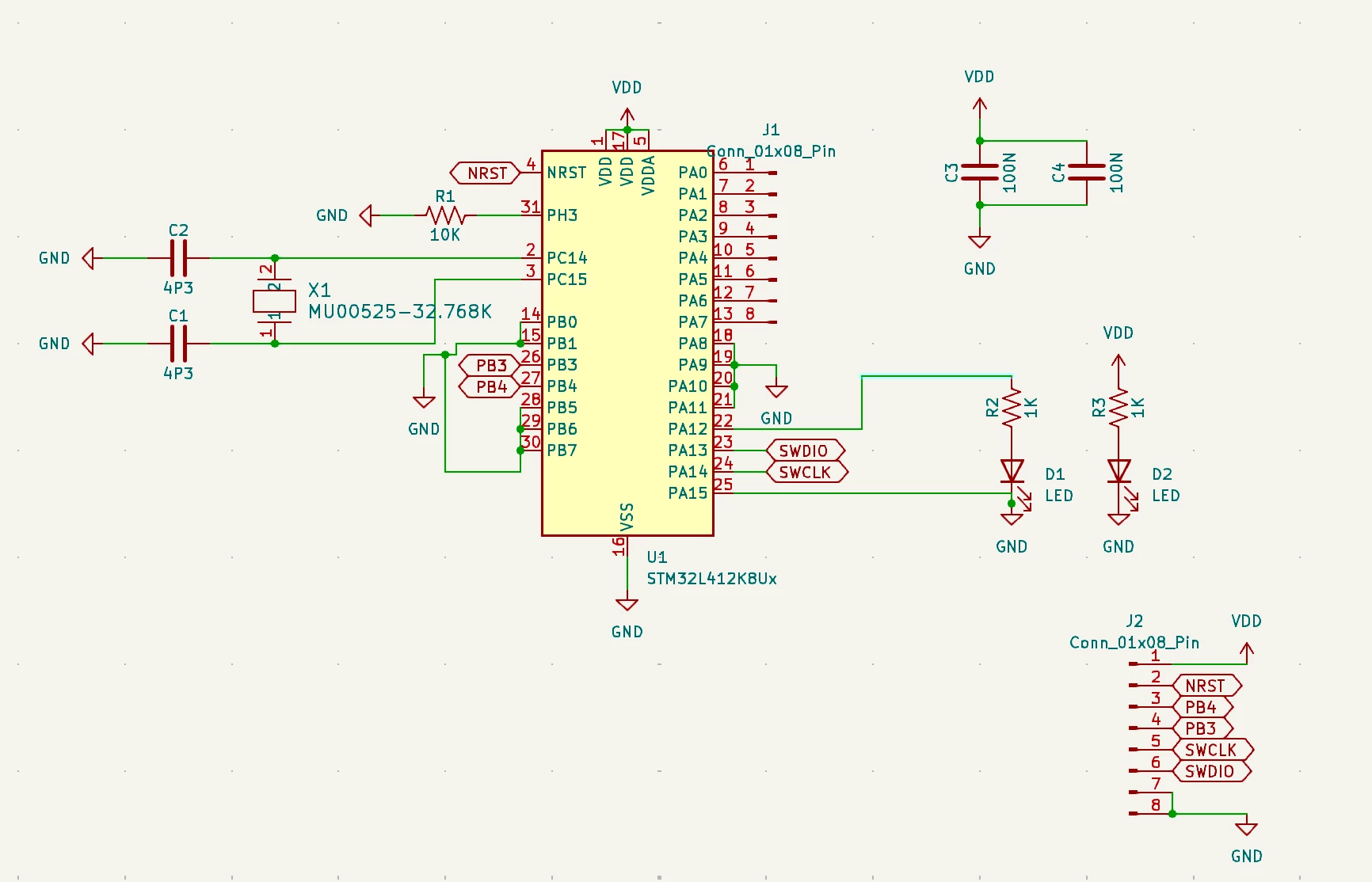
Here is the schematic:
 

stmdude_0-1719982787681.png

See, extremely basic!

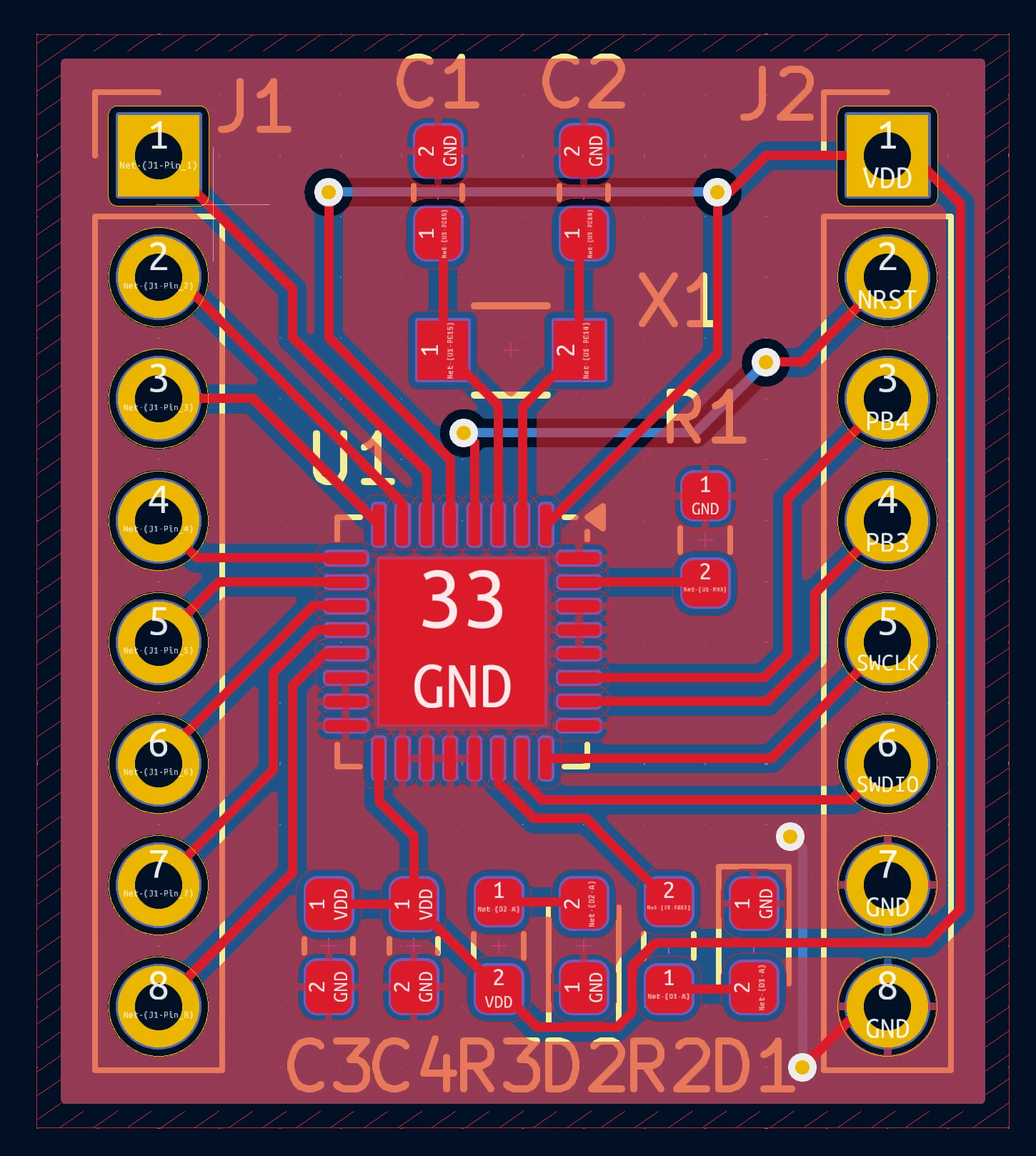
Here is the layout:
stmdude_1-1719982811425.png

I'm using a V2 (not a V2 ISOL). On the 20-pin header I connect:

7 - SWDIO (my pin J2.6)

9 - SWCLK (my pin J2.5)

15 - NRST (my pin J2.2)

20 - GND (my pin J2.8)

1 - my pin J2.1

When I try to program, I tried all 5 reset modes, but I notice the power doesn't even come on during programming. I tried using VDD 3.3V pin 19 to my pin J2.1 VDD, and my test LEDs light, but the device is still not found.

Either I messed up the schematic, did a bad solder job with the components, or I'm not setting up the IDE studio debug config correctly.

What is the next level of debug I should investigate? I'm stuck.

Thanks!


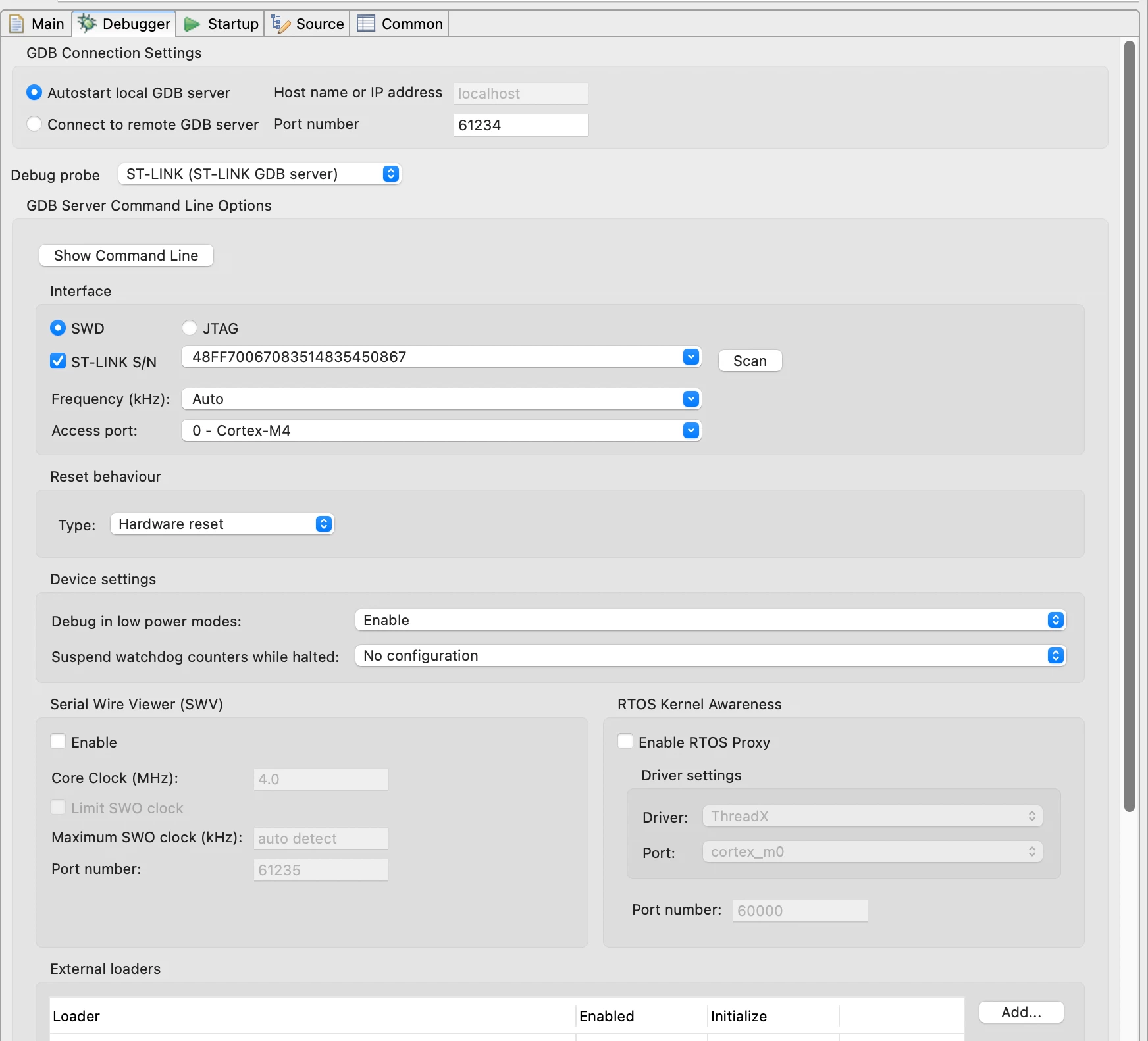
Here's my debugger config (I tried all reset options):
stmdude_0-1719983644231.png


Best answer by stmdude

Thanks Peter.

I turns out I had the right orientation, but the rubber shrink wrap tubing had slid down the black wire and it wasn't making contact with the pin! In addition I also need to run the voltage back from VDD to Pin 1 of the V2, and use software reset.

It works, I'm pleased.

Thanks, for the help, I wouldn't have thought about that pin 1 VDD target issue.

2 replies

Peter BENSCH
ST Technical Moderator
July 3, 2024

Welcome @stmdude, to the community!

J2.1 is a ST-LINK connection to measure the voltage at the (your) target, NOT to supply it.

Can you also upload photos (front and back) of your ST-LINK/V2?

Regards
/Peter

In order to give better visibility on the answered topics, please click on Accept as Solution on the reply which solved your issue or answered your question.
stmdudeAuthor
Associate
July 3, 2024

Hello Peter,

Thank you for replying.

Here are the images you requested. Do they help?


Peter BENSCH
ST Technical Moderator
July 3, 2024

Thanks, yeah, great. I just wanted to make sure you didn't have one of those colourful ST-LINK clones in a tin can, which I'm pretty sure it can't work with.

But as I said, the ST-LINK/V2, pin 1/2, can't power your board, you'll have to do that externally.

You should also connect your target correctly to the ST-LINK, as your purple wire is connected to pin 8 and the black wire to pin 10, both of which have no function. In UM1075, figure 10, pin 1 is shown somewhat confusingly. The best way to remember the position of pin 1 is to look at fig 9, where the red stripe of the ribbon cable marks pin 1 -- figure 10 must be viewed rotated by 180°, so to speak.

Hope that helps?

Good luck!
/Peter

In order to give better visibility on the answered topics, please click on Accept as Solution on the reply which solved your issue or answered your question.
stmdudeAuthorBest answer
Associate
July 3, 2024

Thanks Peter.

I turns out I had the right orientation, but the rubber shrink wrap tubing had slid down the black wire and it wasn't making contact with the pin! In addition I also need to run the voltage back from VDD to Pin 1 of the V2, and use software reset.

It works, I'm pleased.

Thanks, for the help, I wouldn't have thought about that pin 1 VDD target issue.
