
Associate III
February 23, 2025
Solved

Spi clocks are 4, 5, 6 instead of 8 bits

  • February 23, 2025
  • 6 replies
  • 1672 views

Hi all
I am using the stm32h743 device when using spi 6 to transmit data the clocks
are 4, 5, 6 randomly instead of 8 bits
when configuring spi2 the processor function perfectly.
on this device I have already used 
connection: SPI1, SPI5, ethernet, uart4.uart7,uart8, usart1,usart2,usart3
middleware and software package: freertos, LWIP
Timers: Timer1
System core: DMA, GPIO,NVIC, RCC, SYS
CubeMx Version 6.13
CubeIDE 1.16.0
Repository: 1.12.0

Thank you for you answer
Best answer by Andrew Neil

So that is one covered by the Manual I linked:

AndrewNeil_0-1740481194741.png

So, again, did you remove R118 ?

If not, that explains why you couldn't use PA5!

6 replies

TDK
February 23, 2025

Show the contents of the SPI6 registers at the time of the error. Logic analyzer trace showing the issue would be good as well.

"If you feel a post has answered your question, please click ""Accept as Solution""."
dorongAuthor
Associate III
February 24, 2025

bad spi 5 bits on spi6bad spi 5 bits on spi6good spi 8 bits on spi2good spi 8 bits on spi2

dorongAuthor
Associate III
February 24, 2025

Bad_spi_parameers.JPG

Tesla DeLorean
Guru
February 23, 2025

Make sure to clear and populate the SPI Initialization / Instance structure completely.

By default auto/local variables will contain stack junk unless explicitly cleared, and random things can happen.

{
 SPI_HandleTypeDef SpiHandle = {0};
...


Tips, Buy me a coffee, or three.. PayPal VenmoUp vote any posts that you find helpful, it shows what's working..
dorongAuthor
Associate III
February 24, 2025

i did it. this did not helped

TDK
February 24, 2025

My guess is you're disabling the peripheral too early. Possibly when DMA completes but before the transaction completes. The SPI6 registers would be in the SPI6 instance, not the hspi6 handle.

In any case, your "8 good bits" are certainly not. Look at the clock line. There are 7 clocks plus a spurious edge/pulse on what should be the start of the 8th.

Showing the relevant code would be useful.

"If you feel a post has answered your question, please click ""Accept as Solution""."
dorongAuthor
Associate III
February 24, 2025

I have created only SPI 6 software to check if other resources damages spi6
but found that the same random clocks appears 4,5,6 clocks instead of 8
I have also configured spi2 exactly the same but SPI 2 clocks function perfectly. 


dorongAuthor
Associate III
February 24, 2025

I have checked all 6 SPI to be  configured as transmits master only 8 bit frame prescaler 256
only spi 6 behave sending 4 or 5 or 6 clocks instead of 8

dorongAuthor
Associate III
February 25, 2025

Solution : if spi 6 clock is located on pa5 then this error will happen
relocate spi 6 clock to other pin and the problem mention before we be removed 
 

Andrew Neil
Super User
February 25, 2025

If the "problem" only happens on one particular pin, that's probably due to a conflict on the board ...

You haven't said what board you're using.

Check your schematics. If it's a custom board, also check for manufacturing faults/errors; eg, shorts.

Maybe get a logic analyser trace which shows SPI6 working (clock on a pin other than PA5), plus what's happening on PA5 - so a total of 5 signals: NSS, SCK, MOSI, MISO, PA5.

A complex system that works is invariably found to have evolved from a simple system that worked.A complex system designed from scratch never works and cannot be patched up to make it work.
dorongAuthor
Associate III
February 25, 2025

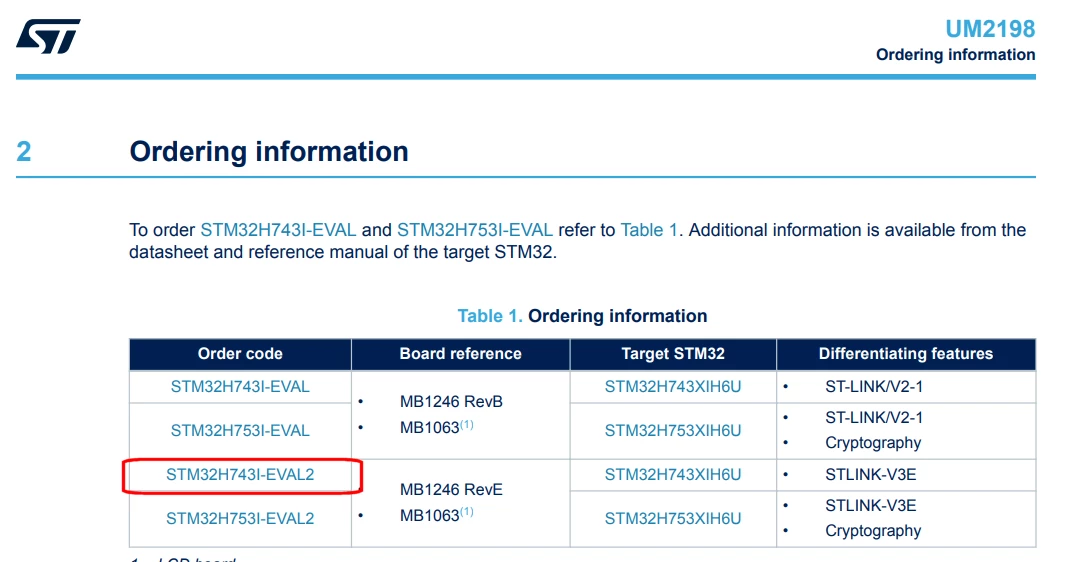
I am using stm32h743 evaluation board the pin are only connected to the logic analyzer
the board was replaced, to see if the problem was on a particular board.
i am in master transmit only mode only clock and mosi (data) pins are used.
