Dmitry Kochubey
Associate II
May 1, 2018
Solved

SDIO+DMA+FATFS for STM32L476RG (CubeMX 4.25.0+MCU pack 1.11.0)

  • May 1, 2018
  • 12 replies
  • 4651 views
Posted on May 01, 2018 at 08:23
Dear friends,

I have an issue with uSD reading and writing in DMA mode (How ever I am able to read and write data on SD card when dma template is off). I used CubeMX to configure

but it did not work for me ''out of the box''.

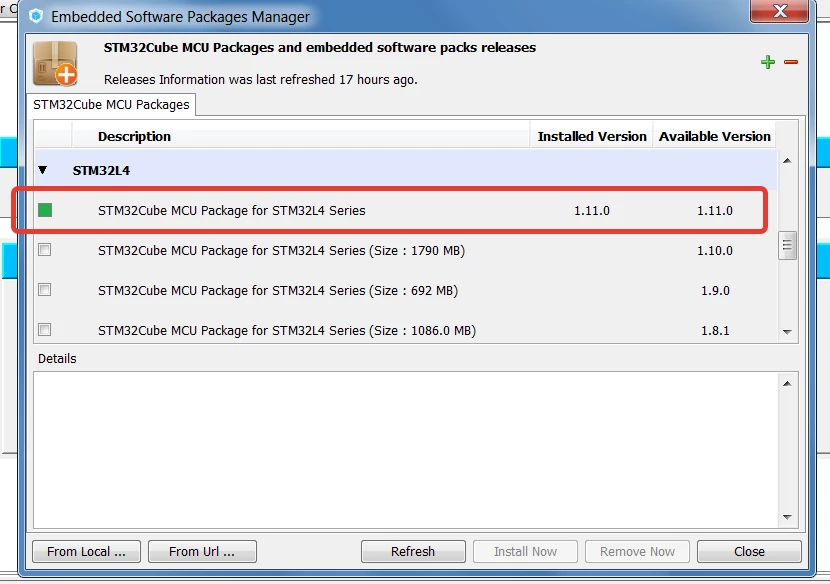
My CubeMX version is 4.25.0 and L4 MCU package is 1.11.0.

Could you point out what I am doing wrong in configuration or in my code or if it is CubeMX issue, could you please advice me how to solve it?

I found some topics related to SDIO and DMA configuration and tried to implement them :

https://community.st.com/0D50X00009XkVtKSAV

?

https://community.st.com/0D50X00009Xkf5gSAB

?

https://community.st.com/0D50X00009XkYIGSA3

?

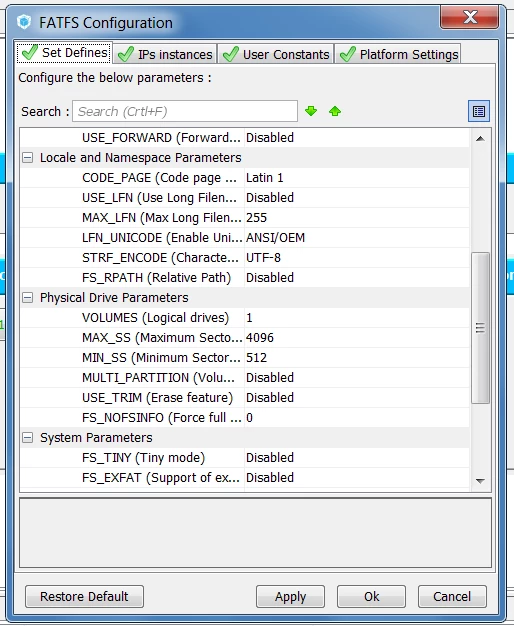
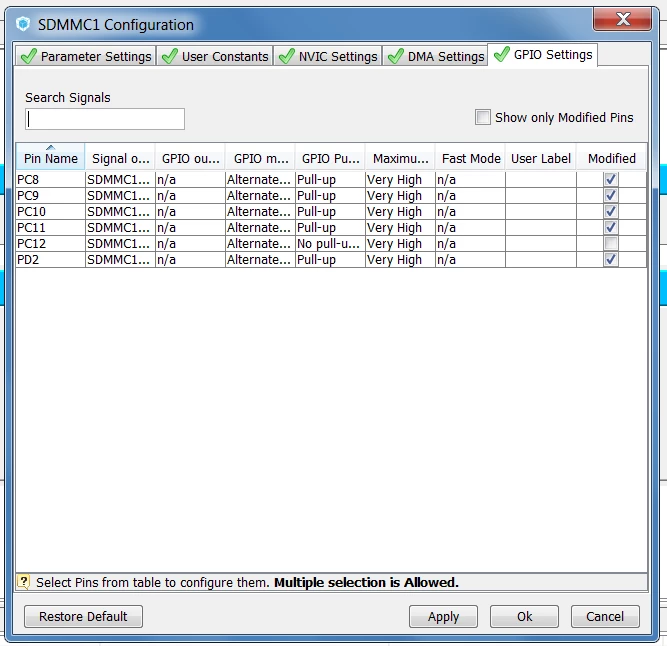
Below you find screen shots with my settings and my SW4STM32 project including CubeMX file.

0690X0000060ArJQAU.png0690X0000060Aq7QAE.png

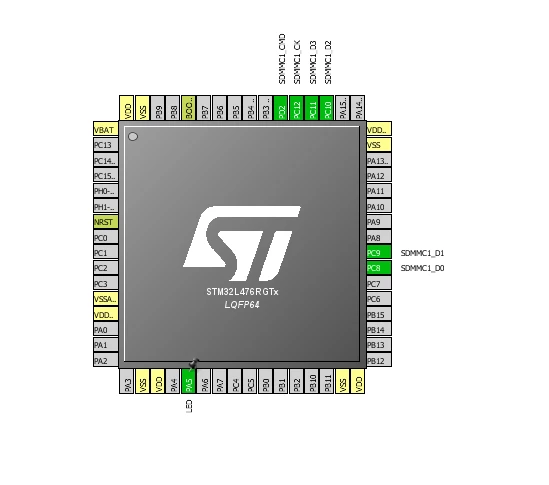
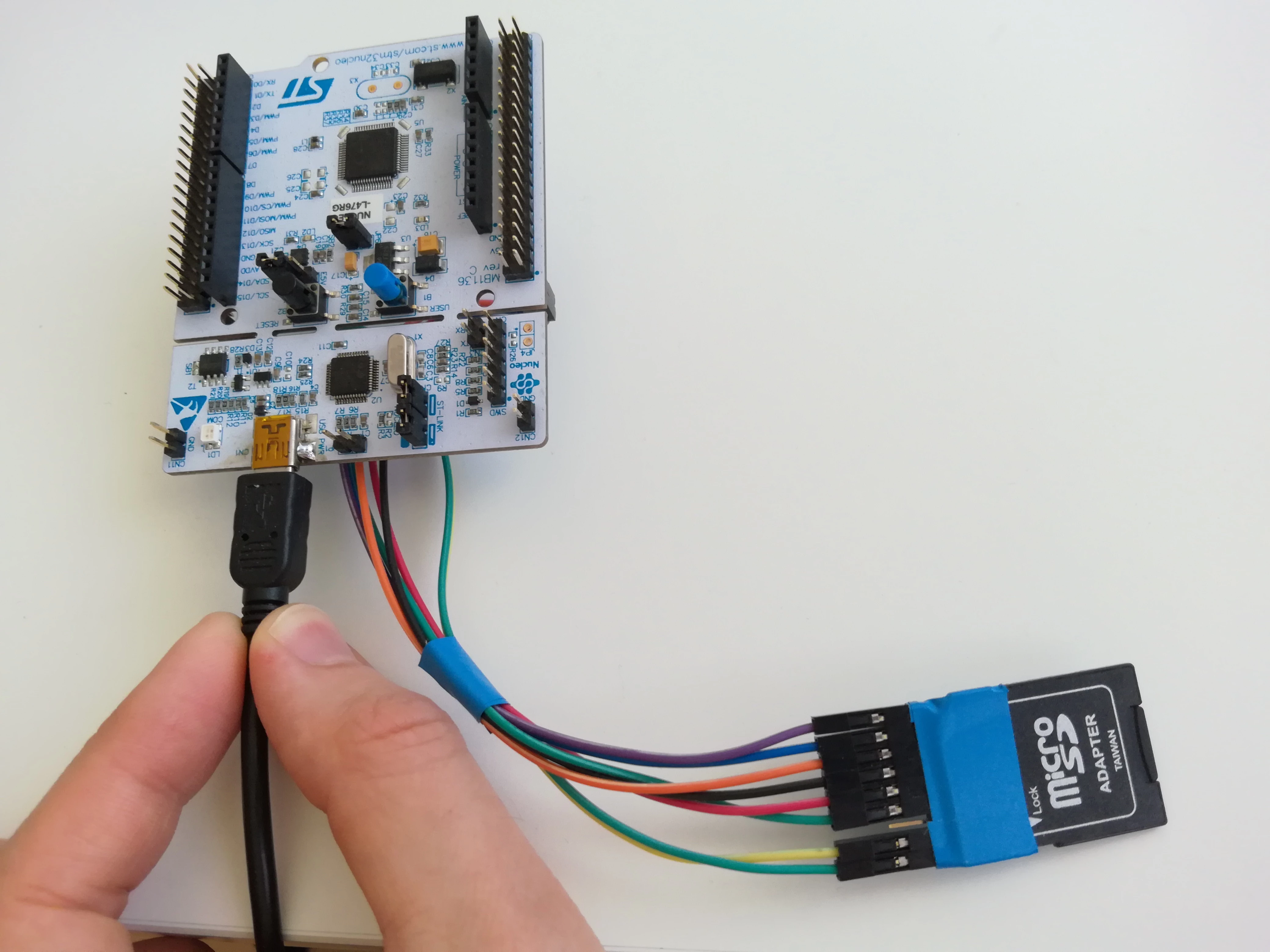
My MCU setup:

0690X0000060Aq6QAE.png0690X00000604fCQAQ.jpg

My CubeMX configuration:

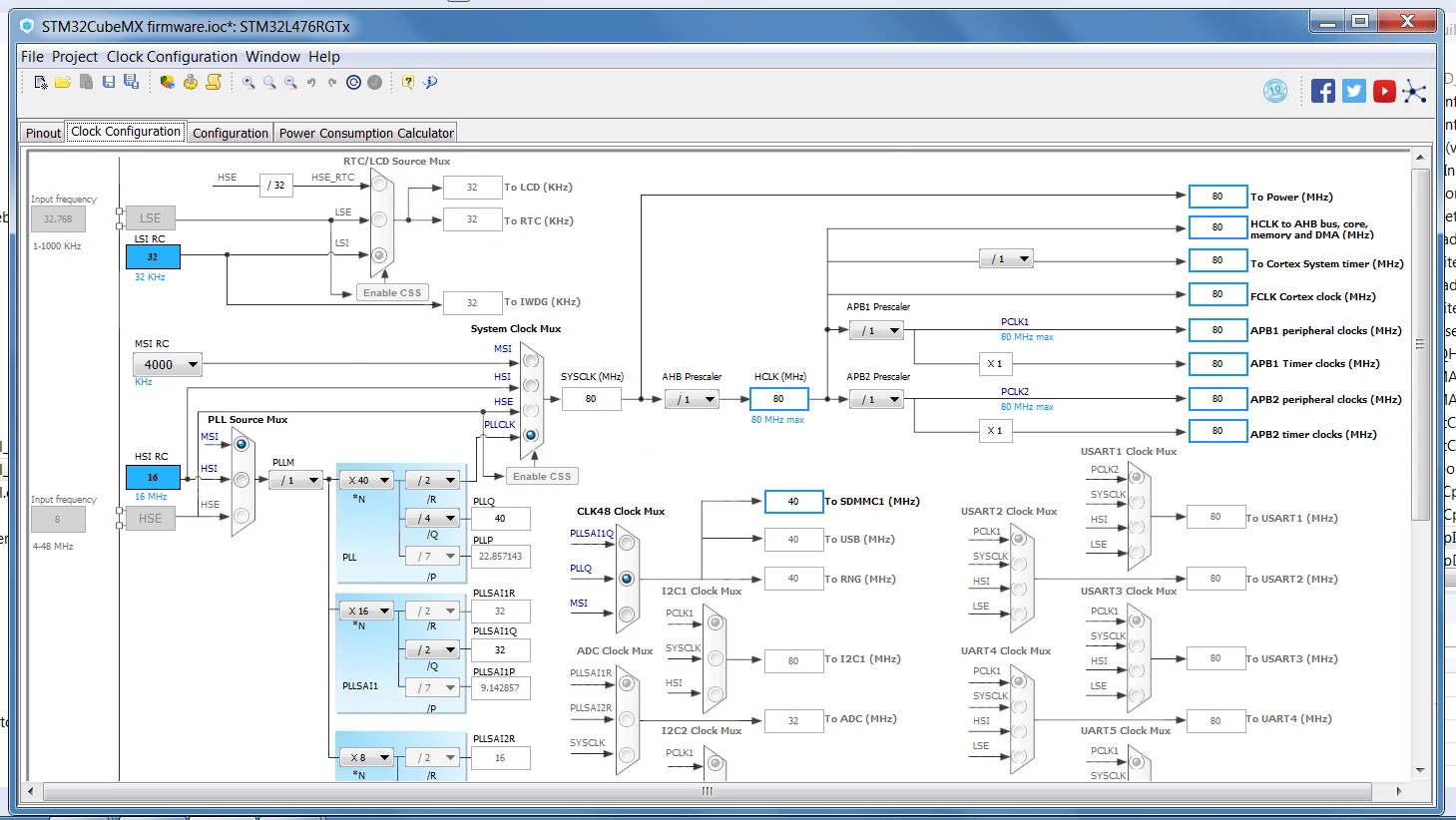
1) Clock

0690X0000060AqGQAU.png

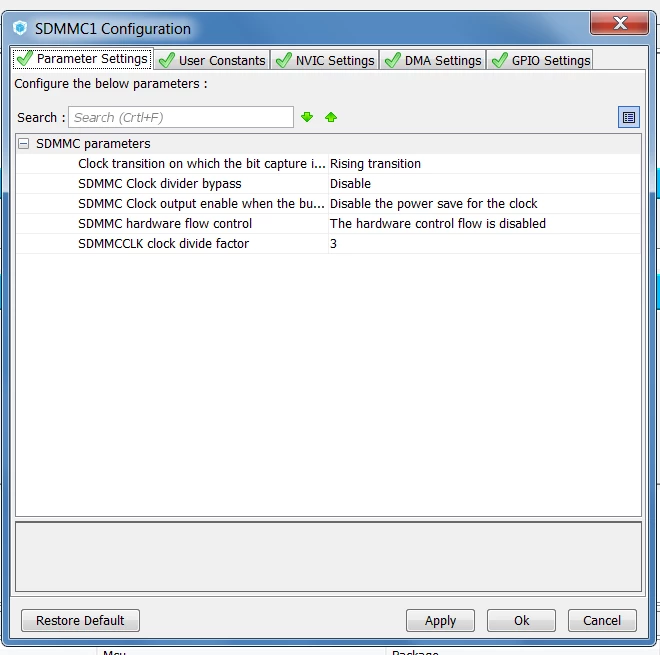
2)Clock factor

0690X0000060AmtQAE.png

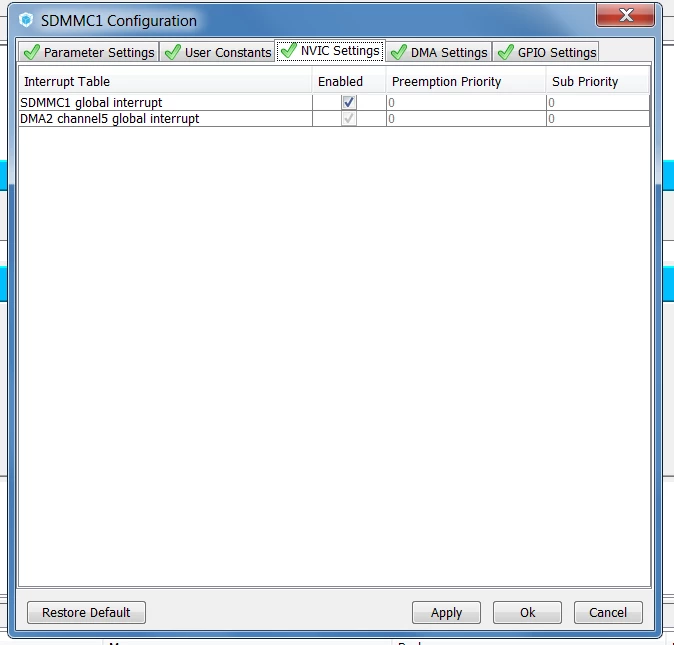
3)NVIC

0690X0000060AqaQAE.png

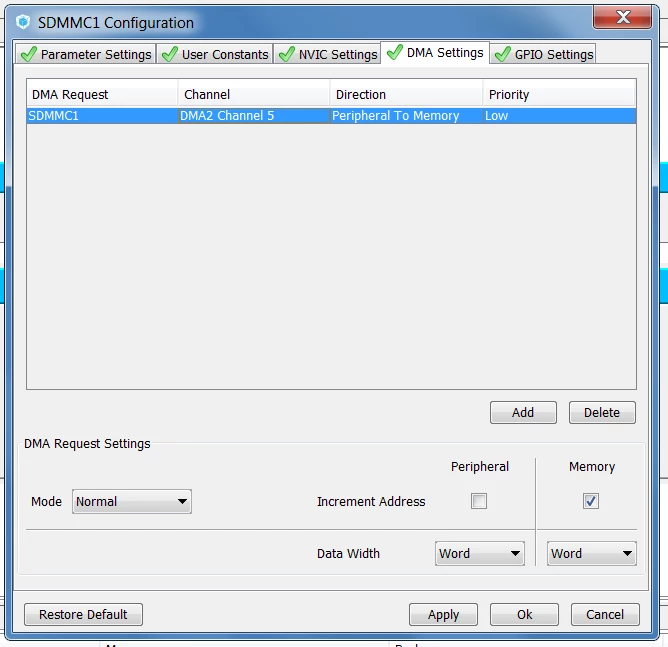
4)DMA

0690X0000060AmUQAU.png

5)Pin configuration

0690X0000060AqQQAU.png

6)FatFS (sector size)

0690X0000060AqVQAU.png

7)DMA template enabled

#fatfs-sdio #stm32l476 #sdio-dma #sd-card #sdio+dma+fatfs #stm32l4-sdio
This topic has been closed for replies.
Best answer by Dmitry Kochubey
Posted on May 11, 2018 at 09:20

Finally, I get it worked with CubeMX 4.25 and MCU pack 1.0!

The list of issues:

1) Missing line in time configuration

RCC_OscInitStruct.PLL.PLLM = 1; //Missed line

2) Change according to

Kirshin.Evgeny

https://community.st.com/0D50X00009XkVtKSAV

3) Change according to

Vasiliev.Alexander

https://community.st.com/0D50X00009XkVtKSAV

4) I suggest to use short filenames written in lower case letters.

I will update the git repository I mentioned behind.

Thanks a lot to

Kirshin.Evgeny

‌ and

Vasiliev.Alexander

‌. You help deserves a beer;)

Best regards,

Dmitry.

12 replies

Evgeny Kirshin
Associate II
May 1, 2018
Posted on May 01, 2018 at 16:48

Hi Dmitry,

What exactly is not working?

Are you using RTOS? I have my code running on top of the FREERTOS, generated by CubeMX (same project).

I do not have a separate demo-project, but I can share the files I modified (attached). The fatfs.c is modified to use RTC time for files.

My initialization procedure is as follows:

SD_Initialize();   if(BSP_SD_IsDetected()) {  if(f_mount(&SDFatFs, (TCHAR const*)SDPath, 0) == FR_OK)  {  sd_mounted = 1;      } }�?�?�?�?�?�?�?�?�?�?�?�?�?�?�?�?�?�?�?�?�?�?

Where:

static void SD_Initialize(void) {  if (isInitialized == 0)  {  BSP_SD_Init();  BSP_SD_ITConfig();   if(BSP_SD_IsDetected())  {  isInitialized = 1;  }  } }�?�?�?�?�?�?�?�?�?�?�?�?�?�?�?�?�?�?�?�?�?�?�?�?�?�?

I also attached some screenshots, where I found differences between yours and my project configuration in CubeMX.

As you can see, I have SDMMC1 48MHz clock and SDMMCCCLK clock divider is set to 0. The DMA priority is Very High, but I don't think this should be an issue. Also, I don't use internal pull-ups since I have them externally. Finally, I enabled long filenames support in FatFs.

I hope this helps.

0690X0000060AquQAE.png

0690X0000060An3QAE.png

0690X0000060AqzQAE.png

0690X0000060Ar0QAE.png

0690X0000060AnIQAU.png

________________

Attachments :

fatfs.c.zip : https://st--c.eu10.content.force.com/sfc/dist/version/download/?oid=00Db0000000YtG6&ids=0680X000006Hxey&d=%2Fa%2F0X0000000b0h%2FyMkSYkSe_W_2WqOT_wnYOkxueK4JxgIZ8ReXGAzJfak&asPdf=false

stm32l4xx_it.c.zip : https://st--c.eu10.content.force.com/sfc/dist/version/download/?oid=00Db0000000YtG6&ids=0680X000006Hxet&d=%2Fa%2F0X0000000b0c%2FhpgKXCq_kBop4KsnaEqnD_4KNP63To1lsk21BCsiXE0&asPdf=false

bsp_driver_sd.c.zip : https://st--c.eu10.content.force.com/sfc/dist/version/download/?oid=00Db0000000YtG6&ids=0680X000006Hxf3&d=%2Fa%2F0X0000000b0g%2F6EaBfDqo7rAttRKkcZtW54xDBML2v566cm2Ttm6xJ3U&asPdf=false
Dmitry Kochubey
Associate II
May 2, 2018
Posted on May 02, 2018 at 00:23

 ,

 ,

Dear Evgeny,

Thank you very much for such quick and informative reply.

I corrected all my settings according to yours, but I still have the problem with sd card reading.

Regarding to your questions:

1) First, I am able to access an sd card (read/write) with switch off dma template option.

2) In the beginning, I did not use freertos and made a corrections according to your advice in the topic

https://community.st.com/0D70X000006SiUGSA0

 , and the problem was a dma read or write timeout, because I did not receive a callbacks (HAL_SD_RxCpltCallback or HAL_SD_TxCpltCallback).

3) Now, I am trying to run sd card reading in rtos, but the program does not start. I thought that it could be lack of ram memory for task. I changed the task stack size from 128 to 256 and even to 512, but it did not help.

Do you know what could be the problem?

My task is just:

 ,[CODE]

void StartDefaultTask(void const * argument)

 ,

{

 ,

 , /* init code for FATFS */

 ,

 , MX_FATFS_Init(),

 , /* USER CODE BEGIN 5 */

 ,

 , /* Infinite loop */

 ,

 , for(,,)

 ,

 , {

 ,

 , ,  ,HAL_GPIO_TogglePin(LED_GPIO_Port,LED_Pin),

 ,

 , , , osDelay(100),

 ,

 , }

 ,

}

[/CODE]

Could I ask you to share your freertos settings and nvic related to sd card reading?

Thank you in advance for your response.

Best regards,

Dmitry.

Evgeny Kirshin
Associate II
May 2, 2018
Posted on May 02, 2018 at 16:12

Hi Dmitry,

If you set a breakpoint in your task, does it stop there? If not, it might be an issue with task priorities (although, you have only one task?) Also, have a look at heap size.

Here are the screenshots of the settings from my project.

0690X0000060AtVQAU.png0690X0000060AxCQAU.png0690X0000060AxHQAU.png0690X0000060AxMQAU.png0690X0000060AxRQAU.png0690X0000060AxvQAE.png0690X0000060AxWQAU.png0690X0000060AxgQAE.png