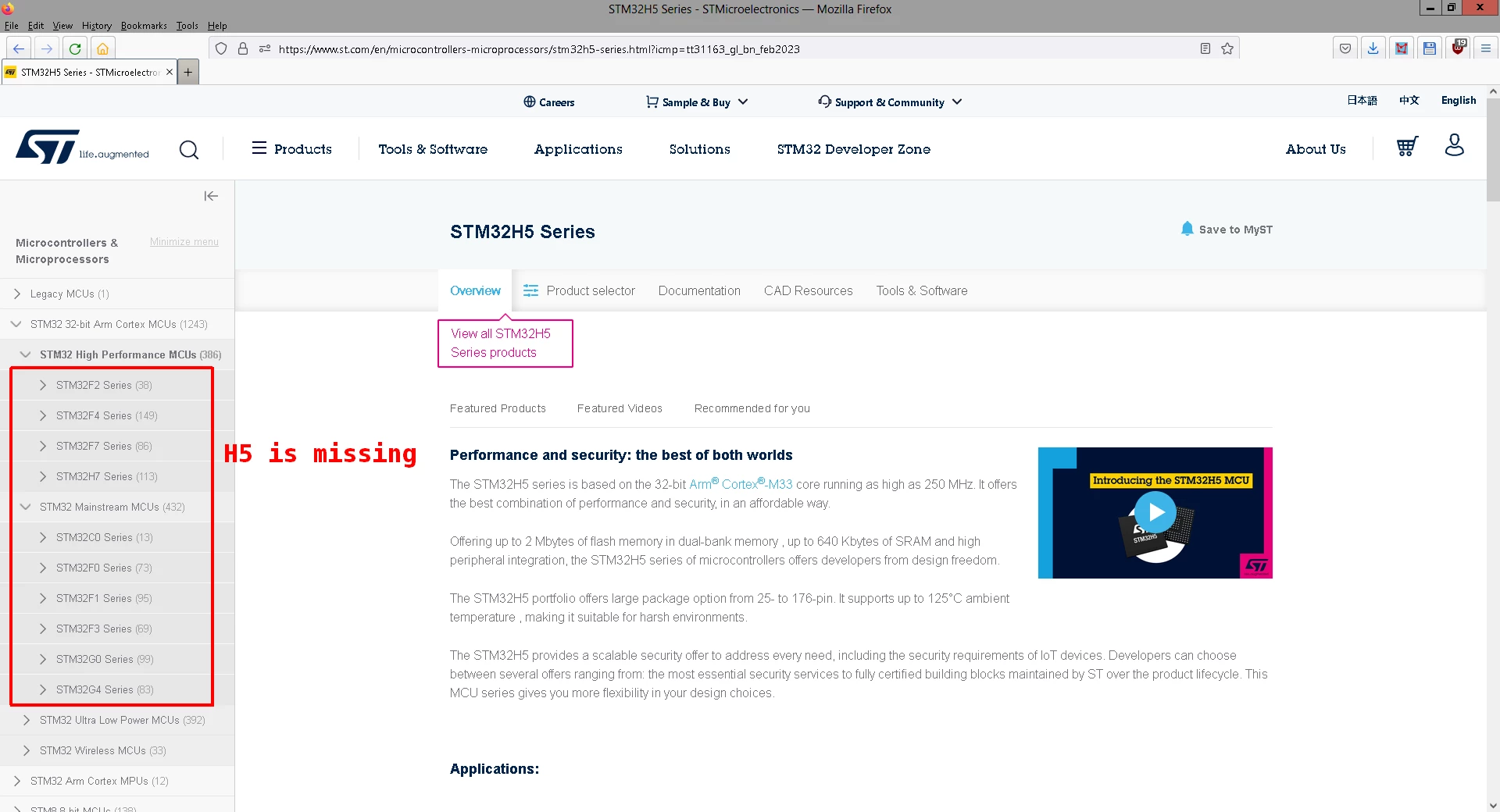
very strange... I tried it this second and the H5 series is visible on the High Performance site.
Can you please check it again?
Regards
/Peter
In order to give better visibility on the answered topics, please click on Accept as Solution on the reply which solved your issue or answered your question.
very strange... I tried it this second and the H5 series is visible on the High Performance site.
Can you please check it again?
Regards
/Peter
In order to give better visibility on the answered topics, please click on Accept as Solution on the reply which solved your issue or answered your question.
The screenshot above was from my home computer. I checked today on my work computer - seen 'H5 there - and then replied to you. Now I checked again at my home computer and lo and behold, 'H5 still missing.
After some browsing just to see 'H5 missing, or being displayed in the left column as the sole member of the High-performance group, I force-reloaded one of the screens (Ctrl-Shift-R) - and then H5 appeared in the list, just as it was at my work computer.
So, it was a locally cached thing. Maybe ST's webmasters would want to know that. Not every user force-reloads st.com regularly... :)
However, I'm not sure if this can be fixed from the website side. It seems to me rather that it is a setting of the browser when a visited website is considered to be refreshed and it is reloaded.
Regards
/Peter
In order to give better visibility on the answered topics, please click on Accept as Solution on the reply which solved your issue or answered your question.
Nevertheless, given .html is loaded with header parameter cache-controlmax-age=2591967 which tells my browser that that html can be cached up to 30 days. In other words, once loaded, if the loading javascript doesn't/can't enforce its reload, I will see the old content for up to 30 days. Debugger says it's a 56-kB file, transfer size is 7.6kB, cached size is around 4kB.
Sure product tree does not change that often, but when it does, changing the tree display should be something which comes with it, whatever the technical solution is. Shortening the cached time to a couple of days could be a simple option.
But this is just a minor issue. The overall clumsiness of ST web stemming from mentioned javascript abuse is much worse.