Yu LU
Associate II
April 25, 2017
Solved

Nucleo L432KC bootloader via UART failed

  • April 25, 2017
  • 4 replies
  • 1640 views
Posted on April 25, 2017 at 10:23

Hi, I met a problem using bootloader on pc to wirte program into STM32L432KC via UART.

Here is the process I did :

1,I connect D1/Tx and D0/RX(PA9 and PA10 of STM32L432KC) to CH340 USB to UART board, 5V Vin and GND. USB to PC.

2, I connect 5V to pin 31 of STM32L432KC:PH3\BOOT0 , reset the ic, then pull 

PH3\BOOT0 = 0V. 

The LED do not blinky, which means the stm32L432KC is in boot mode.

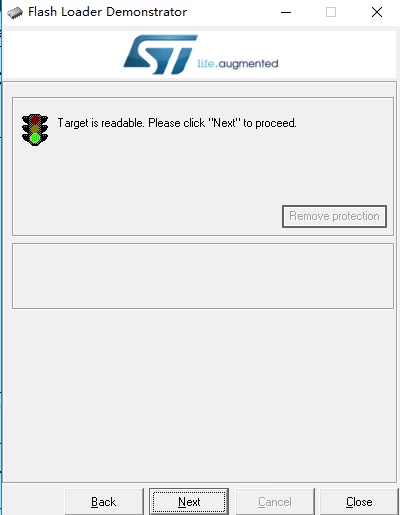
3, I opened Flash Loader Demonstrator boot loader, chose the COM port , click next:

0690X00000605tnQAA.png

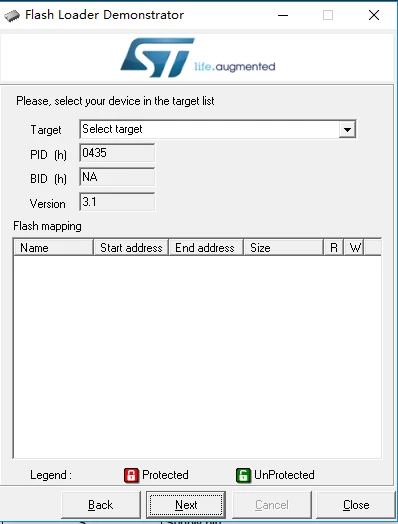
THen next: 

0690X00000605w5QAA.png

The software can not read Flash Mapping, nor the target name.Can not do anything with this.

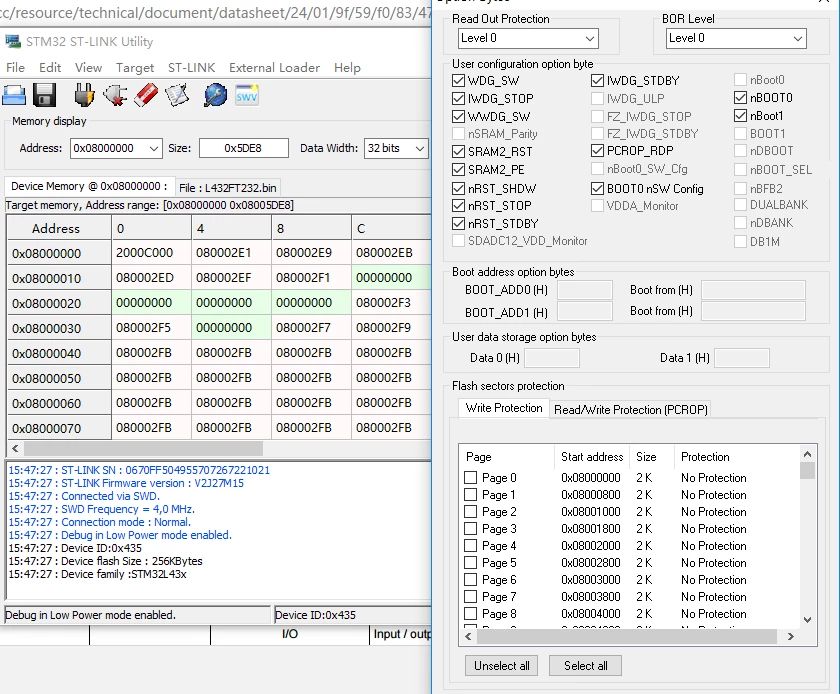
0690X00000606r0QAA.png

Checked in ST link Utility, no Read out protection. 

So I do not know what is the problem ? Software or hardware ? Nucleo board or CH430 ?

Thank you!

Yu

    This topic has been closed for replies.
    Best answer by Tesla DeLorean
    Posted on April 25, 2017 at 17:25

    Connect to a terminal supporting input/output of hex bytes (like RealTerm) and walk the device through the loader's protocol. The protocol is described in some of the manuals.

    Set port to 9600 8E1 (Even parity is important), make sure no other pins the System Loader is expecting signals on have transitions.

    Send an 0x7F byte to the loader, see if you get the 0x79 response. Then try other commands listed for the loader.

    4 replies

    ST Technical Moderator
    April 25, 2017
    Posted on April 25, 2017 at 17:23

    Hi

    ,

    You find attached a newer version of the FlashLoader supporting STM32L4x3xx devices (256K and 128K)

    Please try it and keep me informed if it is working as expected or you faced any issue using it.

    Thanks

    Imen

    ________________

    Attachments :

    STMFlashLoader Demo_V2.9.0RC4.zip : https://st--c.eu10.content.force.com/sfc/dist/version/download/?oid=00Db0000000YtG6&ids=0680X000006Hyhj&d=%2Fa%2F0X0000000bBA%2FOwhW8njIgYp.cft_XKTa5ohyecIITYJ55oS3CxPQF2E&asPdf=false
    In order to give better visibility on the answered topics, please click on 'Best answer' on the reply which solved your issue or answered your question. Thanks
    Yu LU
    Yu LUAuthor
    Associate II
    April 26, 2017
    Posted on April 26, 2017 at 10:25

    Hi Imen D, 

    Thank you so much! It works! So I think you may update the software published in your site.:)

    THank you!!!

    Best regards,

    Yu

    Tesla DeLorean
    Tesla DeLoreanBest answer
    Guru
    April 25, 2017
    Posted on April 25, 2017 at 17:25

    Connect to a terminal supporting input/output of hex bytes (like RealTerm) and walk the device through the loader's protocol. The protocol is described in some of the manuals.

    Set port to 9600 8E1 (Even parity is important), make sure no other pins the System Loader is expecting signals on have transitions.

    Send an 0x7F byte to the loader, see if you get the 0x79 response. Then try other commands listed for the loader.

    Tips, Buy me a coffee, or three.. PayPal Venmo (See Profile) Up vote any posts that you find helpful, it shows what's working..
    Yu LU
    Yu LUAuthor
    Associate II
    April 26, 2017
    Posted on April 26, 2017 at 10:27

    Hi Clive One,

    Thank you for your sugguestion! In fact I need a simple non-program way to accelerate my project. I tried your say , it works. THank you!

    Yu