E-John
Associate III
December 14, 2023
Solved

Mrgrate STM32G0B1 to STM32G0B0?

  • December 14, 2023
  • 3 replies
  • 3079 views

Dear SIR,


We want to use STM32G0B0 to develop our project. We want to use EVK to write code before our board comes.

But there is NO STM32G0B0 EVK, only STM32G0B1 EVK exist.(or NUCLEO-G0B1RE, https://www.st.com/en/evaluation-tools/nucleo-g0b1re.html)

How difficult for user migrate code from STM32G0B1 to STM32G0B0?

Thanks.

 

Best answer by STTwo-32

Hello @E-John 

Yes, it should be easy to do this migration.

You have to take care of some differences in hardware, peripheral availability, firmware, security, and tools.

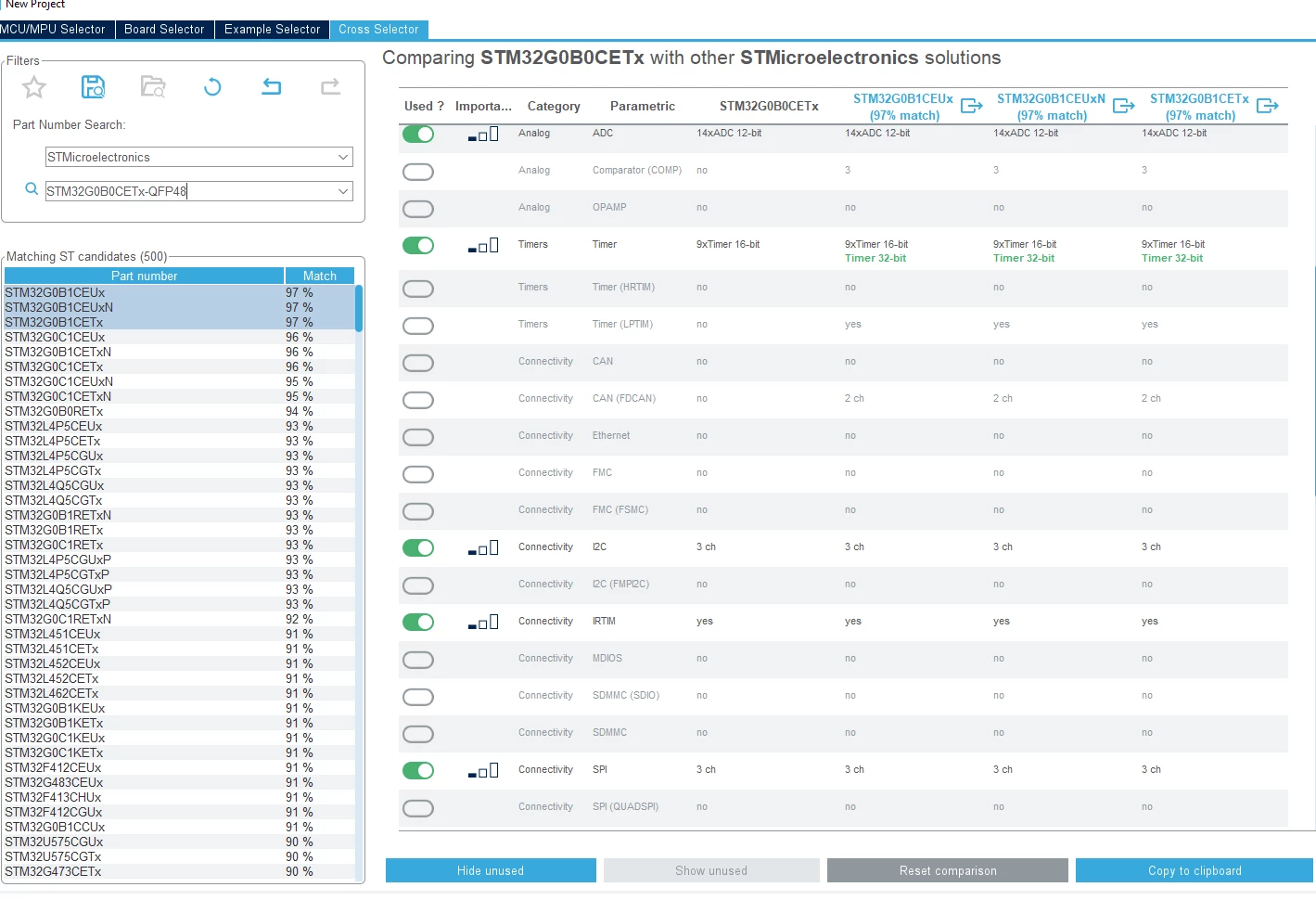
Also, you can use both Cross Selector: 

STTwo32_0-1702551384935.png

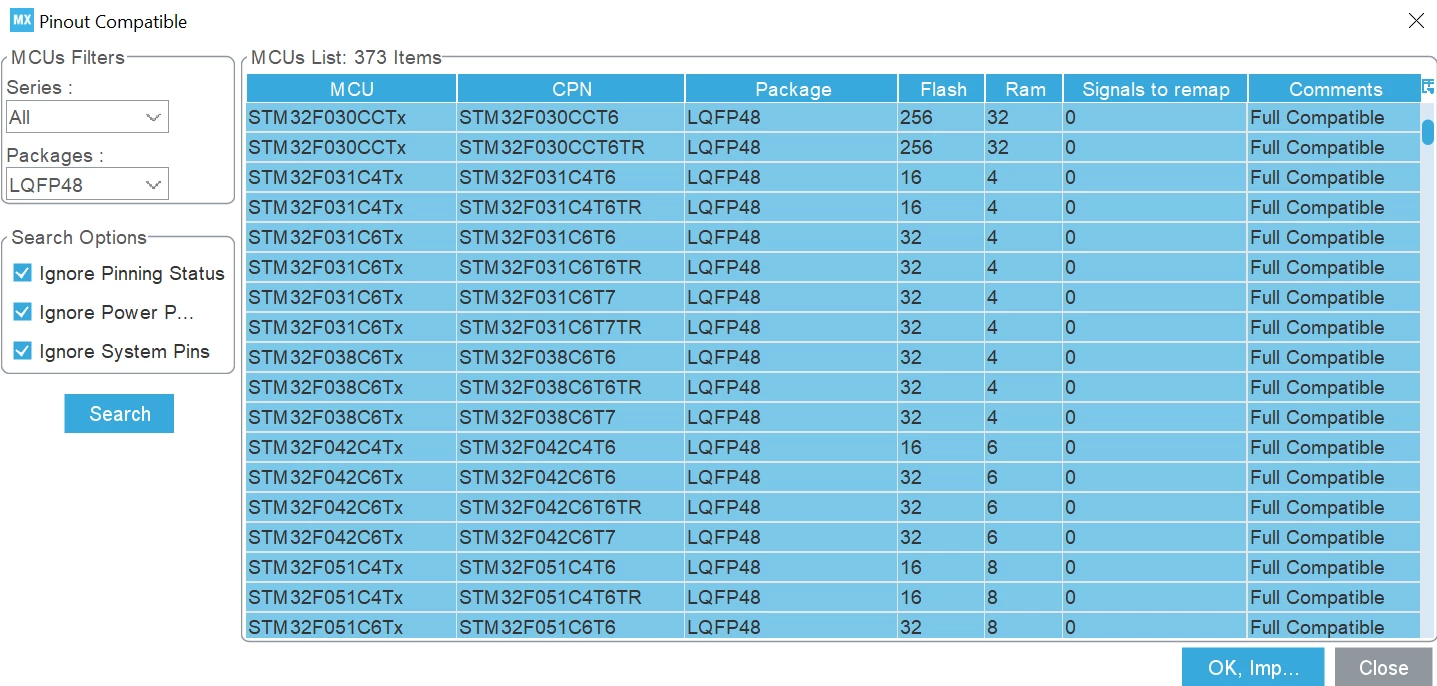
and Pinout compatibility feature: 

STTwo32_1-1702551531459.png

available using STM32CubeMX. 

Best Regards

STTwo-32

3 replies

STTwo-32
STTwo-32Best answer
Technical Moderator
December 14, 2023

Hello @E-John 

Yes, it should be easy to do this migration.

You have to take care of some differences in hardware, peripheral availability, firmware, security, and tools.

Also, you can use both Cross Selector: 

STTwo32_0-1702551384935.png

and Pinout compatibility feature: 

STTwo32_1-1702551531459.png

available using STM32CubeMX. 

Best Regards

STTwo-32

To give better visibility on the answered topics, please click on Accept as Solution on the reply which solved your issue or answered your question.
E-John
E-JohnAuthor
Associate III
December 14, 2023

@STTwo-32 

You have to take care of some differences in hardware, peripheral availability, firmware, security, and tools.

---> Here are what I have found.

1. make projects 01-STM32G0B0RE and 01-STM32G0B1RE by STM32CubeIDE tool

    Make code generated by tool.

2. Make a comparison between two projects directories like below

EJohn_0-1702558928258.png

3. Different files are startup, CMSIS and linker scripts, see table below 

 STM32G0B0RESTM32G0B1RE
startup file

01-STM32G0B0RE\Core\Startup\

startup_stm32g0b0retx.s

01-STM32G0B1RE\Core\Startup\

startup_stm32g0b1retx.s

CMSIS

01-STM32G0B0RE\Drivers\CMSIS\Device\ST\STM32G0xx\Include\

stm32g0b0xx.h

01-STM32G0B1RE\Drivers\CMSIS\Device\ST\STM32G0xx\Include\

stm32g0b1xx.h

linker script for flash

01-STM32G0B0RE\

STM32G0B0RETX_FLASH.ld

01-STM32G0B1RE\

STM32G0B1RETX_FLASH.ld

linker script for ram

01-STM32G0B0RE\

STM32G0B0RETX_RAM.ld

01-STM32G0B1RE\

STM32G0B1RETX_RAM.ld

4. HAL level drivers seems to be the same.    


PieterInHetBos
Associate II
December 14, 2023

We have an project with the STM32G0B0 and bought the STM32G070 Nucleo and solderd the G0B0 to is, it is 1 to 1 pin compatible ony has USB and the 070 doesnt have USB

E-John
E-JohnAuthor
Associate III
December 15, 2023

@PieterInHetBos 

make projects 01-STM32G0B0RE and 01-STM32G070RB by STM32CubeIDE tool.

Compare these two directories, the startup file, header files under CMSIS\Device\ST\STM32G0xx\Include\ and linker scripts are still different.

The best way I can think is to create two projects for different platforms, and merge the hardware independent code from 070 to 0B0.

EJohn_0-1702600775213.png