LPTIM2 STM32U585
Dear Sir.
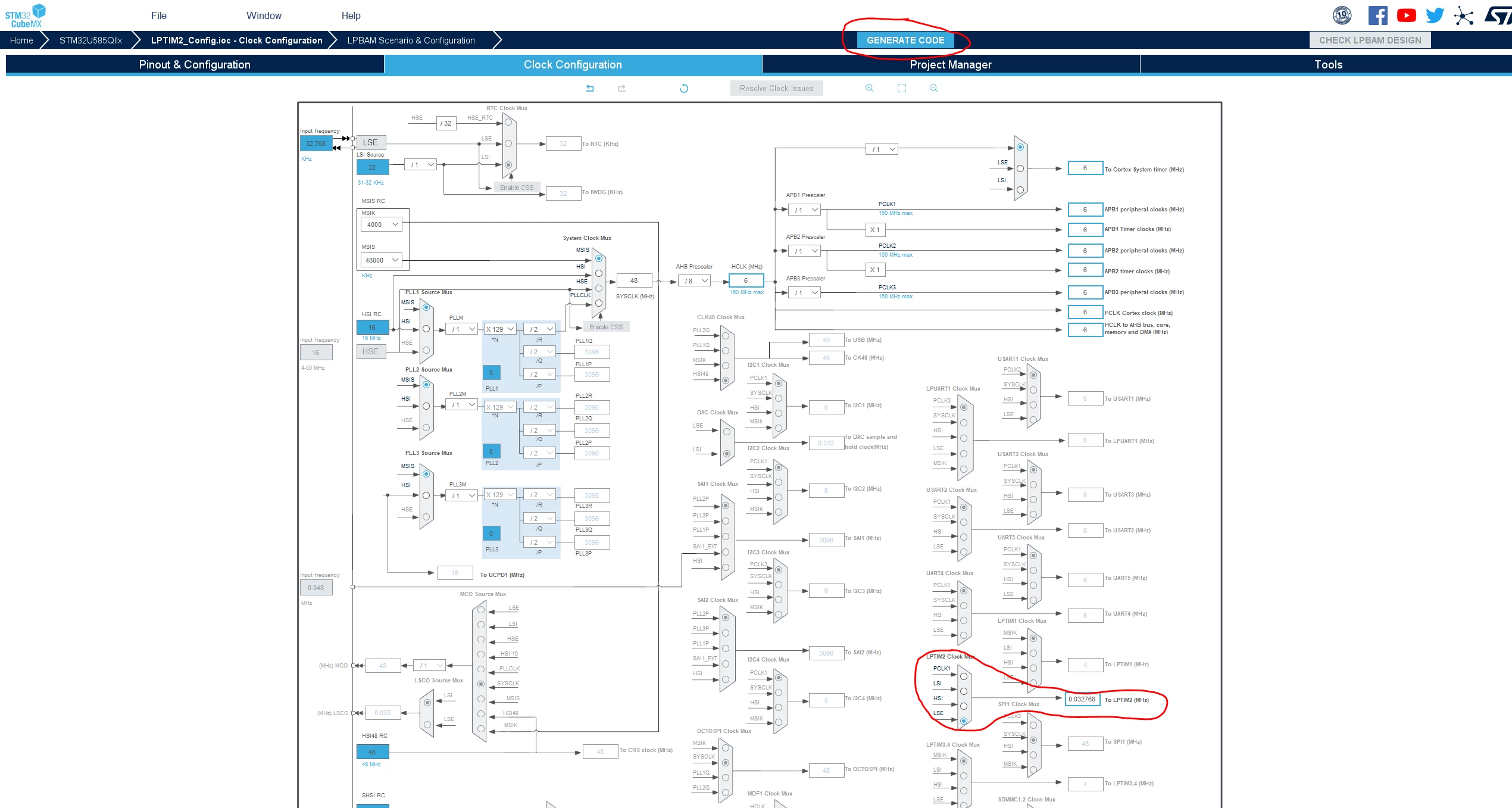
Using stm32u585 , The external clock on OSC32 pins is 32.768 Khz.
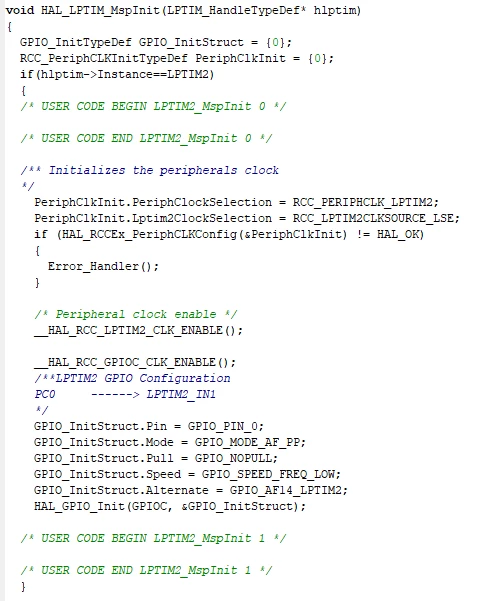
I need to config LPTIM2 to run on 32.768 Khz with no success .
How do I configure the SystemClock_Config() to make LPTIM2 to run on 32khz.
Attached a code
/**
* @brief System Clock Configuration
* @retval None
*/
void SystemClock_Config(void)
{
RCC_OscInitTypeDef RCC_OscInitStruct = {0};
RCC_ClkInitTypeDef RCC_ClkInitStruct = {0};
/** Configure the main internal regulator output voltage
*/
if (HAL_PWREx_ControlVoltageScaling(PWR_REGULATOR_VOLTAGE_SCALE1) != HAL_OK)
{
Error_Handler();
}
HAL_PWR_EnableBkUpAccess();
/** Configure LSE Drive Capability */
__HAL_RCC_LSEDRIVE_CONFIG(RCC_LSEDRIVE_HIGH);
/** Initializes system oscillators */
RCC_OscInitStruct.OscillatorType = RCC_OSCILLATORTYPE_LSE|RCC_OSCILLATORTYPE_MSI;
RCC_OscInitStruct.LSEState = RCC_LSE_ON;
RCC_OscInitStruct.MSIState = RCC_MSI_ON;
RCC_OscInitStruct.MSICalibrationValue = RCC_MSICALIBRATION_DEFAULT;
RCC_OscInitStruct.MSIClockRange = RCC_MSIRANGE_0;
RCC_OscInitStruct.PLL.PLLState = RCC_PLL_NONE;
if (HAL_RCC_OscConfig(&RCC_OscInitStruct) != HAL_OK)
{
Error_Handler();
}
while (LL_RCC_LSE_IsReady() != 1){}
#ifndef DEBUG_EVB
/** MCO configuration*/
HAL_RCC_MCOConfig(RCC_MCO1, RCC_MCO1SOURCE_LSE, RCC_MCODIV_1);
#endif
/** Initializes the CPU, AHB and APB busses clocks */
RCC_ClkInitStruct.ClockType = RCC_CLOCKTYPE_HCLK|
RCC_CLOCKTYPE_SYSCLK|
RCC_CLOCKTYPE_PCLK1|
RCC_CLOCKTYPE_PCLK2|
RCC_CLOCKTYPE_PCLK3;
RCC_ClkInitStruct.SYSCLKSource = RCC_SYSCLKSOURCE_MSI;
RCC_ClkInitStruct.AHBCLKDivider = RCC_SYSCLK_DIV8;
RCC_ClkInitStruct.APB1CLKDivider = RCC_HCLK_DIV1;
RCC_ClkInitStruct.APB2CLKDivider = RCC_HCLK_DIV2;
RCC_ClkInitStruct.APB3CLKDivider = RCC_HCLK_DIV1;
if (HAL_RCC_ClockConfig(&RCC_ClkInitStruct, FLASH_LATENCY_0) != HAL_OK)
{
Error_Handler();
}
__HAL_RCC_PWR_CLK_DISABLE();
HAL_PWR_DisableBkUpAccess();
}/* End of SystemClock_Config */
Please Advise