PWaiba
Associate
July 26, 2021
Solved

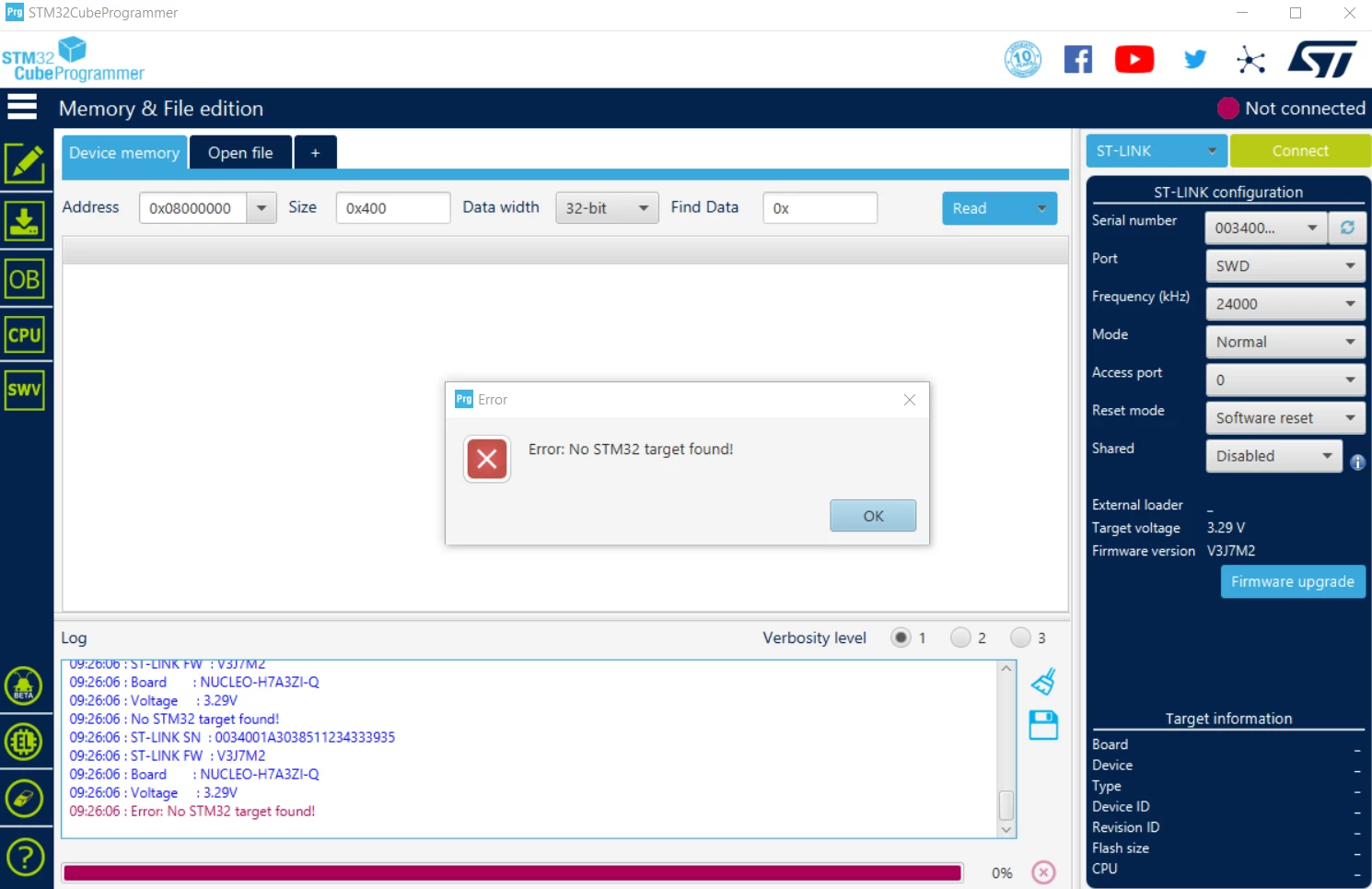
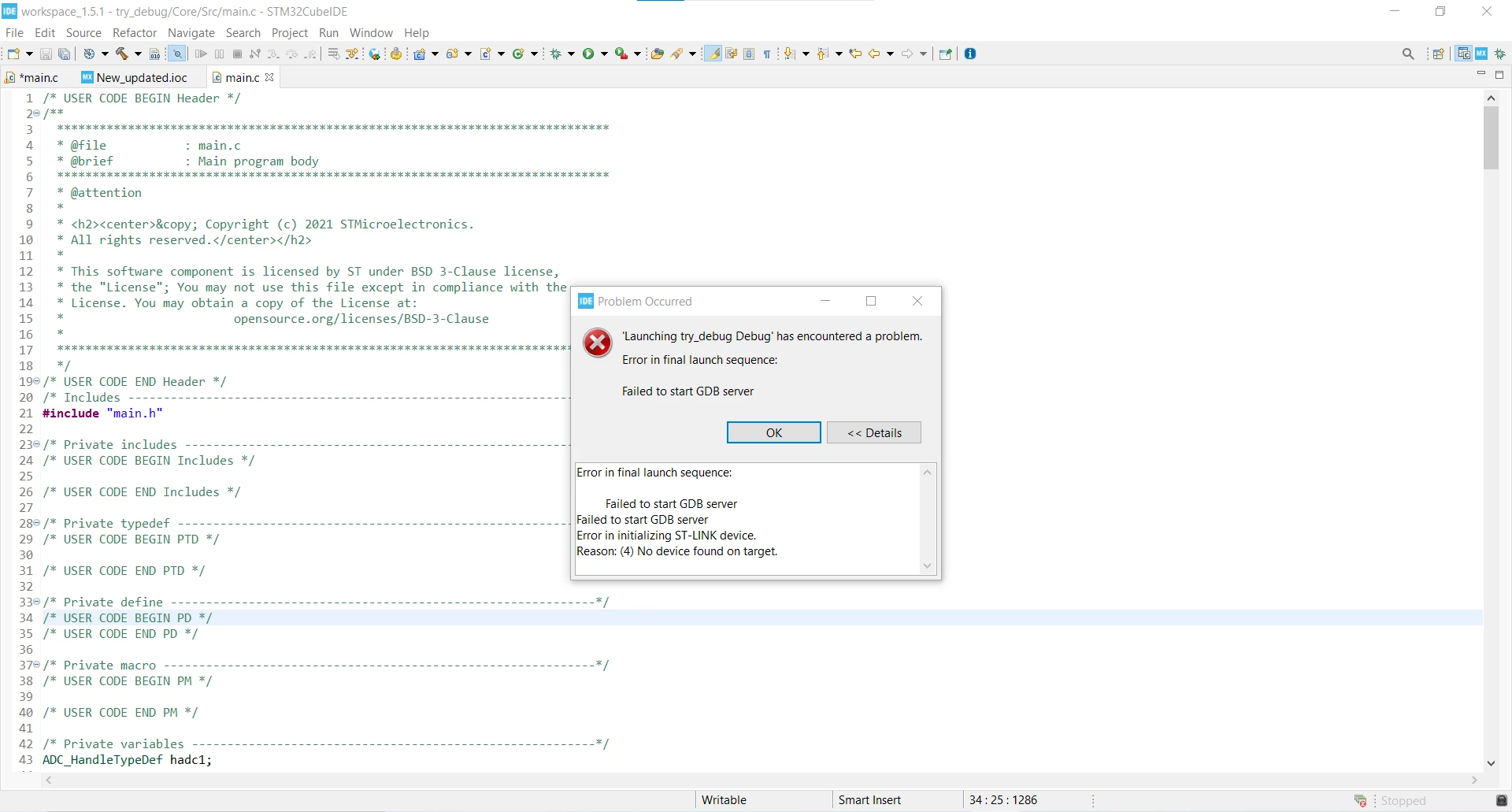
How to solve the problem with: 1. " Error: No STM32 target found!". 2. "Error in final launch sequence: Failed to start GDB server Failed to start GDB server Error in initializing ST-LINK device. Reason: (4) No device found on target."

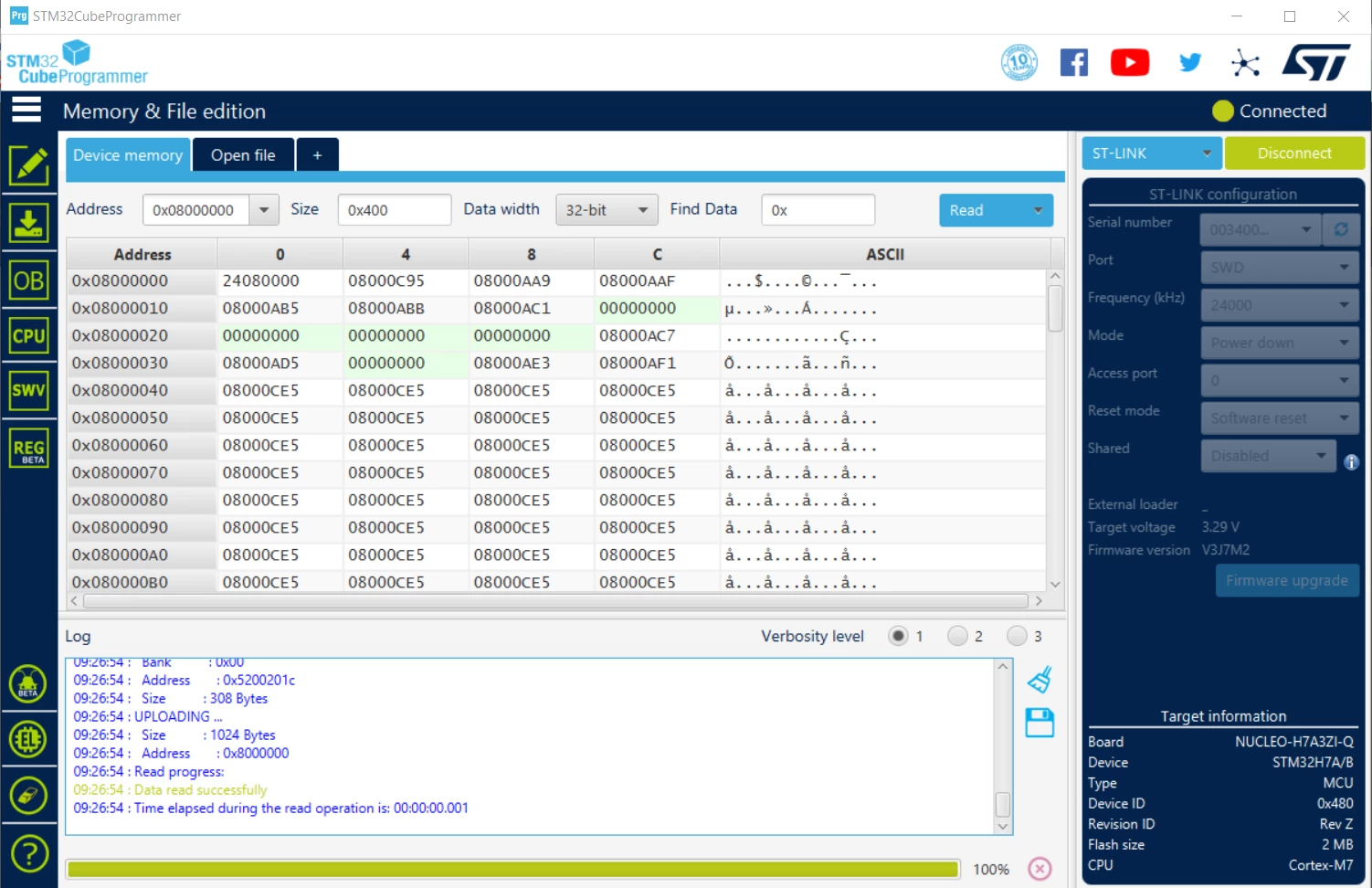
--The first error encounters while trying to connect the board (STM32H7A3ZI-Q) with STM32Cube Programmer at normal mode.

--The second error encounters while trying to upload a code through STM32Cube IDE.

However, when I try to connect the board with STM32Cube Programmer at power down mode, it successfully connect .

Hence, being a naïve in this area, I hope everyone helps me out to find the solutions. Thank you.0693W00000D0ZRiQAN.png0693W00000D0ZRYQA3.png0693W00000D0ZRTQA3.png
This topic has been closed for replies.
JNguyen
JNguyenBest answer
Senior
July 29, 2021

I had the similar problem with H725 MCU which maybe the same root cause. If new STLink fw doesn't fix it, check these:

  1. make sure selection of power supply scheme in your code matches with your Nucleo-H7A3. If not, correct the selection
  2. After correcting selection of power supply scheme, you may have to do "erase chip" since the MCU was already programmed with wrong ps sheme
  3. follow this link to "erase chip" and other possible fixes https://community.st.com/s/article/FAQ-Unable-to-connect-to-STM32H7-devices

good luck

5 replies

ST Technical Moderator
July 29, 2021

Hello @PWaiba​ and welcome to the Community,

Your STLink firmware version is an old version.

So, please try to upgrate your STLink firmware. Then keep me informed about your update.

When your issue is sloved, please close this topic by choosing Select as Best. This will help other users find that answer faster.

Imen

In order to give better visibility on the answered topics, please click on 'Best answer' on the reply which solved your issue or answered your question. Thanks
PWaiba
PWaibaAuthor
Associate
July 30, 2021

0693W00000D0ZRiQAN.png0693W00000D13ffQAB.pngAlthough the upgrade is successful, the error still encounters while uploading the code as cited in the picture.

JNguyen
JNguyenBest answer
Senior
July 29, 2021

I had the similar problem with H725 MCU which maybe the same root cause. If new STLink fw doesn't fix it, check these:

  1. make sure selection of power supply scheme in your code matches with your Nucleo-H7A3. If not, correct the selection
  2. After correcting selection of power supply scheme, you may have to do "erase chip" since the MCU was already programmed with wrong ps sheme
  3. follow this link to "erase chip" and other possible fixes https://community.st.com/s/article/FAQ-Unable-to-connect-to-STM32H7-devices

good luck

PWaiba
PWaibaAuthor
Associate
July 30, 2021

I followed the link and found that the issue was with my power configuration. By following the steps there, my issue is solved. Thank you @Community member​ .

GFrid.2
Associate II
August 27, 2021

Check for proper placement of the target board's power supply jumper, often labeled with selections: E5V, STLK, USB.