TDJ
Senior III
October 14, 2026
Solved

How to enable HSE STM32U375K (32pin)

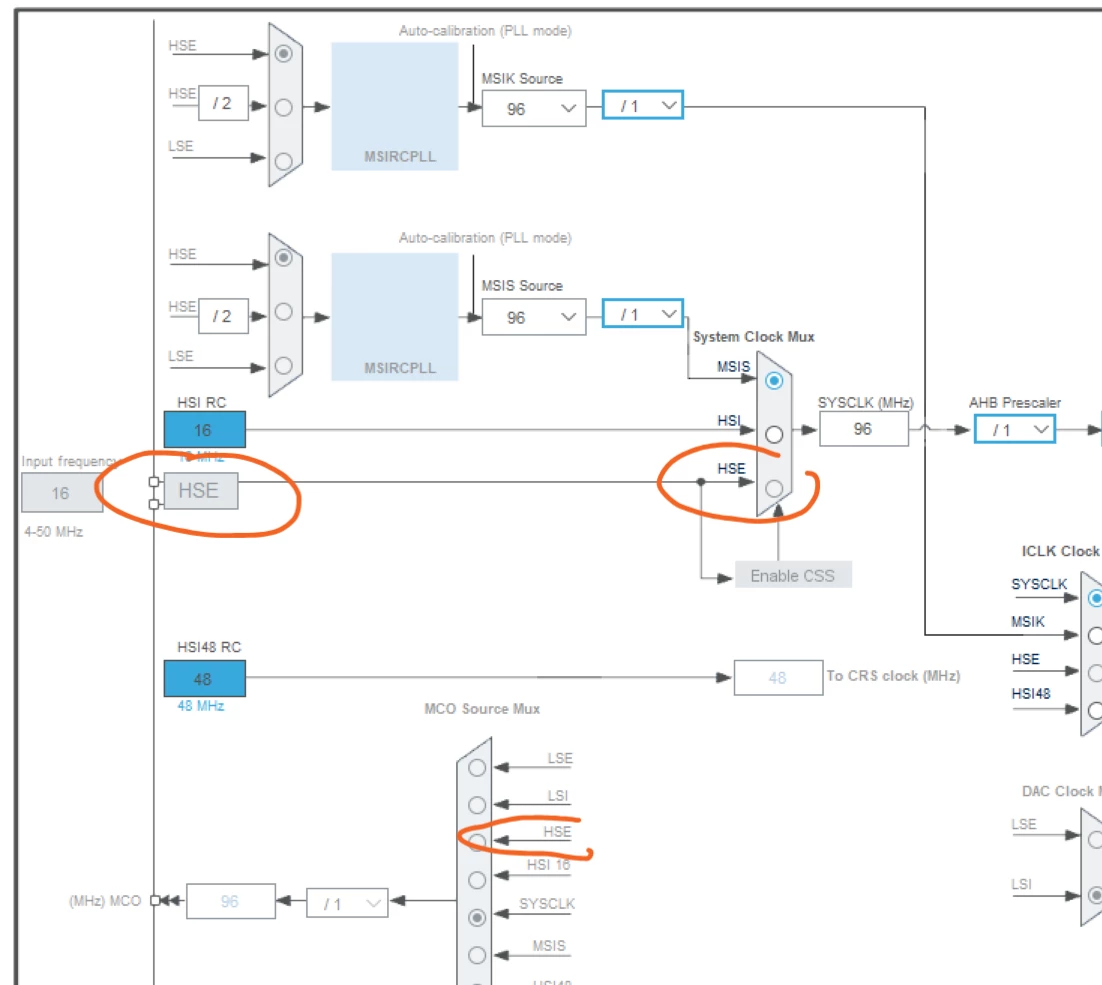
How can I enable HSE on STM32U375K (32pin) in Cube MX?

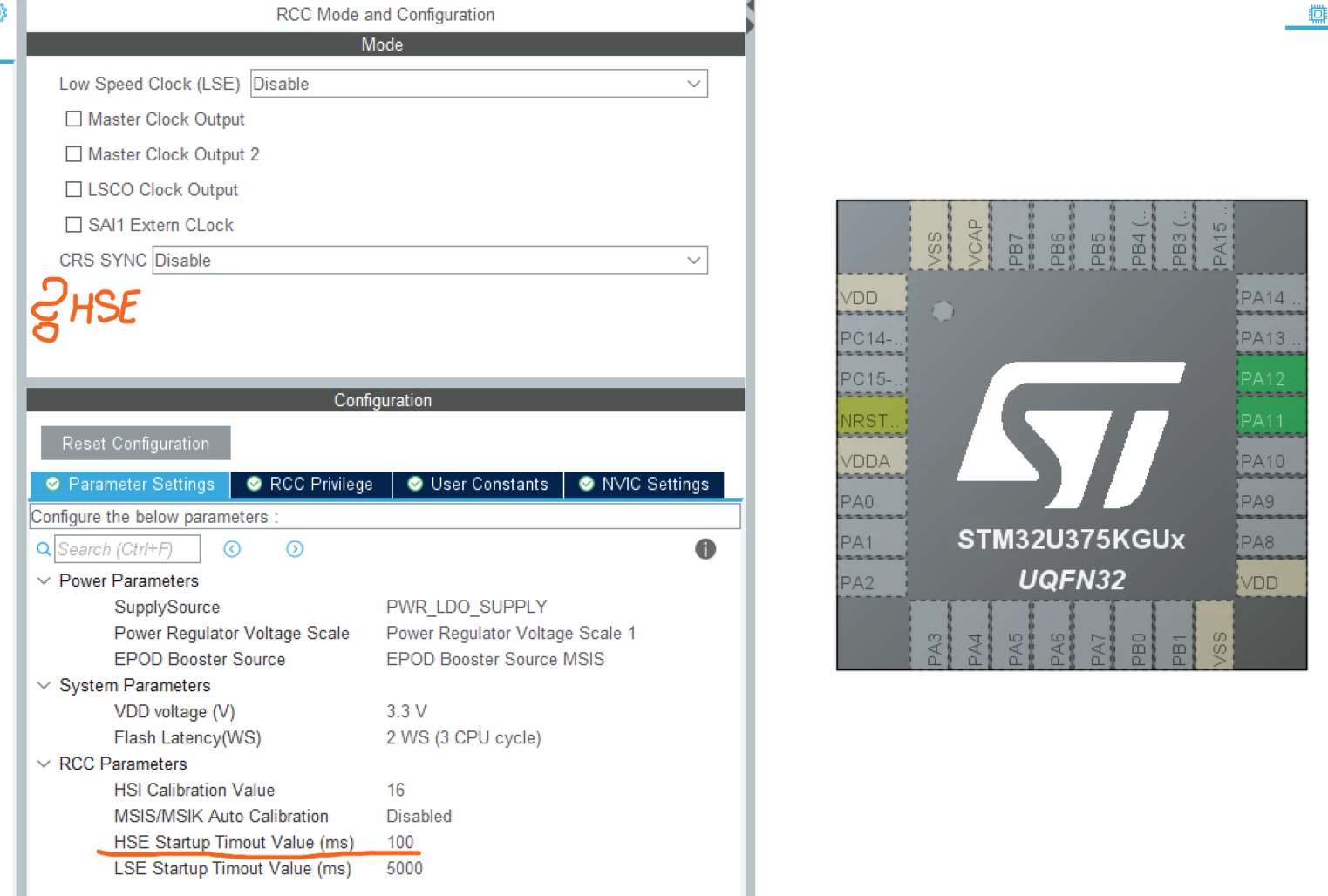
The option to enable HSE does not seem to be available in CubeMX. However, the option to select the HSE startup time is enabled.

What am I missing?

Does the STM32U375K support HSE? I couldn't find anything in RM0487 that indicates otherwise.


Chris21
Chris21Best answer
Associate II
October 14, 2026

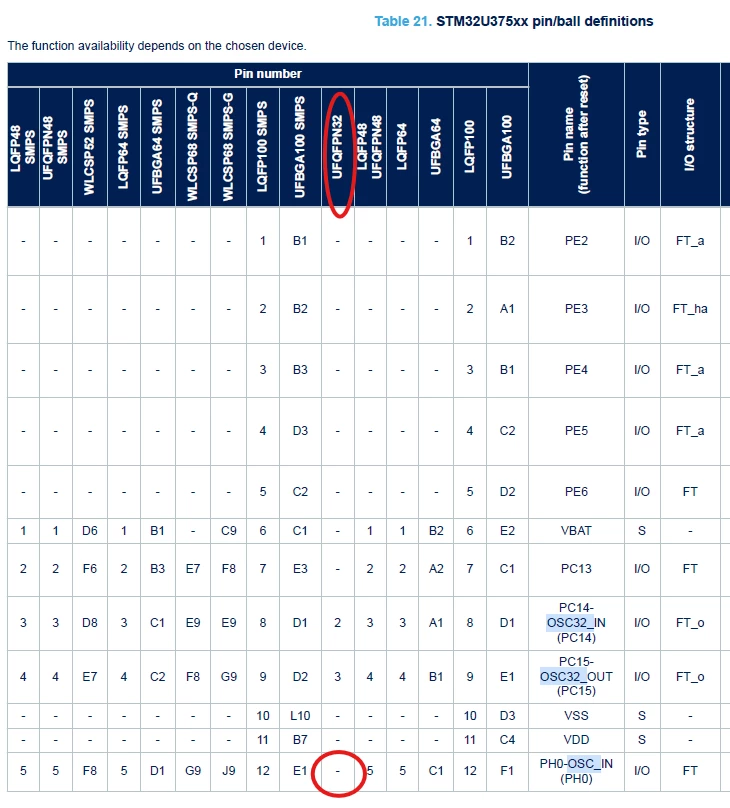
Looks like there’s no pin for the clock input on the 32-pin package (see Datasheet):


.

3 replies

Chris21
Chris21Best answer
Associate II
October 14, 2026

Looks like there’s no pin for the clock input on the 32-pin package (see Datasheet):


.
mƎALLEm
ST Technical Moderator
October 14, 2026

Looks like there’s no pin for the clock input on the 32-pin package

No HSE I/Os for that package and there is no option to activate HSE in CubeMx:


To give better visibility on the answered topics, please click "Best answer" on the reply which solved your issue or answered your question.
TDJ
TDJAuthor
Senior III
October 14, 2026

Ach, thank you.

This is a rather unpleasant and unexpected surprise.

The STM32U375K seems to be a nice MCU, but apparently it lacks the external clock input available on almost all of the other 28- and 32-pin packages. Unfortunately, this means we cannot use it for the project it was originally considered for since we need precise ADC clock, unless for ADC we use MSIK with LSE and auto-calibration, but it is not a preferred option.