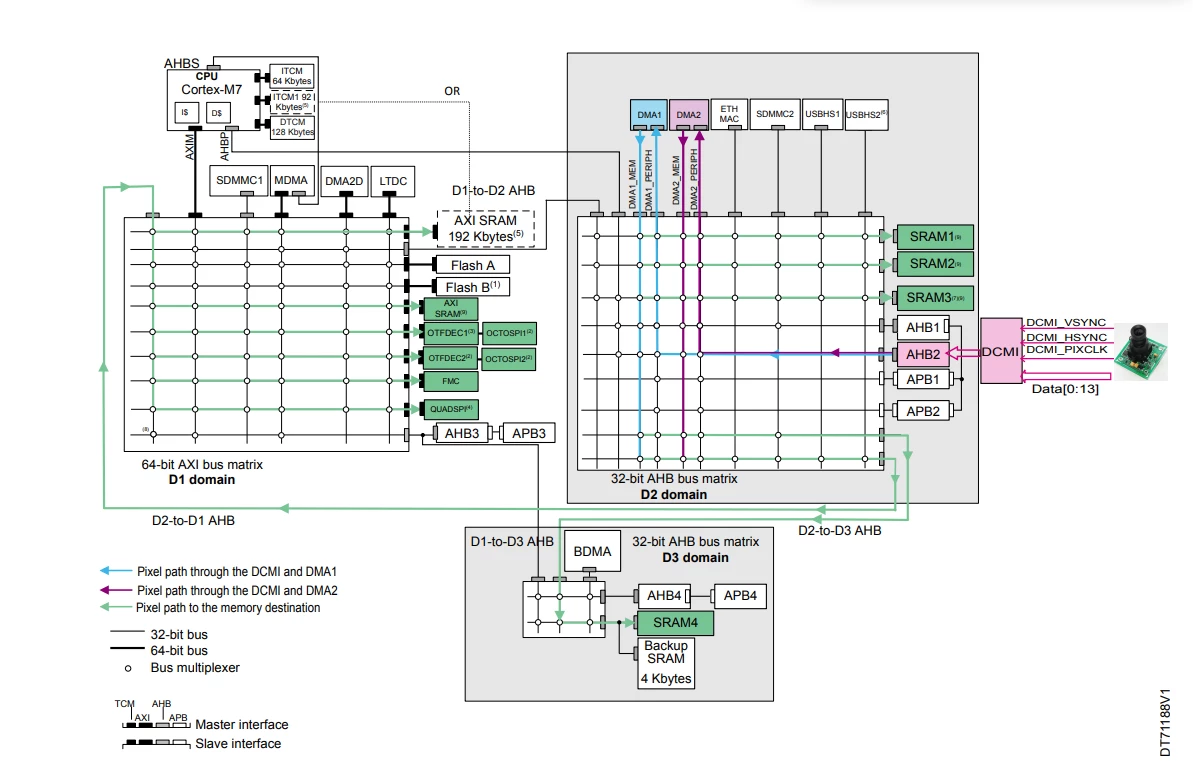
How to capture and save high resolution images on STM32H7?
Test Description: Receiving an image of 1280x960 through the image sensor and saving the image to external PSRAM
Test Environment
- MCU : stm32h753ai
- Camera Module : AN0134
- psram : is66wve4m16ebll-70bli
Current situation
- Create image buffer in internal buffer and check image capture using HAL_DCMI_Start_DMA function (declare size smaller than DCMI maximum size of 65535)
- Write a certain incremental value to the internal buffer using FMC and read the value.
- Write some image data stored in the internal buffer to PSRAM and read it.
- If you try to save directly through HAL_DCMI_Start_DMA by putting the address of PSRAM instead of the internal buffer address, an error occurs (Error code: 65).
Question
1. I am wondering if it is possible to directly input the memory address of PSRAM to HAL_DCMI_Start_DMA.
- In the example of AN5020 documentation, it seems that 1280x1024 images can be processed, so please check if it is really possible.
2. If the PSRAM memory address cannot be used directly in HAL_DCMI_Start_DMA, how can it be processed?
- Should I refer to 6.4.9 DMA configuration for higher resolution or 8.3.6 SXGA resolution capture (YCbCr data format) in AN5020 documentation and create HAL_DCMI_Start_DMA function by myself?
- If I have to make it myself, I wonder if I can still modify the HAL_DCMI_Start_DMA function.
3. In my research, it says to use a double buffer to solve this problem, but how exactly should I use it?
- Do I simply create two buffers to set in the DMA_SxM0AR or DMA_SxM1AR registers to alternately read and save the image....
- There are functions for using multibuffers, such as the HAL_DMAEx_MultiBufferStart function, but I was wondering if it is possible to implement a double buffer via this function......