Associate III
August 11, 2026
Solved

How do I know when to use Reference Manual or Datasheet for a stm32?

  • August 11, 2026
  • 7 replies
  • 102 views

How do I decide which documentation to use for a specific problem, or for getting a specific information?

Best answer by RomainR.

Hi ​@vishnu_illikkal 

You should consider these documents as complementary; it ultimately depends on the specific issues you encounter.

Reference Manual:
Understanding of the bus architecture, memory, DMA, and peripherals usage, registers and bit definition.

Datasheet:
Pinout assignment, electrical and physical specifications of peripherals or memories and AMR, as well as package characteristics.

Errata Sheet:
Silicon revision limitations, their description, and possible workarounds.

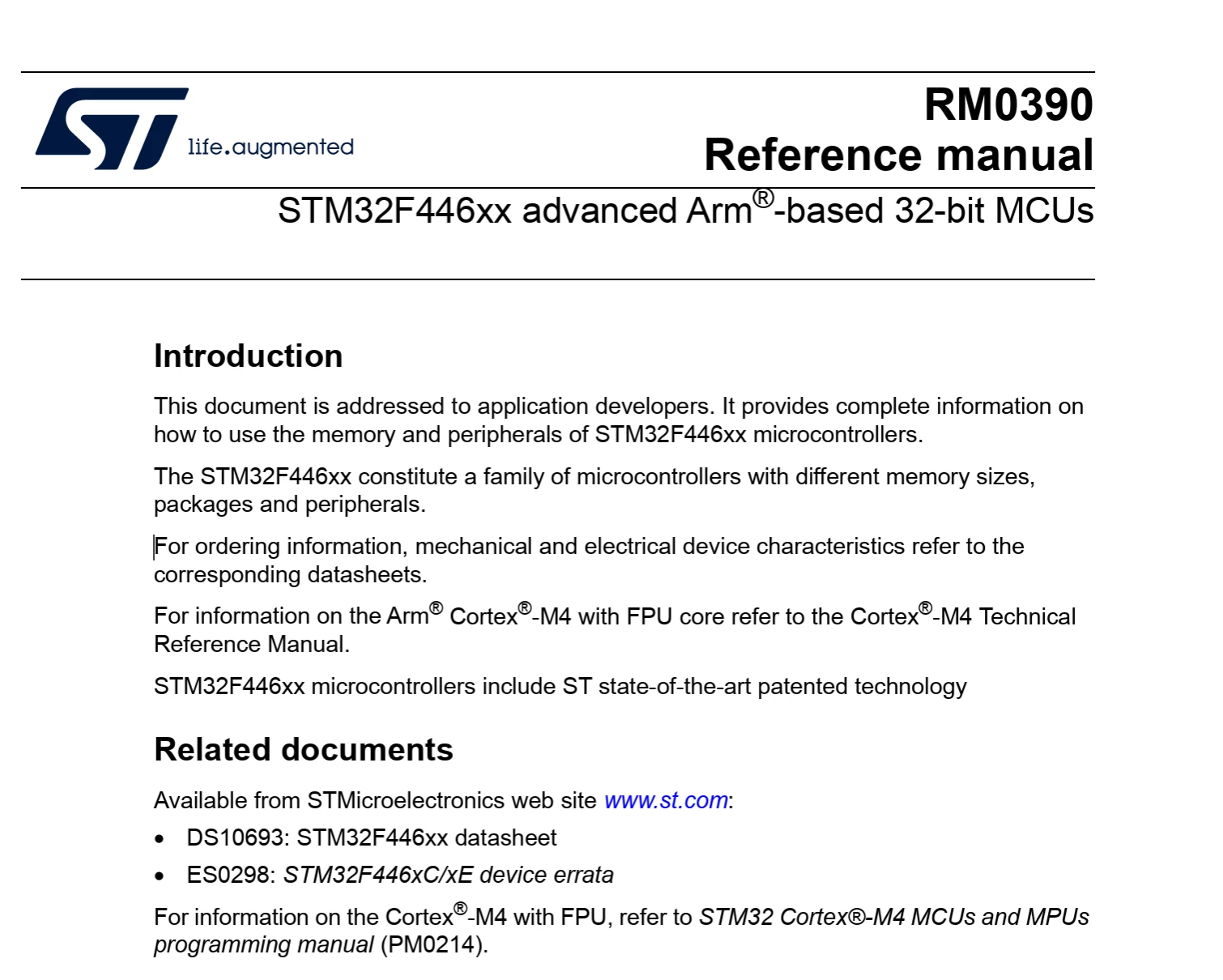
Here below the introduction of a RM which describes the STM32 documentation usage.

Best regards,

Romain


7 replies

Associate III
August 11, 2026

I got this from a talk with Gemini, I wanted some real opinions from the experts.
Thanks.
 

Guide: The "Inside vs. Outside" Rule

When you are stuck and don't know which STM32 document to open, use the "Inside vs. Outside" Rule. This is a mental shortcut to help you instantly choose between the two massive PDFs provided by ST: the Reference Manual and the Datasheet.


Ask yourself one simple question: "Am I looking at the inside of the chip or the outside of the chip?"


1. Looking "Inside" the Chip -> Reference Manual (RM)

If your question is about what is happening inside the black plastic of the microcontroller, you need the Reference Manual. The inside is all about logic, memory, and software control.


Go to the Reference Manual if you are looking for:

  • Internal Architecture: Block diagrams showing how internal components (like the GPIO pin logic) connect to each other.

  • Software Registers: The memory addresses your C-code writes to so you can configure a peripheral.

  • Peripheral Logic: How a specific timer counts, how the ADC converts data, or how the I2C protocol is handled internally.

  • The Clock Tree: How internal clock signals are routed and divided among the internal systems.
     

2. Looking "Outside" the Chip -> Datasheet (DS)

If your question is about how the chip physically interacts with the real world outside of the plastic casing, you need the Datasheet. The outside is all about electricity, physical wires, and hardware limits.


Go to the Datasheet if you are looking for:

  • Physical Pinouts: Which specific metal leg on the chip corresponds to "PA0" or "Ground".

  • Electrical Limits: The maximum voltage or current a pin can safely handle before the chip catches on fire.

  • Electrical Characteristics: How much power the chip consumes in sleep mode, or the exact voltage required to register a digital .

  • Physical Dimensions: The exact size of the chip and the spacing of its pins for designing a printed circuit board (PCB).
     

Quick Reference: "Where do I look?" Test

Use this cheat sheet to train your brain to pick the right document based on whether your question focuses on the inside or the outside of the chip:

  • "How do I configure the registers to make this pin an output?"

    Inside (Logic & Software) -> Reference Manual

  • "Can this pin safely sink 20mA to drive an LED?"

    Outside (Electricity & Hardware) -> Datasheet

  • "I want to see the block diagram of the internal GPIO logic."

    Inside (Architecture) -> Reference Manual

  • "What alternate functions (like UART or SPI) are physically wired to pin 14?"

    Outside (Physical Pin Mapping) -> Datasheet

  • "How does the internal pull-up resistor connect to the input data register?"

    Inside (Internal Connections) -> Reference Manual

  • "What are the exact millimeter dimensions of the LQFP64 package?"

    Outside (Physical Dimensions) -> Datasheet

Peter BENSCH
ST Technical Moderator
August 11, 2026

Gemini has an interesting, at least for me completely different, perspective on this topic. If one has worked with microcontrollers for many decades and has become accustomed to the organisation of the documentation for STM32, one intuitively uses the datasheet for the specific parameters of a particular derivative, whereas the corresponding reference manual contains the details of the entire family.

However, Gemini forgot to mention quite a bit of documentation (which may, however, be due to the prompt): the application notes and errata sheets, and (depending on a specific device) sometimes also user manuals, programming manuals and technical notes.

Yes, at the beginning it seems like a gigantic flood of data and a real hurdle, but after some reading into the subject and some experimentation on the respective device, you also gain a better overview of what is going on inside the STM32.

Regards
/Peter

In order to give better visibility on the answered topics, please click on Accept as Solution on the reply which solved your issue or answered your question.
Associate III
August 11, 2026

Gemini mentioned the other documents, but those are straightforward to understand what is inside it.
 

Andrew Neil
Super User
August 11, 2026

The Datasheet is the reference for “physical” parameters - voltages, timings, mechanical dimensions, pinout, etc.

The Reference Manual describes the inner workings; particularly registers, etc.

So the “Inside vs Outside” is not a bad way to look at it.

At the end of the day, it’s just 2 documents - if you don’t find the answer you need in one, then look at the other!
They are PDFs - they are searchable.


But, as ​@Peter BENSCH said, don’t forget all the other supporting collateral!


This is not at all unique to STM32 - most manufacturers nowadays split their documentation into a “physical parameters” document, and a separate “functional operation” one. The names differ, but the basic division is common.


Note that there’s also Sidekick - ST’s own AI chatbot, which is specifically trained on ST’s documentation & products:


Click this button at bottom-right of forum pages:


A complex system that works is invariably found to have evolved from a simple system that worked.A complex system designed from scratch never works and cannot be patched up to make it work.
LCE
Principal II
August 11, 2026

Coming from FPGAs (many documents) and 8-bit microcontrollers (mostly all info within 1 document), I also had my trouble with the STM32 documentation in the beginning.

I also like the gemini reply.

As a hardware guy, I’d break it down like:

Hardware → datasheet

Software → ref manual


But you cannot do one without the other - even though the datasheet shows you that you can have timer x input capture on pin y, but is that timer really the right one for that use with its resolution, DMA, clock input, etc… ?

When I start a new project with an STM32 that I haven’t used yet, I usually order a Nucleo board and make sure that the STM32 really can do what I need. And I usually have both DS and RM open on another screen.

Andrew Neil
Super User
August 11, 2026

When I start a new project with an STM32 that I haven’t used yet, I usually order a Nucleo board and make sure that the STM32 really can do what I need. And I usually have both DS and RM open on another screen.

This is Top Advice !

A complex system that works is invariably found to have evolved from a simple system that worked.A complex system designed from scratch never works and cannot be patched up to make it work.
RomainR.
RomainR.Best answer
ST Employee
August 12, 2026

Hi ​@vishnu_illikkal 

You should consider these documents as complementary; it ultimately depends on the specific issues you encounter.

Reference Manual:
Understanding of the bus architecture, memory, DMA, and peripherals usage, registers and bit definition.

Datasheet:
Pinout assignment, electrical and physical specifications of peripherals or memories and AMR, as well as package characteristics.

Errata Sheet:
Silicon revision limitations, their description, and possible workarounds.

Here below the introduction of a RM which describes the STM32 documentation usage.

Best regards,

Romain


To give better visibility on the answered topics, please click on Accept as Solution on the reply which solved your issue or answered your question.