CR72
Associate II
March 4, 2022
Question

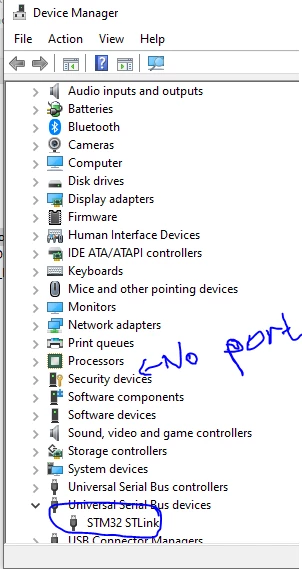
How do I get STM32F0 to show up under "Ports " in device manager?

  • March 4, 2022
  • 17 replies
  • 11889 views

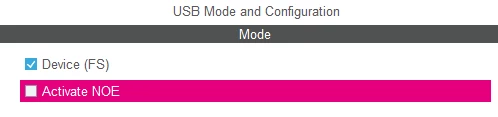
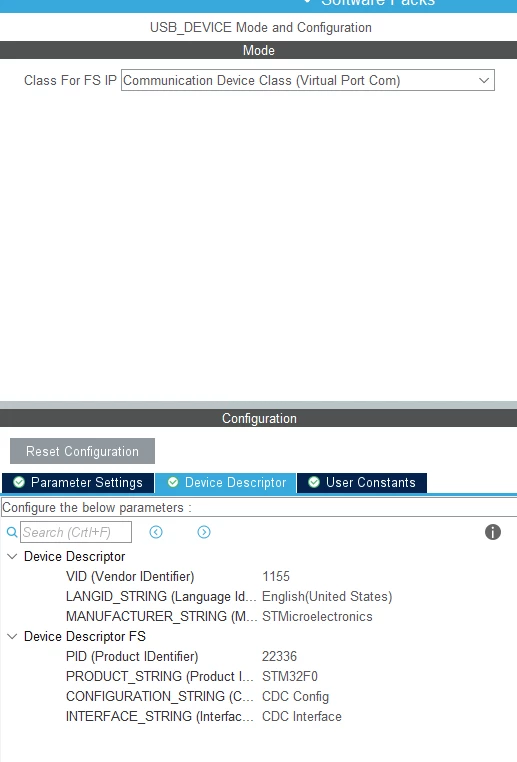
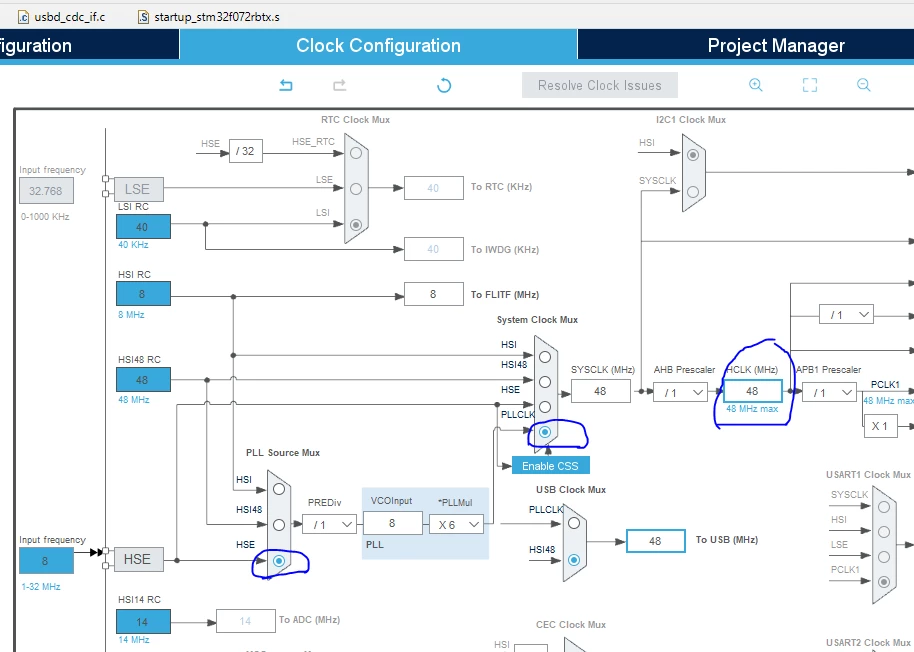
My STM32F0 won't show up under "Ports " in my device manager. It does, however, show up under "Universal Serial Bus Devices". I'm trying to print to a serial monitor. I've spent over 12 hours (low guess) trying to troubleshoot this issue. Here is what it looks like in my device manager.0693W00000KbNFGQA3.pngHere are some of the settings I've tried
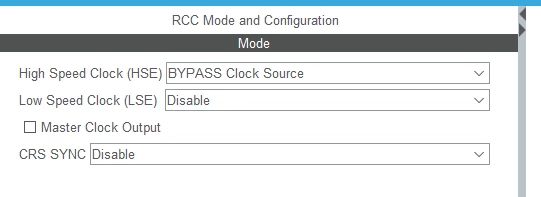
0693W00000KbNGBQA3.pngI did also try using RCC as Crystal/Ceramic Resonator
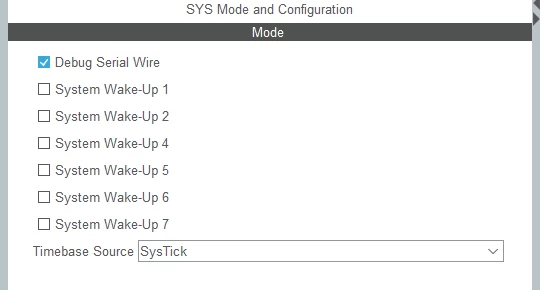
0693W00000KbNGaQAN.png 

0693W00000KbNGGQA3.png0693W00000KbNGVQA3.png0693W00000KbNDLQA3.pngWhat do I need to do so I can get my device to show up as COM 4 or COM 6 or some other COM channel?

Thank you for taking time to look at my question! :)

This topic has been closed for replies.

17 replies

TDK
March 4, 2022

The "STM32 STLink" device showing up is the ST-Link debugger chip, not the STM32F0 chip.

What hardware are you working on and how exactly is it hooked up? In addition to getting the USB driver firmware working, you'll need to connect to the chip directly through the USB pins.

"If you feel a post has answered your question, please click ""Accept as Solution""."
CR72
CR72Author
Associate II
March 5, 2022

Here's my setup. Pretty basic, just trying to get this part to work before moving on.

0693W00000KbVGPQA3.jpgDo I need additional hardware to make this work? Do I need to connect to the other micro-usb slot? (actually just tried that and it didn't seem to work when I plugged it in).

Are the setting I chose the right ones?

TDK
March 5, 2022

The "USB USER" port is connected to the target chip, so yes, you need to use that one. The "USB ST-LINK" is connected to the ST-Link chip.

https://www.st.com/resource/en/user_manual/um1690-discovery-kit-for-stm32f0-series-microcontrollers-with-stm32f072rb-stmicroelectronics.pdf

Can probably get this to work on that board with minimal changes:

https://github.com/STMicroelectronics/STM32CubeF0/tree/4390ff6bfb693104cf97192f98c3dc9e3a7c296a/Projects/STM32072B_EVAL/Applications/USB_Device/CDC_Standalone

"If you feel a post has answered your question, please click ""Accept as Solution""."
CR72
CR72Author
Associate II
March 5, 2022

Sweet, thanks :smiling_face_with_smiling_eyes: I'll try out that code. I may be back after giving it my best shot if it doesn't work.

DrWidget
Associate II
March 21, 2024

I know this is an old thread, but just in case this is of some help to someone, I used the STM32CubeIDE to autogen a USB CDC device. Compiling with no changes to the generated code gives warnings in the "Get_SerialNum" function about initialized deviceserial0, deviceserial1, and deviceserial2.  If I download the code into my device and connect it to windows, there's some indication that a device has been attached, but it doesn't show up anywhere.  If I correctly initialize the variables either assigning values, or getting the device ID, then it compiles without warning and correctly shows up as a virtual comm port.