Associate III
December 5, 2024
Solved

GPIO output in real life - STM32H7B3I-DK

  • December 5, 2024
  • 3 replies
  • 4040 views

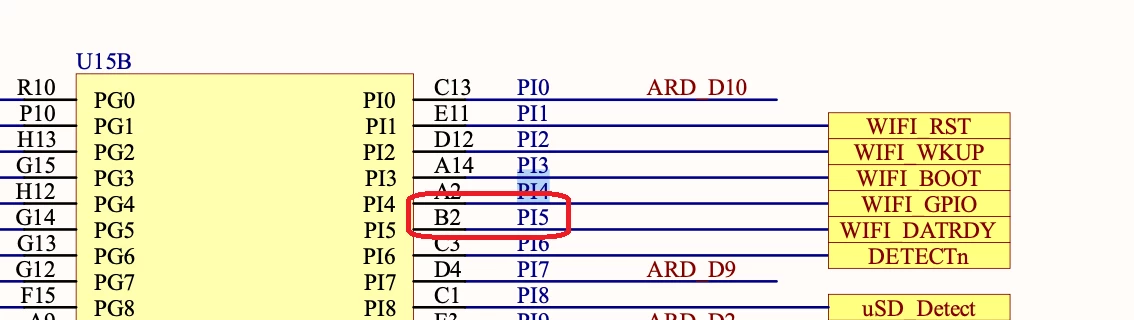
Good morning, there is something i a not understanding well with my board. I need to use 10 GPIO as inputs of button or output. for that i went to the GPIO list, for example, I got GPIO at pin PI4 so I go on the schematics of my board and I see that PI4 is used for the wifi but has also a physical output A2. now, I wanted to get PI5, it is connected to output B2, unfortunately, there is no B2 on my board physically, so I would like to know what is the difference with the other GPIO and how to make sure that my GPIO will be available on my board (other way than just checking all the pins on my board)
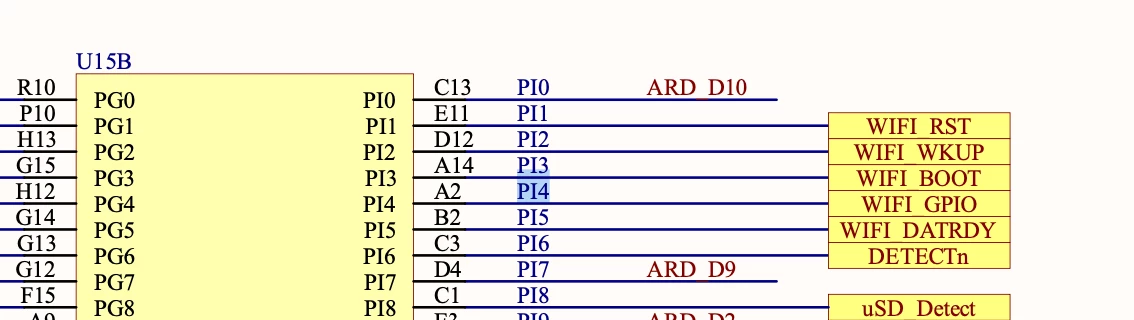
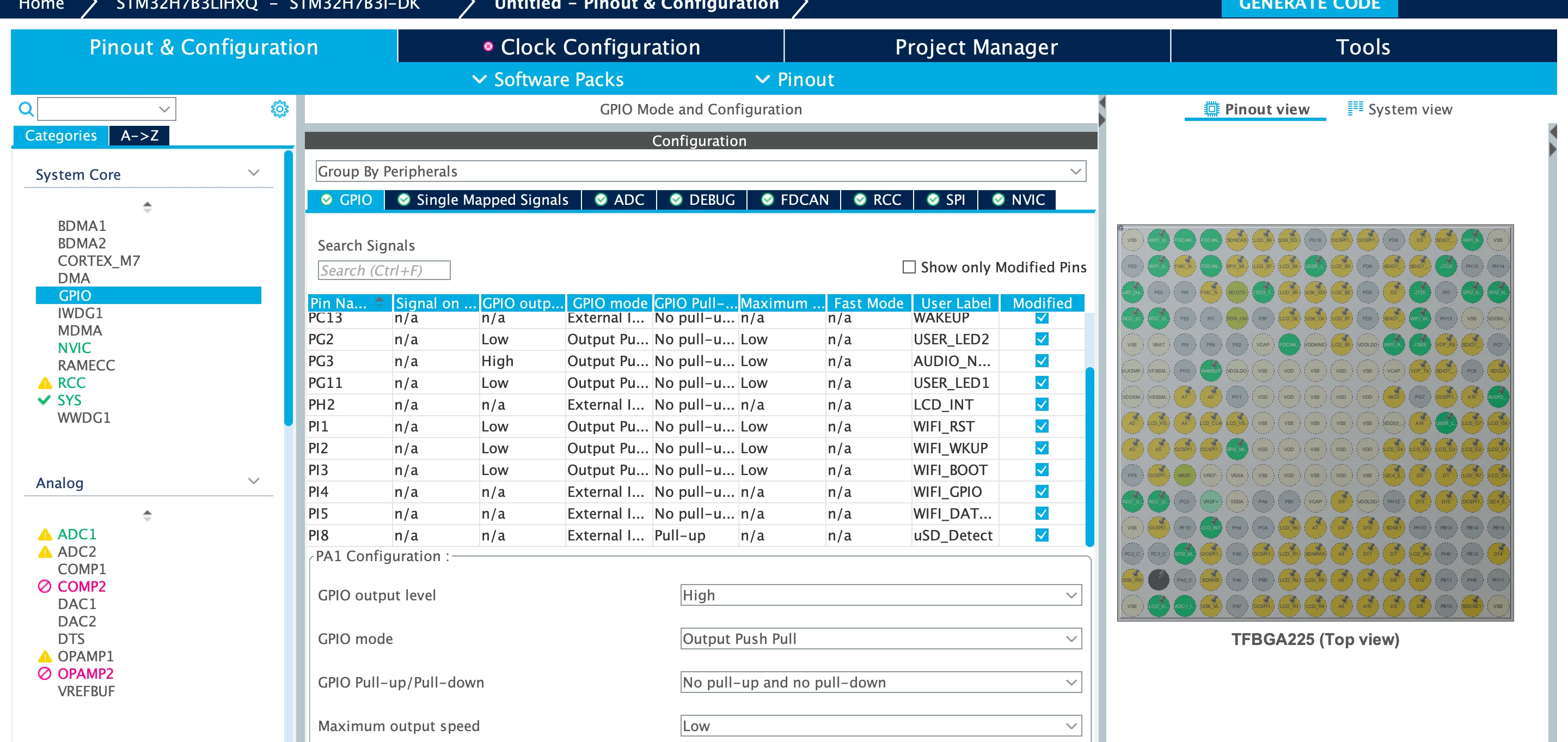
Capture d’écran 2024-12-05 à 15.35.14.png

Capture d’écran 2024-12-05 à 15.34.44.png

Best answer by mƎALLEm

Just to mention that B2 shown behind PI5 in the schematics is the ball name not B2 pin on the Arduino connector. 

SofLit_0-1733416745420.png

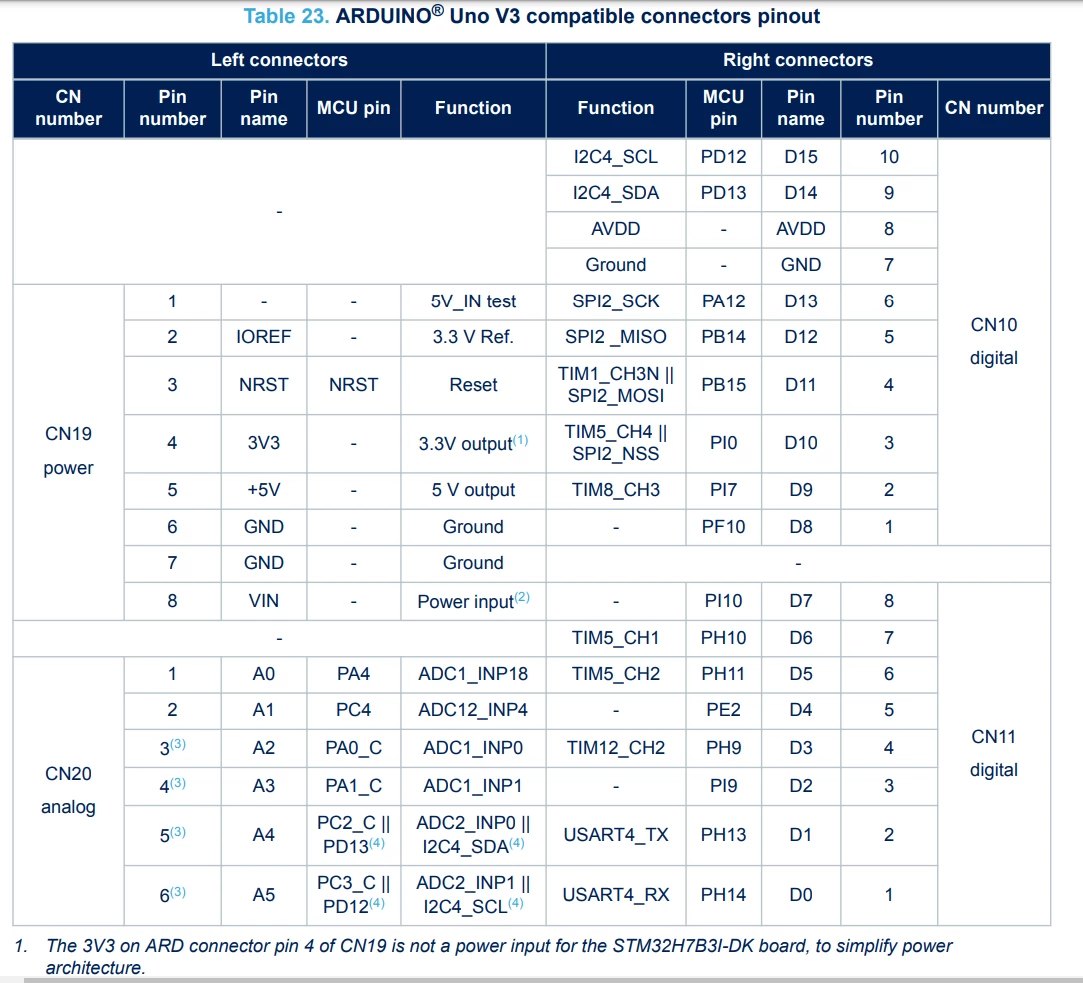
And this is the Arduino connector pin mapping. There is no Bx pin on it:

SofLit_1-1733417064452.png


3 replies

AScha.3
Super User
December 5, 2024

Hi,

> i went to the GPIO list

ok, but this in Cube is the list of all used pins - but you want free pins, right ?

All grey pins are free to use...so take one or ...many of them and set them to in or out, what you need.

(just left/right click mouse... to set function or your own label/name)

Then they are in the pin list , because used now.

AScha3_0-1733410829609.png


"If you feel a post has answered your question, please click ""Accept as Solution""."
mƎALLEm
Technical Moderator
December 5, 2024

Hello,

B2 is the ball number like the pin number as the package you are using is a BGA. 

So what you need to know is the GPIO pin. And in your case it's PI5 GPIO pin on B2 ball.

From the datasheet: B2 ball corresponds to PI5 GPIO pin.

SofLit_0-1733411379925.png


To give better visibility on the answered topics, please click "Best answer" on the reply which solved your issue or answered your question.
JadAuthor
Associate III
December 5, 2024

I did not understand what ball means, but my issue is finding the pins in my physical board: there is no arduino hole to put a jump wire in a hole named B2

mƎALLEm
Technical Moderator
December 5, 2024

The balls are like the "pins" of the MCU on LQFP packages.

If you look at the bottom of a BGA chip (the MCU) you will see all these balls:

SofLit_0-1733412139952.png

In your Arduino you need to find the GPIO pin not the ball number on the connector.

What board are you using?


To give better visibility on the answered topics, please click "Best answer" on the reply which solved your issue or answered your question.
mƎALLEm
mƎALLEmBest answer
Technical Moderator
December 5, 2024

Just to mention that B2 shown behind PI5 in the schematics is the ball name not B2 pin on the Arduino connector. 

SofLit_0-1733416745420.png

And this is the Arduino connector pin mapping. There is no Bx pin on it:

SofLit_1-1733417064452.png


To give better visibility on the answered topics, please click "Best answer" on the reply which solved your issue or answered your question.
JadAuthor
Associate III
December 5, 2024

Thank you for the response, it responds exactly my question , I wanted to use this pin because I wanted to use 10 GPIO so I wanted to use all of them presented on cube mx