Senior
December 23, 2024
Solved

Explanation of samples/library names?

Hi,

in the MCU selector app, in the Example selector, there is a long list of examples, all using acronyms (see screenshot below). Some are obvious like "ETH" but most are not.

Some questions:

1) Where can I find a table/list that explains what each of the acronyms mean?

2) Where can I find the actual code for each?

3) which one is USB bootloader and SDMMC bootloader?

4) which one is USB mass storage device?


Thank you :)
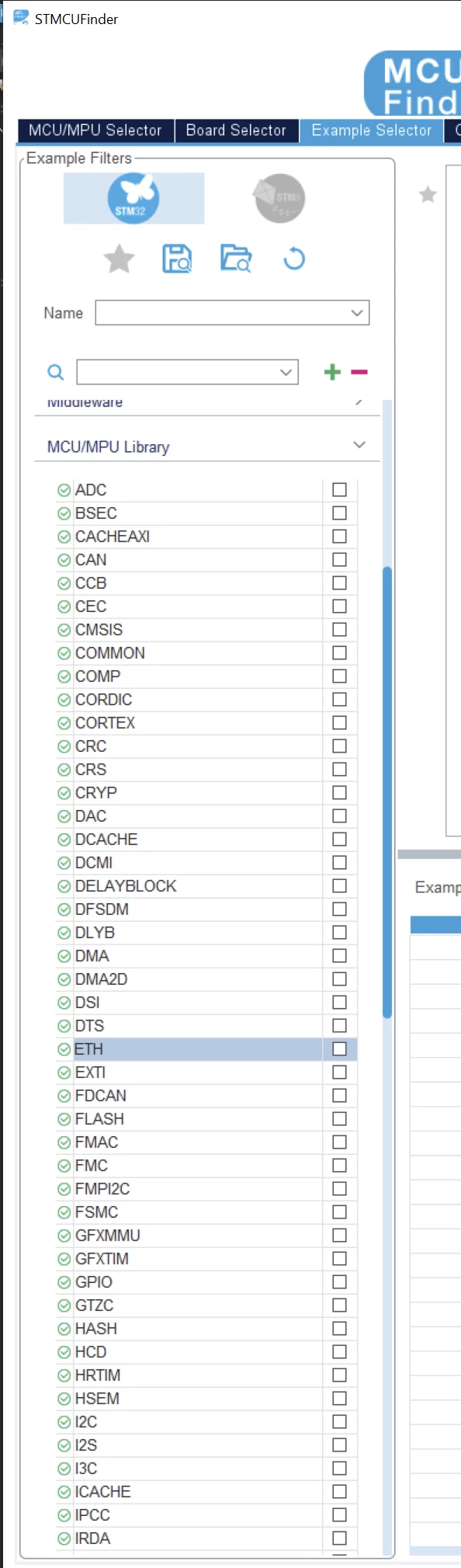
Ricko_0-1734938955691.png


This topic has been closed for replies.
mƎALLEm
mƎALLEmBest answer
ST Technical Moderator
December 23, 2024

Hello,

1- In the reference manual of the product:

Example: 

SofLit_0-1734940568787.png

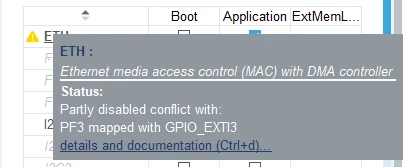
Or move the cursor on it:

SofLit_0-1734940971061.png

2- In the Driver folder.

3- There is no bootloader code generated by CubeMx. It's under the user responsibility.

4- No mass storage code generated by CubeMx at this level. You need to configure the interface in Host/Device etc .. And add the USB library (for example to add x-cube-usb-pd) in middleware section.

To give better visibility on the answered topics, please click "Best answer" on the reply which solved your issue or answered your question.

6 replies

mƎALLEm
mƎALLEmBest answer
ST Technical Moderator
December 23, 2024

Hello,

1- In the reference manual of the product:

Example: 

SofLit_0-1734940568787.png

Or move the cursor on it:

SofLit_0-1734940971061.png

2- In the Driver folder.

3- There is no bootloader code generated by CubeMx. It's under the user responsibility.

4- No mass storage code generated by CubeMx at this level. You need to configure the interface in Host/Device etc .. And add the USB library (for example to add x-cube-usb-pd) in middleware section.

To give better visibility on the answered topics, please click "Best answer" on the reply which solved your issue or answered your question.
RickoAuthor
Senior
December 25, 2024

Thank you @mƎALLEm 

in the reference manual there does not seem to be any such table or list. I can only find those acronyms in the index. And obviously only those that do apply to that specific micro. It would be tedious to have to find and open countless manuals hoping it contains the acronym I am trying to figure out. So I was wondering if there is a list of all of them somewhere perhaps? Perhaps I misunderstood what you meant?


Which brings me in your second screenshot (copy below). That might seem a more immediate solution. Where did you take that screenshot from?

Both my MCUfinder app and the "New Project" Wizard (in CubeMX) don't have that pop-up, nor do they show those columns I can see in your screenshot (Boot, Application, ExtMem). Where is that screenshot from?


Thank you :)


Ricko_0-1735091417404.png


mƎALLEm
ST Technical Moderator
December 25, 2024

There is no table list of acronyms in the reference manual. The acronyms are part of each chapter title as I mentioned above.

I don't know for MCU finder, but the screendshot I've taken is from CubeMX.

You marked the answer but you removed it, why?

To give better visibility on the answered topics, please click "Best answer" on the reply which solved your issue or answered your question.