

Question
Can you help me about getting good picture in the STM32
Posted on August 27, 2013 at 11:23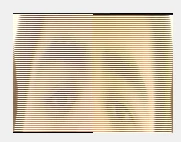 My code:
I can get this Picture.But I don't know how I can correct this mistake!
My code:/* DCMI configuration *******************************************************/
DCMI_InitStructure.DCMI_CaptureMode = DCMI_CaptureMode_Continuous; DCMI_InitStructure.DCMI_SynchroMode = DCMI_SynchroMode_Hardware; DCMI_InitStructure.DCMI_PCKPolarity = DCMI_PCKPolarity_Falling; DCMI_InitStructure.DCMI_VSPolarity = DCMI_VSPolarity_High; DCMI_InitStructure.DCMI_HSPolarity = DCMI_HSPolarity_High; DCMI_InitStructure.DCMI_CaptureRate = DCMI_CaptureRate_All_Frame; DCMI_InitStructure.DCMI_ExtendedDataMode = DCMI_ExtendedDataMode_10b; DCMI_Init(&DCMI_InitStructure);/* DCMI Interrupts config ***************************************************/
DCMI_ITConfig(DCMI_IT_VSYNC, ENABLE); DCMI_ITConfig(DCMI_IT_LINE, ENABLE); DCMI_ITConfig(DCMI_IT_FRAME, ENABLE); DCMI_ITConfig(DCMI_IT_ERR, ENABLE); NVIC_PriorityGroupConfig(NVIC_PriorityGroup_1); NVIC_InitStructure.NVIC_IRQChannel = DCMI_IRQn; NVIC_InitStructure.NVIC_IRQChannelPreemptionPriority = 15; NVIC_InitStructure.NVIC_IRQChannelSubPriority = 15; NVIC_InitStructure.NVIC_IRQChannelCmd = ENABLE; NVIC_Init(&NVIC_InitStructure);/* Configures the DMA2 to transfer Data from DCMI to the LCD ****************/
/* Enable DMA2 clock */ RCC_AHB1PeriphClockCmd(RCC_AHB1Periph_DMA2, ENABLE); /* DMA2 Stream1 Configuration */ DMA_DeInit(DMA2_Stream1); DMA_InitStructure.DMA_Channel = DMA_Channel_1; //DMA_InitStructure.DMA_PeripheralBaseAddr = DCMI_DR_ADDRESS; DMA_InitStructure.DMA_PeripheralBaseAddr = (uint32_t)(DCMI_BASE + 0x28); DMA_InitStructure.DMA_Memory0BaseAddr =(uint32_t)&buffer_A ; DMA_InitStructure.DMA_DIR = DMA_DIR_PeripheralToMemory; DMA_InitStructure.DMA_BufferSize = 0xffff; DMA_InitStructure.DMA_PeripheralInc = DMA_PeripheralInc_Disable; DMA_InitStructure.DMA_MemoryInc = DMA_MemoryInc_Enable; DMA_InitStructure.DMA_PeripheralDataSize = DMA_PeripheralDataSize_Word; DMA_InitStructure.DMA_MemoryDataSize = DMA_MemoryDataSize_Word; DMA_InitStructure.DMA_Mode = DMA_Mode_Normal; DMA_InitStructure.DMA_Priority = DMA_Priority_High; DMA_InitStructure.DMA_FIFOMode = DMA_FIFOMode_Enable; DMA_InitStructure.DMA_FIFOThreshold = DMA_FIFOThreshold_Full; DMA_InitStructure.DMA_MemoryBurst = DMA_MemoryBurst_Single; DMA_InitStructure.DMA_PeripheralBurst = DMA_PeripheralBurst_Single; DMA_Init(DMA2_Stream1, &DMA_InitStructure); }/**
* @brief Set PA8 Output SYSCLK/2. * @param None * @retval None */ void MCO1_Init(void) { GPIO_InitTypeDef GPIO_InitStructure;RCC_ClockSecuritySystemCmd(ENABLE);
/* Enable GPIOs clocks */
RCC_AHB1PeriphClockCmd(RCC_AHB1Periph_GPIOA, ENABLE); GPIO_PinAFConfig(GPIOA, GPIO_PinSource8, GPIO_AF_MCO); /* Configure MCO (PA8) */ GPIO_InitStructure.GPIO_Pin = GPIO_Pin_8; GPIO_InitStructure.GPIO_Speed = GPIO_Speed_100MHz; GPIO_InitStructure.GPIO_Mode = GPIO_Mode_AF; GPIO_InitStructure.GPIO_OType = GPIO_OType_PP; GPIO_InitStructure.GPIO_PuPd = GPIO_PuPd_UP; GPIO_Init(GPIOA, &GPIO_InitStructure);RCC_MCO1Config(RCC_MCO1Source_PLLCLK, RCC_MCO1Div_3);
}void DCMI_0V7670_PWDN_Init(void)
{ GPIO_InitTypeDef GPIO_InitStructure;/* Enable GPIOs clocks */
RCC_AHB1PeriphClockCmd(RCC_AHB1Periph_GPIOA, ENABLE); GPIO_InitStructure.GPIO_Pin = GPIO_Pin_2; GPIO_InitStructure.GPIO_Speed = GPIO_Speed_50MHz; GPIO_InitStructure.GPIO_Mode = GPIO_Mode_OUT; GPIO_InitStructure.GPIO_OType = GPIO_OType_PP; GPIO_InitStructure.GPIO_PuPd = GPIO_PuPd_UP; GPIO_Init(GPIOB, &GPIO_InitStructure); /*PWDN*/ GPIO_ResetBits(GPIOA, GPIO_Pin_2); Delay_ms(10); GPIO_SetBits(GPIOA, GPIO_Pin_2); }/**
* @brief Set the VGA size(640*320). * @param None * @retval None */ uint8_t DCMI_OV7670_Init(void) { uint8_t i; SCCB_GPIO_Config(); DCMI_Config(); MCO1_Init(); //DCMI_0V7670_RST_PWDN_Init(); Delay_ms(0xfff); if(DCMI_SingleRandomWrite(OV7670_COM7, SCCB_REG_RESET)!=0) return 0xff; Delay_ms(0xfff); for(i=0;i<CHANGE_REG_NUM;i++) { if(DCMI_SingleRandomWrite(change_reg[i][0],change_reg[i][1])!=0) { return 0xff; } } //OV7670_config_window(272,16,320,240);// set 240*320 Delay_ms(0xfff); return 0;//Init ok }/**
* @brief Read the OV7670 Manufacturer identifier. * @param OV7670ID: pointer to the OV7670 Manufacturer identifier. * @retval None */ uint8_t DCMI_OV7670_ReadID(OV7670_IDTypeDef* OV7670ID) { uint8_t temp; if(DCMI_SingleRandomRead(OV7670_MIDH,&temp)!=0) return 0xff; OV7670ID->Manufacturer_ID1 = temp; if(DCMI_SingleRandomRead(OV7670_MIDL,&temp)!=0) return 0xff; OV7670ID->Manufacturer_ID2 = temp; if(DCMI_SingleRandomRead(OV7670_VER,&temp)!=0) return 0xff; OV7670ID->Version = temp; if(DCMI_SingleRandomRead(OV7670_PID,&temp)!=0) return 0xff; OV7670ID->PID = temp;return 0;
}