

Solved
Can't run any samples for NUCLEO-L011K4 board
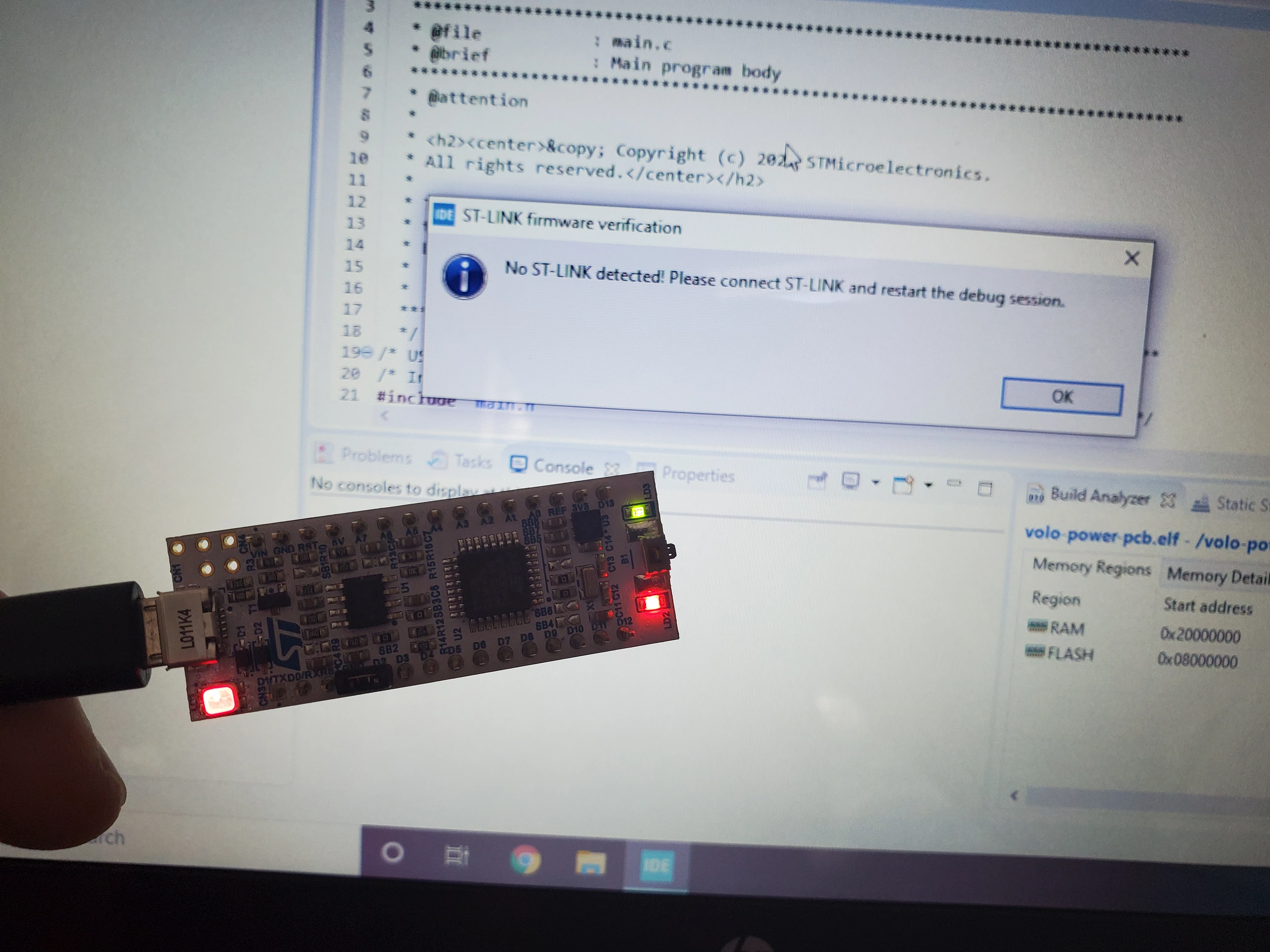 I have a NUCLEO-L011K4 dev board, and unfortunately I can't get any of the sample programs to work. The board doesn't show up on the host machine. I'll walk you through the steps I tried on Windows, but I also on Mac and it didn't work there either:
- I downloaded and installed the ST-LINK USB drivers: https://www.st.com/en/development-tools/stsw-link009.html
- I downloaded and installed the Cube IDE: https://www.st.com/en/development-tools/stm32cubeide.html
- I confirmed the JP1 jumper is ON
- I plugged the board into the laptop via USB. LD1 flashes red, LD2 is on solid red, and LD3 is flashing green
- If I open Device Manager, no device shows up. Device Manager appears the same whether the board is plugged in or not. (On Mac, I checked System Information and again see the same problem - no device shows up)
- If I try to ignore that problem and launch Cube IDE anyway, I am able to compile a sample application, but I am not able to run it on the device. When I go to Run > Debug As > STM32 Cortex-M C/C++ Application, I get an error: "No ST-LINK detected! Please connect ST-LINK and restart the debug session."
How can I work around this? I think the root issue is the OS isn't seeing the board. I tried two different brand new NUCLEO-L011K4 boards so I don't think it's an issue with the board hardware.
