chao kc
Associate
September 20, 2017
Solved

BlueNRG & STM32F401RE platform & Connection Problem

  • September 20, 2017
  • 4 replies
  • 1242 views
Posted on September 20, 2017 at 06:29

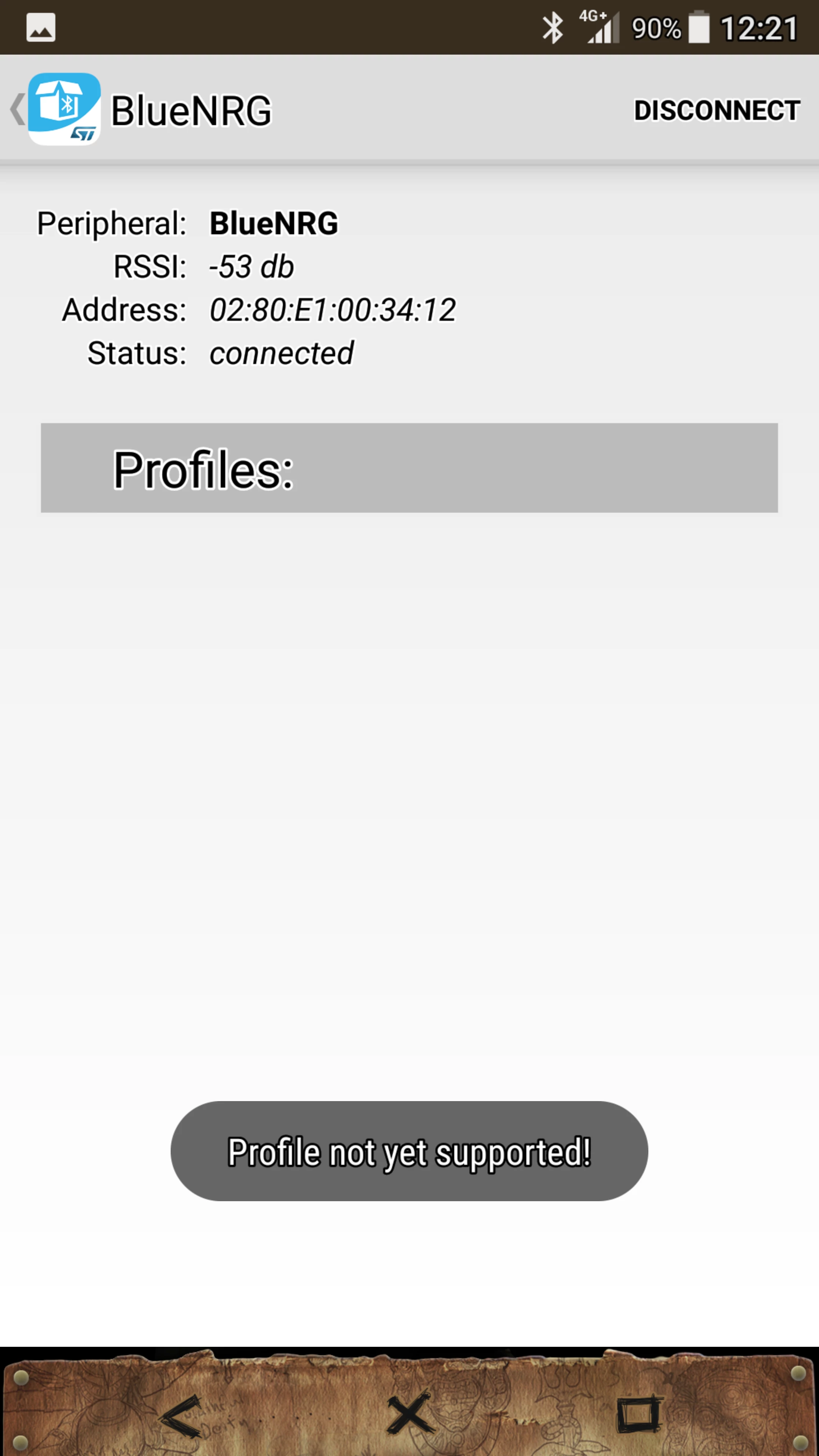
The STM32 BlueNRG Apps on Android System show Profile Not Yet Supported! at Connect Page.

Why this Happened?

0690X00000608IhQAI.png
    This topic has been closed for replies.
    Best answer by Antonio Vilei
    Posted on September 21, 2017 at 10:44

    Dear Chao KC,

    what software application are you running on your STM32F401RE?

    If you're using the X-CUBE-BLE1 software package, please keep into account that there are multiple example projects and each of them is demonstrating some particular features. For instance, the smartphone app that you have used, i.e. STM32 BLE Profiles, is supposed to be used with the examples for BLE peripheral profiles defined by the Bluetooth SIG. If you want to use that smartphone app, you should use either the Profiles_LowPower or the Profiles_DMA_LowPower projects on your STM32 Nucleo.

    4 replies

    Antonio Vilei
    Antonio VileiBest answer
    ST Employee
    September 21, 2017
    Posted on September 21, 2017 at 10:44

    Dear Chao KC,

    what software application are you running on your STM32F401RE?

    If you're using the X-CUBE-BLE1 software package, please keep into account that there are multiple example projects and each of them is demonstrating some particular features. For instance, the smartphone app that you have used, i.e. STM32 BLE Profiles, is supposed to be used with the examples for BLE peripheral profiles defined by the Bluetooth SIG. If you want to use that smartphone app, you should use either the Profiles_LowPower or the Profiles_DMA_LowPower projects on your STM32 Nucleo.

    chao kc
    chao kcAuthor
    Associate
    September 22, 2017
    Posted on September 22, 2017 at 05:11

    Dear vilei.antonio

    I am using another smartphone App, and it is work this time. I can used stm32F401RE platform user button to change the rotation of the

    logo image on smartphone app.

    Thanks a Lot for your help.

    I am new for this application, so I have some other problem.

    What piece of F/W Code to determine the profile used?

    UUID or some other? 

    Is the X-NUCLEO-IDB04A1 has its own F/W running or it used H/W IP  working?

    Antonio Vilei
    ST Employee
    September 26, 2017
    Posted on September 26, 2017 at 12:33

    Our apps for smartphone hide the information about UUIDs, but you can use third-party apps for Android like 'BLE Scanner' or iOS like 'LightBlue' to get more information about the low level details of the protocol.

    If you are running the SensorDemo application on your STM32 Nucleo board, please notice that it is using a proprietary profile.

    The BlueNRG and BlueNRG-MS chips (used respectively by X-NUCLEO-IDB04A1 and X-NUCLEO-IDB05A1 boards) have their own firmware, which is completely independent of the code that you run on your STM32 Nucleo board.