


mreed
Associate III
April 1, 2020
Solved

Anyone know of a Nucleo pin-out print utility?

  • April 1, 2020
  • 2 replies
  • 1371 views

I'm creating code for an STM32L073 that will connect to another system. The final boards are not done yet (and will not be for a while) so we have a Nucleo board that we will be wired into the demo board for the system. I made a spreadsheet with the pin numbers/port GPIO/Schematic name and it worked well. I then spent a lot of time printing the spreadsheet out reduced to match the pin spacing on the Nucleo board.0693W000000VBEaQAO.jpg
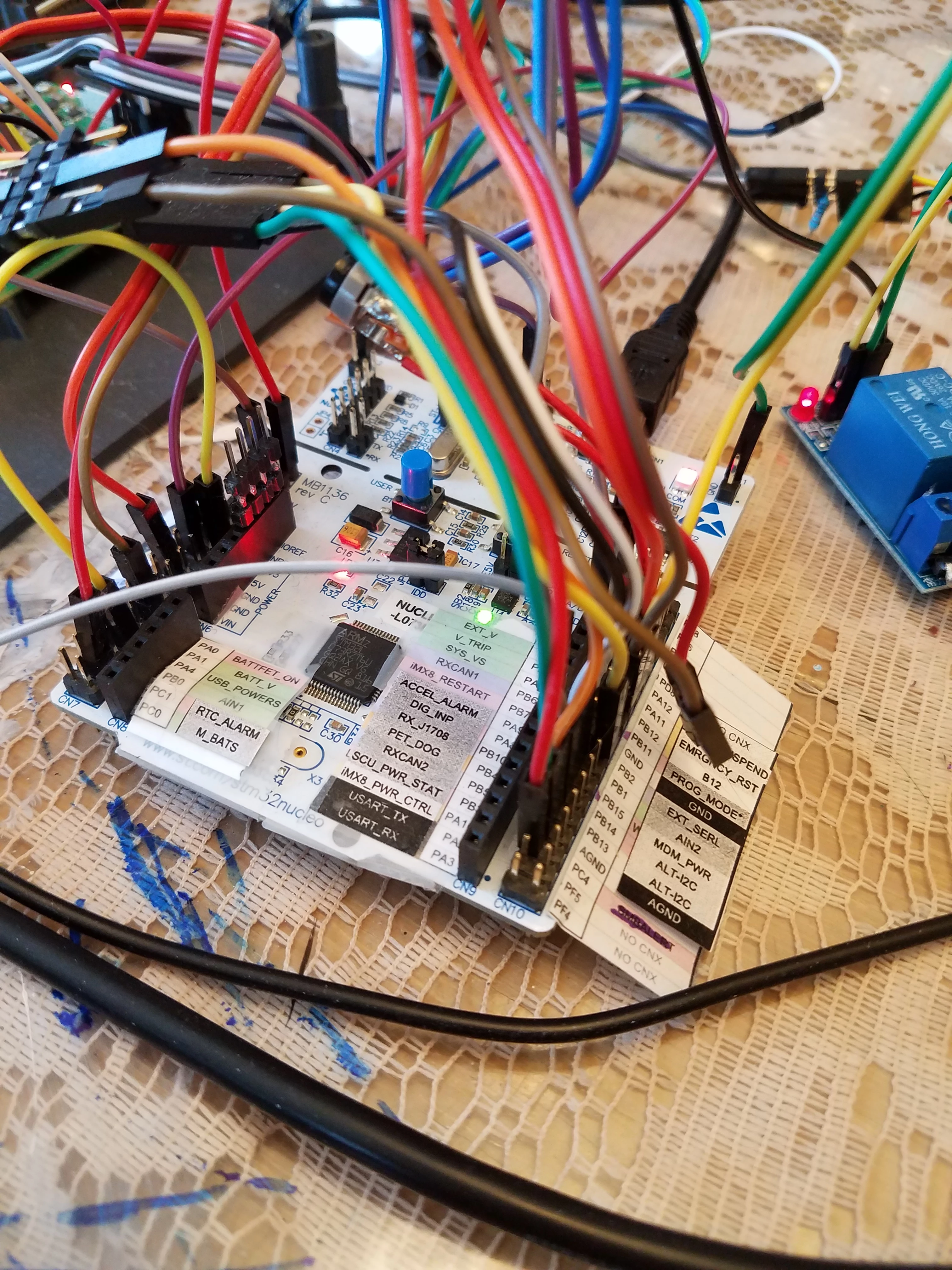
This was a bunch of work, and if I update the pin-outs I have to go through it all again.

Does anyone know of a utility that will automatically print in the right scale?

I think it would be a good project for an intern, or a college student looking for a project??

(Sorry, I am not at liberty to discuss the details of the project)

This topic has been closed for replies.
Best answer by KnarfB

Excel can do it. Set the cell height to 2,54mm (I'm a metric comma guy) and use a small font size of 5.

See https://support.office.com/en-us/article/change-the-column-width-and-row-height-72f5e3cc-994d-43e8-ae58-9774a0905f46

Mbed has some nice drawings https://os.mbed.com/platforms/ST-Nucleo-L073RZ/ but to me, there is too much information for each pin to print it all (like pin type TT FT FTf).

2 replies

KnarfB
KnarfBBest answer
Super User
April 1, 2020

Excel can do it. Set the cell height to 2,54mm (I'm a metric comma guy) and use a small font size of 5.

See https://support.office.com/en-us/article/change-the-column-width-and-row-height-72f5e3cc-994d-43e8-ae58-9774a0905f46

Mbed has some nice drawings https://os.mbed.com/platforms/ST-Nucleo-L073RZ/ but to me, there is too much information for each pin to print it all (like pin type TT FT FTf).

mreed
mreedAuthor
Associate III
April 1, 2020

Cool! Thanks!