
Hiram Hyman
Associate III
January 27, 2022
Solved

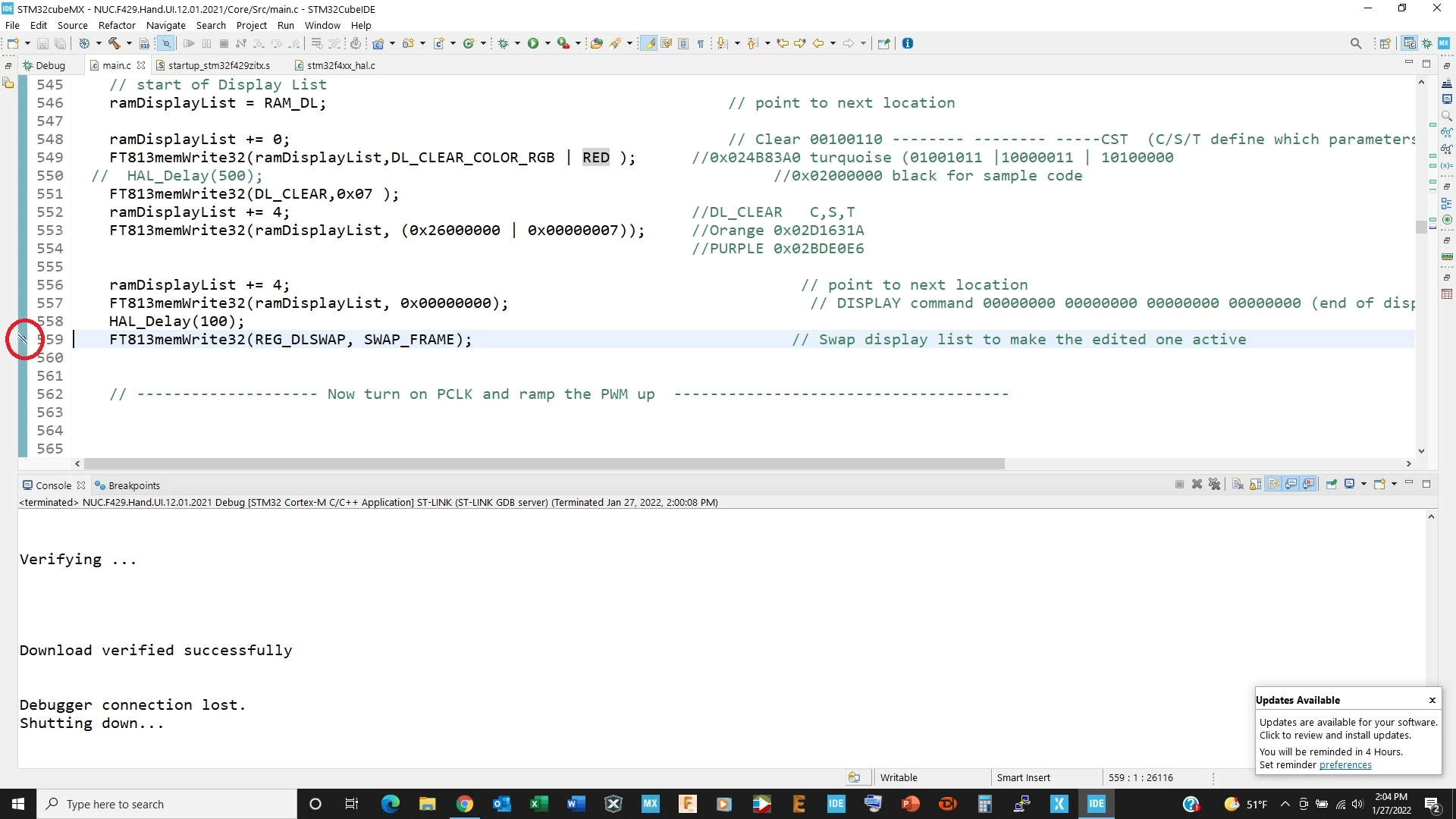
All, I ran into a problem with Truestudio IDE 1.7.0 breakpoints and was hoping someone could tell me what caused it and how to fix it. The breakpoint (circled) is slash in the middle and is not recognized in debug mode.
  • January 27, 2022
  • 2 replies
  • 1908 views

0693W00000JNUGLQA5.png0693W00000JNUGGQA5.png

    This topic has been closed for replies.
    Best answer by Hiram Hyman

    Thank you so much! Now I know! Can we blame it on Diplopia?

    Nah! I'll take it!

    Problem resolved.

    2 replies

    KnarfB
    Super User
    January 27, 2022

    Try a lower optimization level for the compiler, like -O0.

    At higher level, the compiler might move code around, reorder, inline,...

    The underlying gdb can also break at function entry by using

    break <functionname>

    in the debugger console. Function might need an underscore prefix _, check .map file.

    hth

    KnarfB

    Javier1
    Principal
    January 27, 2022

    I dont know if you did it on purpose but it seems you disabled all breakpoints.

    try unselecting that option in your toolbar0693W00000JNXONQA5.png

    hit me up in https://www.linkedin.com/in/javiermuñoz/
    Hiram Hyman
    Hiram HymanAuthorBest answer
    Associate III
    January 27, 2022

    Thank you so much! Now I know! Can we blame it on Diplopia?

    Nah! I'll take it!

    Problem resolved.

