


Ricky Gai
Associate II
February 23, 2021
Question

About ST-LINK V3SET and STM32F103C8T6 clone development board .

  • February 23, 2021
  • 3 replies
  • 8867 views

Hi,

Anyone here successfully connected STM32F103C8T6 clone board using ST-LINK V3SET ?

QUESTIONS:

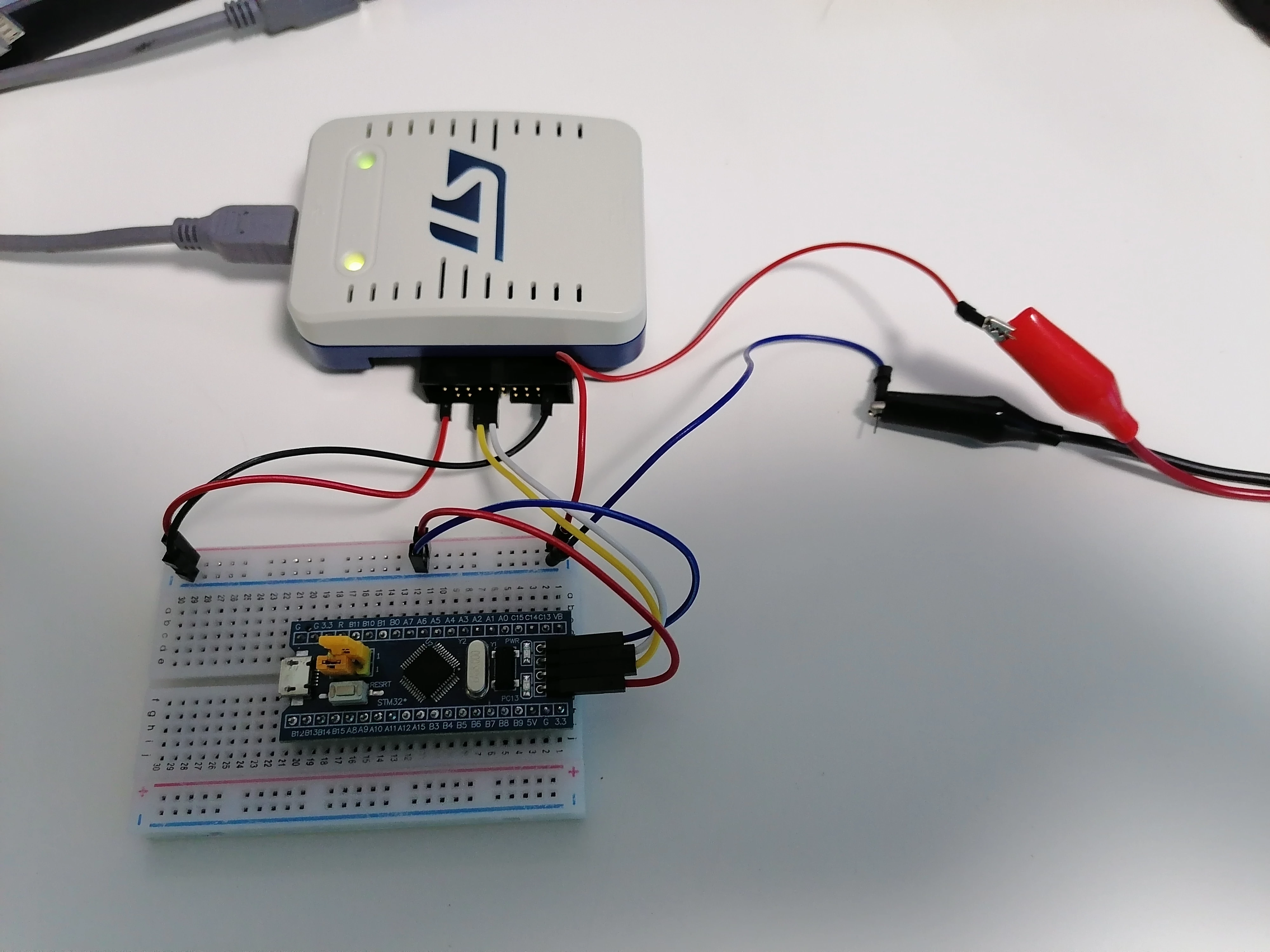
1. Here is the pins connection layout using CN2 JTAG:

+5V external ----> T_VCC pin 1

GND ---------------> GND pin 20

SWDIO ------------> T_SWDIO pin 7

SWCLK ------------> T_SWCLK pin 9

The actual connection is like below:
0693W000007Z2usQAC.jpg 

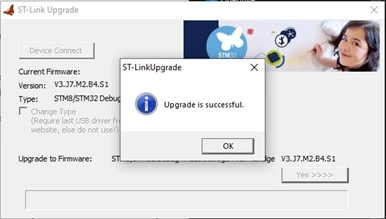
STM32CubeProgrammer already upgraded to latest ST-LINK V3SET firmware V3.J7.M2.B4.S1,
0693W000007Z9xjQAC.jpg 

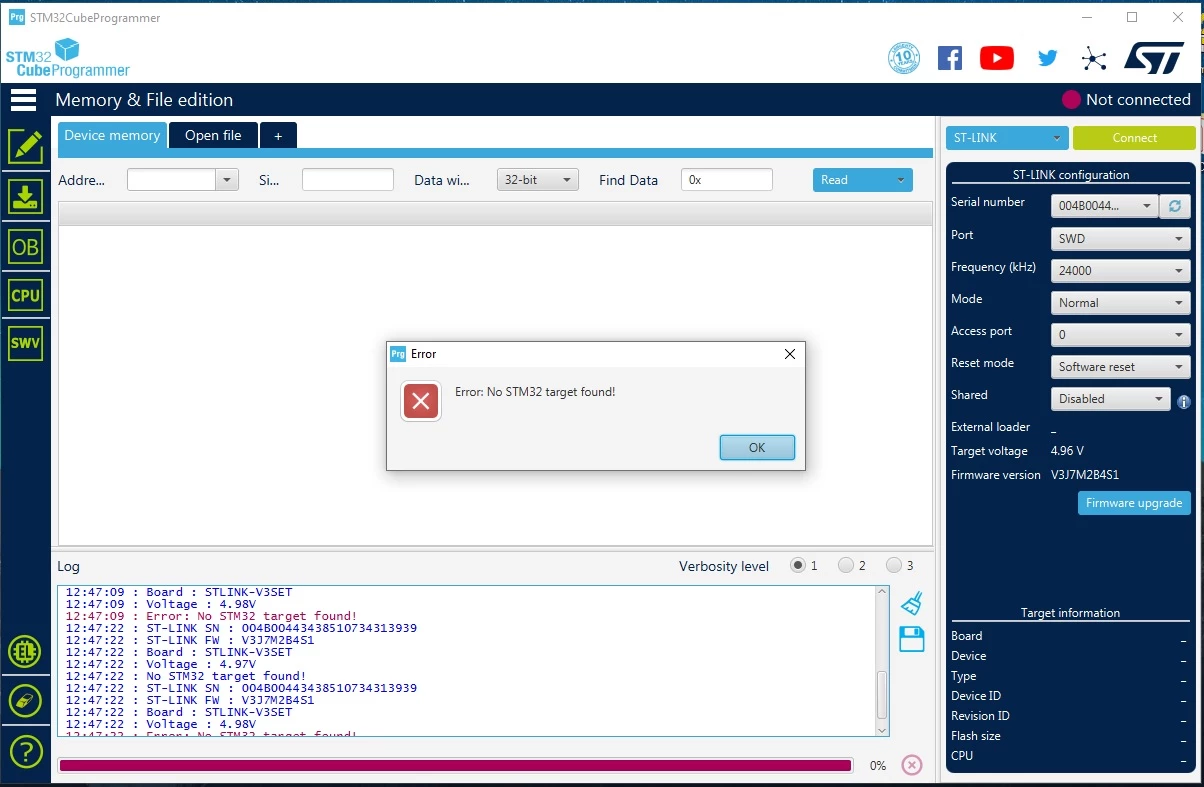
but I am unable establish connection to the STM32F103C8T6 board as shown picture below and the STM32CubeProgrammer CANNOT BE CLOSED:
0693W000007Z2w5QAC.jpg 

I have reset by pressing the RESET button ( Software/Hardware reset options selected ) then followed by clicking the Connect button, the result still the same as shown above, any idea ?

My new ordered Nucleo F103RB board is on its way, but now I just wanted to test the STM32F103C8T6 clone board which is very common.

Please advise if there is any error connection above, I am new to ST-LINK V3SET.

2. The ST-LINK V3SET COM LED from the datasheet is stated Red color on power on, but sometime I notice it auto turned to Green color, is this normal ?

3. The ST-LINK V3SET cannot works if connected to a USB HUB, I have to isolate it to connect to a standalone USB port, what's the reason ? ( this is not practical as I have to unplug and plug in back manually and easily can damage the USB socket/connector in long run, the PC is far away from my workbench desk, I purposely need to use a long USB female socket cable and if with USB HUB, I can easily turn the switch ON/OFF ).

Thank you.

    This topic has been closed for replies.

    3 replies

    Tesla DeLorean
    Guru
    February 23, 2021

    VTarget of 5V is clearly inappropriate, thing should be running at 3 or 3.3V

    Tips, Buy me a coffee, or three.. PayPal Venmo (See Profile) Up vote any posts that you find helpful, it shows what's working..
    Tesla DeLorean
    Guru
    February 23, 2021

    https://stm32-base.org/boards/STM32F103C8T6-Blue-Pill.html

    There should be a 5V supply pin you can use on the board. Connect that up, and then the Pin 1 of the SWD header should be at 3V3, and you can use that as VTarget (Pin 1 JTAG)

    Tips, Buy me a coffee, or three.. PayPal Venmo (See Profile) Up vote any posts that you find helpful, it shows what's working..
    Ricky Gai
    Ricky GaiAuthor
    Associate II
    February 23, 2021
    • The VTarget (pin 1 JTAG) based on datasheet is input voltage right ? I did connected the STM32F103C8T6 SWD 3.3V pin to T_VCC pin 1 JTAG and GND to pin 20 JTAG before, the STM32F103C8T6 cannot be powered up and result still the same.

    0693W000007ZA3wQAG.jpg 

    • The +5V output pin of STM32F103C8T6 is none regulated, in fact I just used USB to powered the STM32F103C8T6 like picture below:

    0693W000007ZA5PQAW.jpg 

    However, the result still the same unable to establish connection between STM32CubeProgrammer and the STM32F103C8T6 clone board and the STM32CubeProgrammer CANNOT BE CLOSED.

    0693W000007ZA7eQAG.jpg 

    Please advise.

    Uwe Bonnes
    Chief
    February 23, 2021

    Bluepils often have STM32F103 clones. StlinkV3 denies active to work with those parts.

    Ricky Gai
    Ricky GaiAuthor
    Associate II
    February 23, 2021

    hi Uwe Bonnes, thank you for the feedback, I just received information from "S C ( ST Employee )", the support also said so, it could be clone STM32F103 is not supported by STLINK V3.

    Uwe Bonnes
    Chief
    February 23, 2021

    Stlinkv2 does not do that check when using SWD. Perhaps you have some disco or nucleo board and use them to attach,

    JSchn.5
    Associate II
    May 4, 2022

    I agree. Not working through a hub surely indicates that the ST-LINK is not USB compliant or so flaky is upset by the presence of one. It's a right pain on my setup which is a desktop on the floor.