


BAtma.1
Visitor II
Question

STM32CubeMX not found - ver. "4.25.0" or higher is required

Dear all,

I would like to use ST Motor Control Workbench for BLDC FOC Control. I have installed version 5.4.4 and used an example project to generate code. However, the workbench doesnt generate code and gives error ("STM32CubeMX not found - ver. "4.25.0" or higher is required"). I had already STMCubeMx version 5.6.1 before installing motor control workbench and I am able to generate code using CubeMx alone. Is there a way to link these two programs manually?
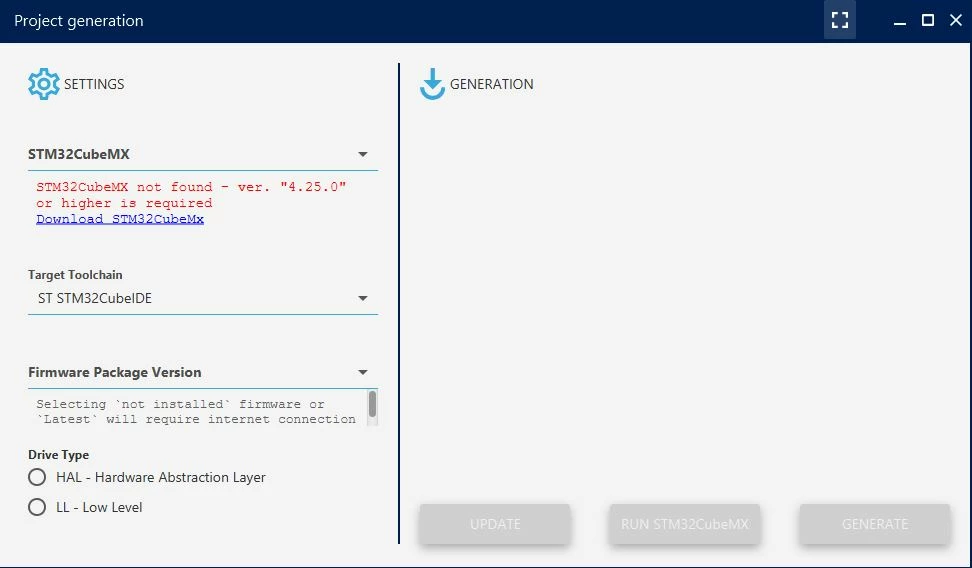
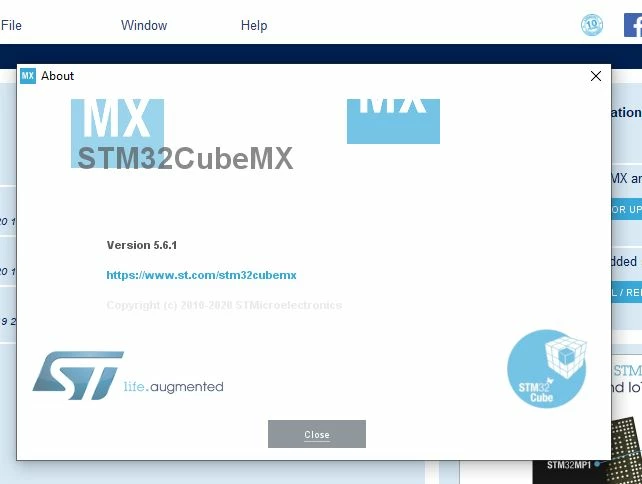
0693W000001rSReQAM.jpg

0693W000001rSSNQA2.jpg

Best regards,

Berat

This topic has been closed for replies.

17 replies

Dkoşa.1
Associate

I have same issue :(

Sözer.1
Visitor II

You need to make the Windows language pack to English

Laurent Ca...
Senior III

The question has been moved from the section "Motor Control Hardware" to the "STM32 Motor Control" section (the question is about the STM32 MC SDK). 

Best regards

nLi.1
Visitor II

I have same issue,has it be sovled?(STMCubeMx version 6.5.0)0693W00000LwerAQAR.png

cedric H
ST Technical Moderator

Hello @nLi.1​ ,

Could you tell us which MCSDK version do you use ?

Regards

Cedric

nLi.1
Visitor II

I used STMCWB5.4.8.

Now I have sloved the problem:my workbench can't find cubemx was because that I habitually rechanged the name of "cubemx.exe" to "cubemx6.5.0.exe"...

How can I be so follish?

nLi.1
Visitor II

On the way, another question: when I use STMCWB_full_5.4.1.exe and cubemx6.5.0 to generate the code ,it just stay there and no response.But STMCWB_5.4.8 can work well . Firewell 1.27.0 was used.

cedric H
ST Technical Moderator

Hello @nLi.1​ ,

The main purpose of releasing the 5.4.8 was actually to be compatible with cubeMX 6.5.0.

If you want to use a previous version of the SDK, you have to use a cubeMX version < 6.5.0

Regards

Cedric

MKara.14
Visitor II

0693W00000LybuPQAR.png

I have same problem. How can i solve this problem?

GManav
Visitor II

Hello @MKara.14​ , Try to install STM32CubeMX into the directory "Program Files" instead of "Program Files (x86).

Visitor II

Did you solve the problem? I have the same problem as yours. If you solve it could you advice to me to solve mines?

Thank you.

Hi,dear Orhan

Did you solve the problem  ? 

McMax
Associate

I had the same issue and solved by re-installing CubeMX for all users instead of just myself. Not sure if that was the issue but after uninstall and reinstall 3 times I tried this and it worked out.

Explorer

This worked for me