Associate
December 27, 2023
Question

Webserver using AT Command

  • December 27, 2023
  • 3 replies
  • 2401 views

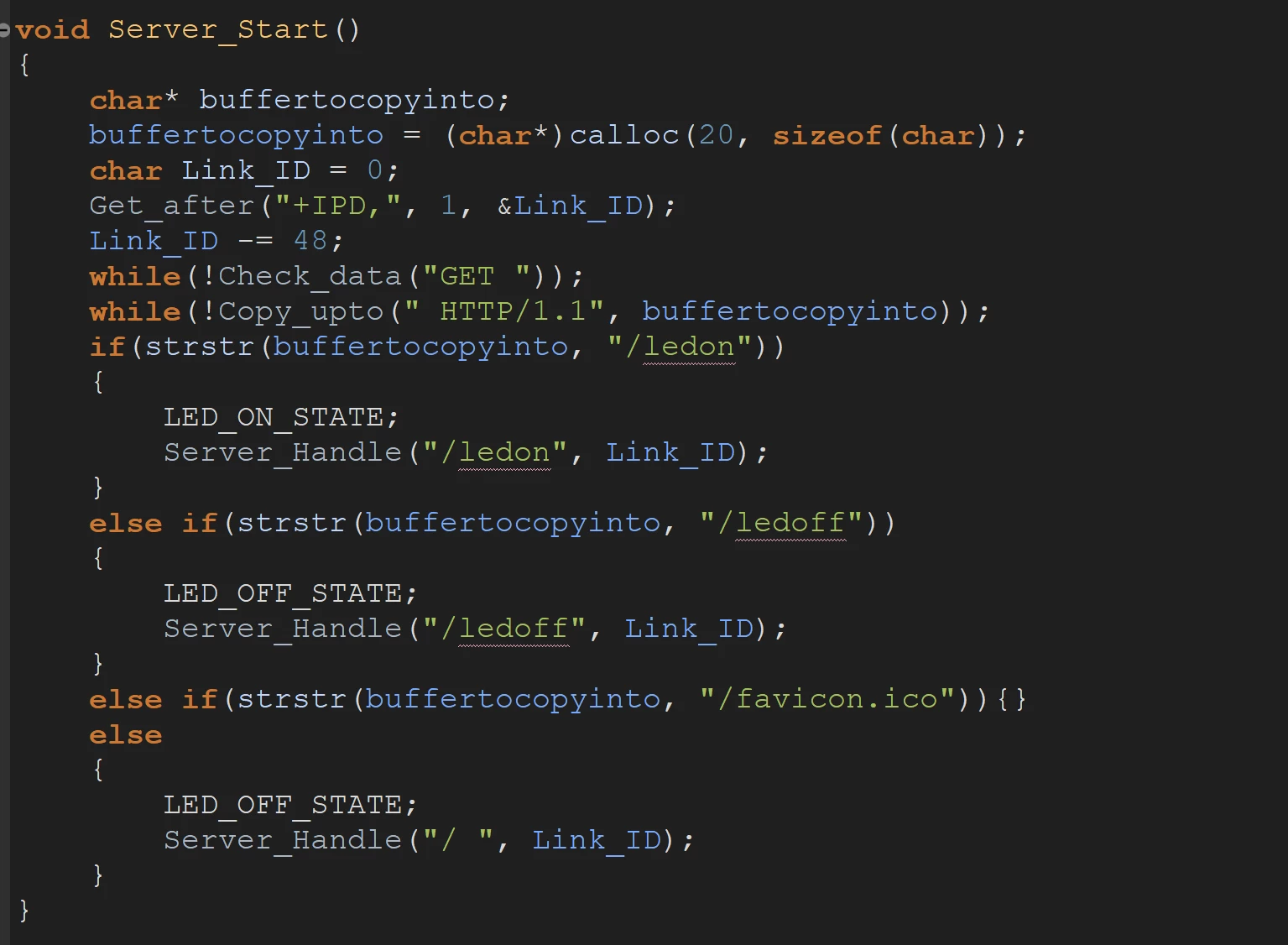
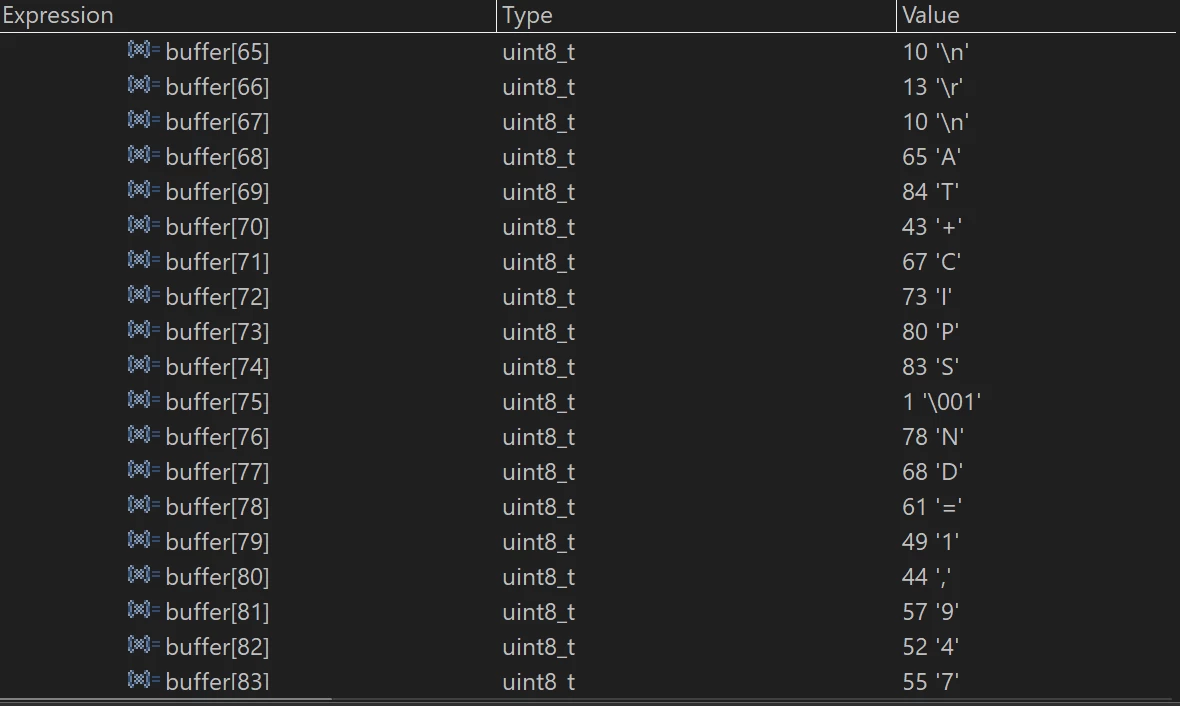
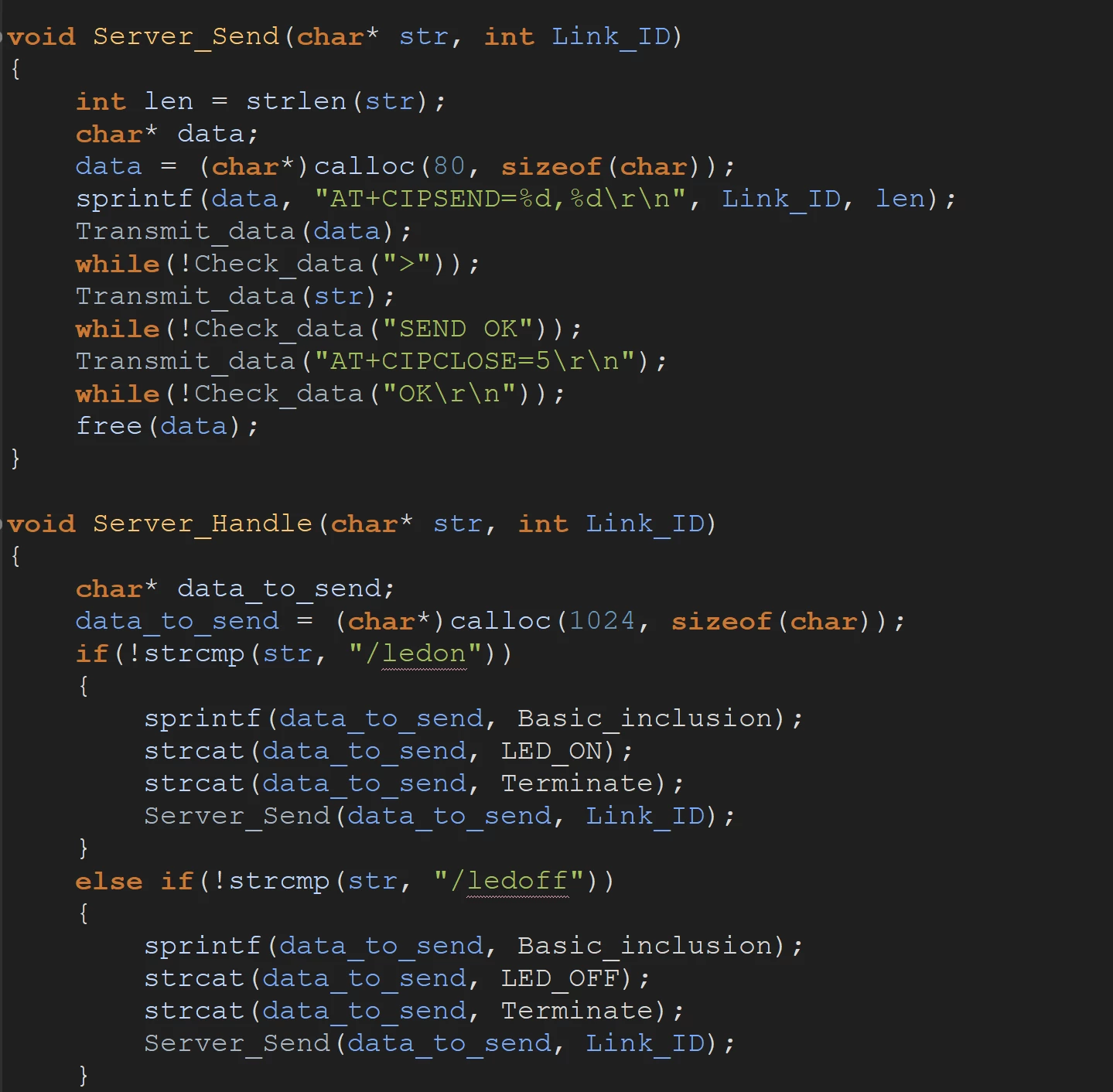
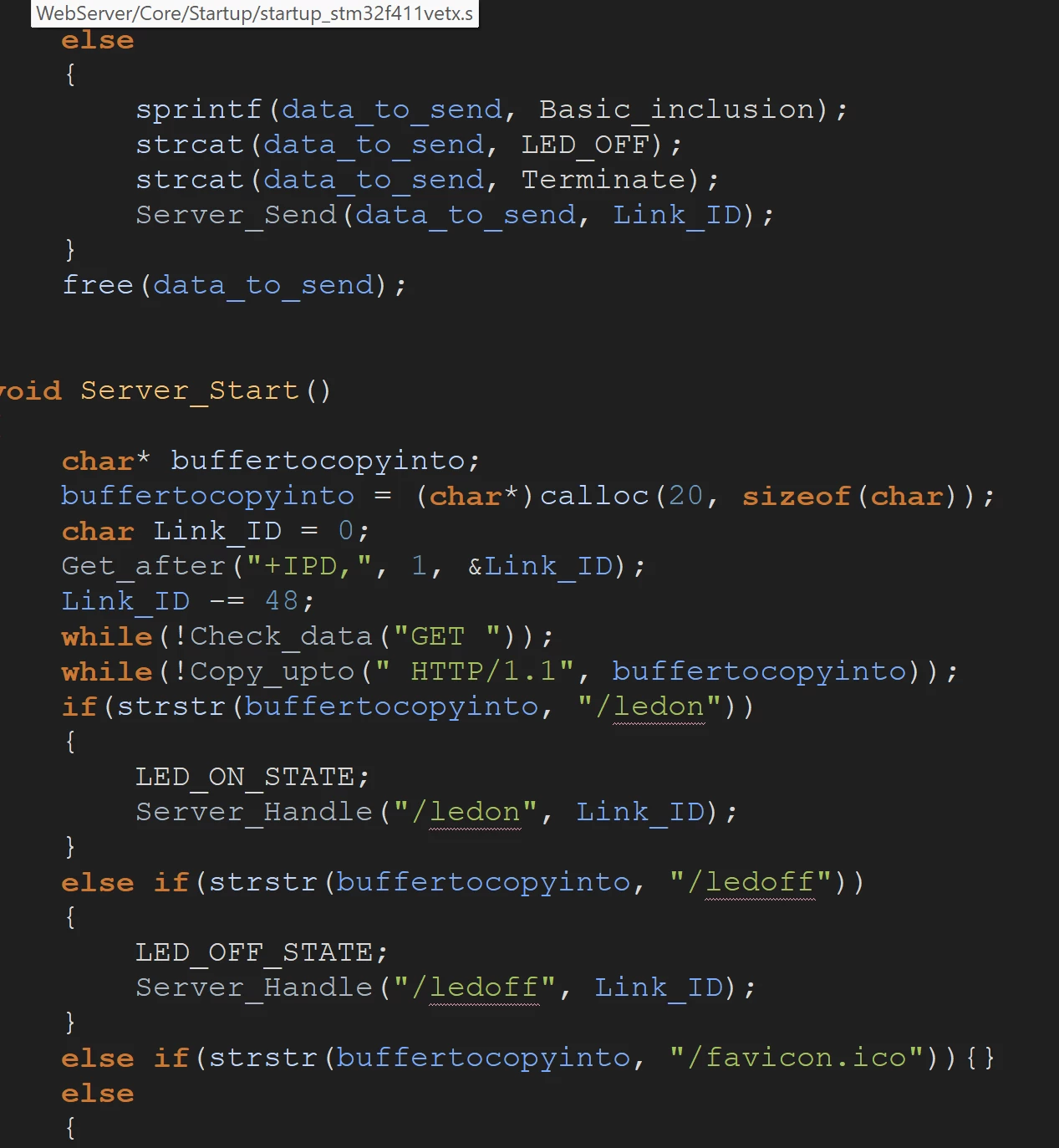
I'm having trouble using STM32 to bind to the Webserver via the AT Command command. Connecting to the Webserver is fine, but the problem is that the site only runs a few times, the AT+CIPSEND command has a problem, data sent to ESP is 1 character error causing the data response process to be ERROR. Everyone shows me how to fix it.
dnk_0-1703649881431.pngdnk_1-1703649907381.pngdnk_2-1703649927893.pngdnk_3-1703650046820.png

This is the problem that I encountered, the webserver run a few times, the AT+CIPSEND sending process is faulty at the letter E. I don't know what the fault is

3 replies

Senior III
May 29, 2024

You are allocating 80bytes for data, Check if the strlen(str) + AT+CIPSEND, \r\n exceed this limit, at the beginning of the function check this and if not, take appropriate action

"If you feel a post has answered your question, please click ""Accept as Solution""."
Andrew Neil
Super User
May 29, 2024

@dnk wrote:

I'm having trouble using STM32 


before using the STM32, have you verified that you can do it manually - using a terminal?


A complex system that works is invariably found to have evolved from a simple system that worked.A complex system designed from scratch never works and cannot be patched up to make it work.
Senior III
May 29, 2024

This is what I got from the reference manual. Are you using ESP8266

<quoted from the AT_cmd for ESP 8266>

20ms interval between each packet, maximum 2048 bytes per packet. When
single packet containing "+++" is received, it returns to normal command
mode. Please wait at least 1 second before sending next AT command

For network traffic, do not expect that you will be successful always, so check for other conditions and take appropriate action..

<quoted>

If connection cannot be established or gets disconnected during send,
returns
ERROR
If data is transmitted successfully, returns
SEND OK


"If you feel a post has answered your question, please click ""Accept as Solution""."