

Visitor
Nov 8, 2026 6:42 AM UTC
Question

TEP Proteus libraries for Nucleo-F401RE, Blue Pill and Black Pill — feedback welcome

Hello everyone,

I’m posting on behalf of The Engineering Projects (TEP). We’ve developed five free Proteus board libraries for exploring circuit connections, peripheral communication and Arduino application logic. We’d appreciate feedback from STM32 users, particularly those teaching or experimenting with these boards.
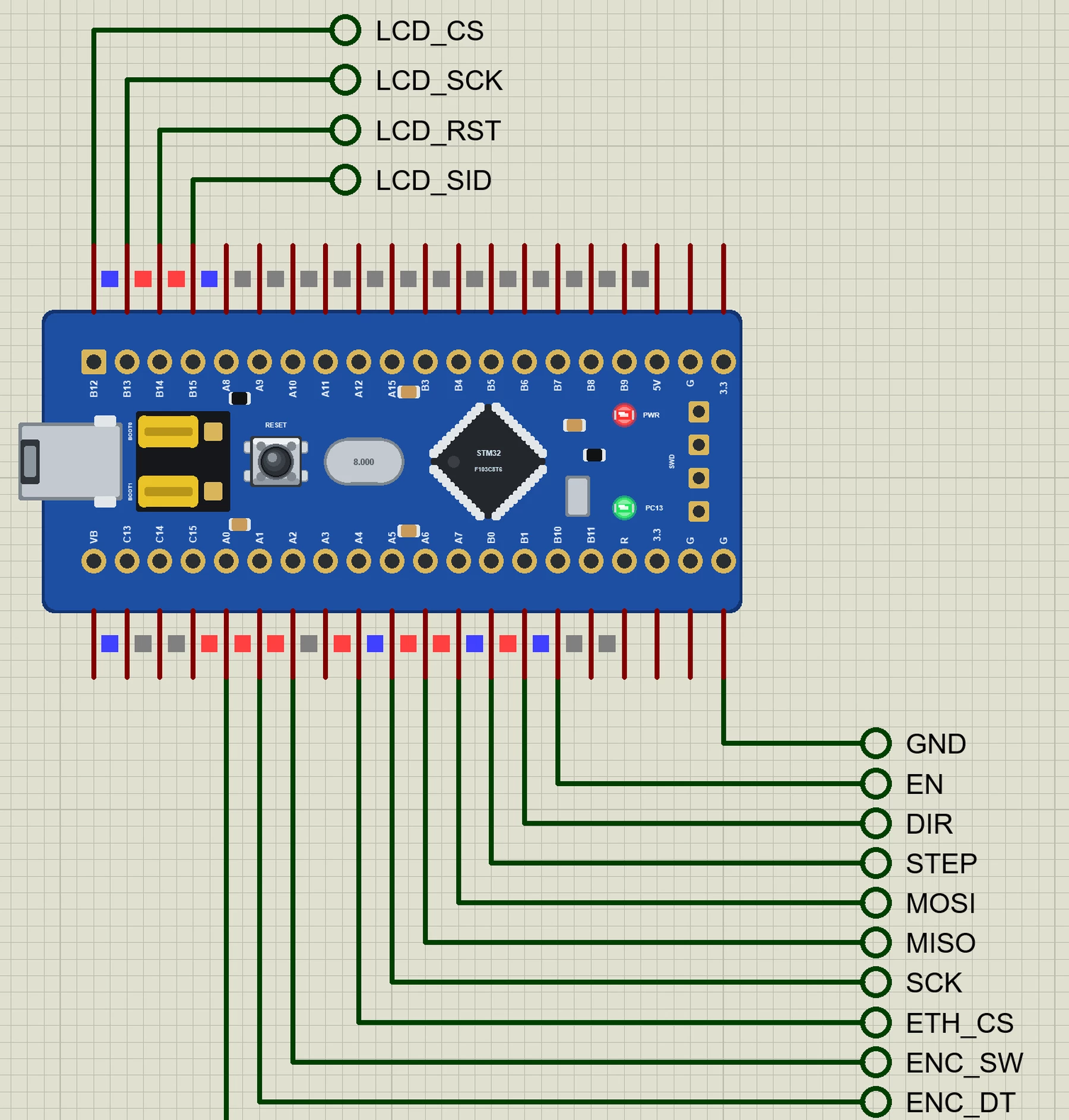
The current collection includes:

  • Nucleo-F401RE — a weather logger with BMP280, DS3231, simulated SD storage and Ethernet.
  • Blue Pill F103C8 — a rotary-table example with an A4988 stepper driver, encoder, graphical LCD and W5500.
  • Black Pill F411 — an attitude/heading display using MPU9250, QMC5883L, OLED and ESP-01S.
  • Arduino GIGA R1 WiFi — two sketch execution instances with limited RPC byte-stream communication, demonstrated in a networked door station.
  • Arduino UNO Q — Python and an Arduino sketch communicating through selected Bridge APIs, demonstrated in a greenhouse controller.
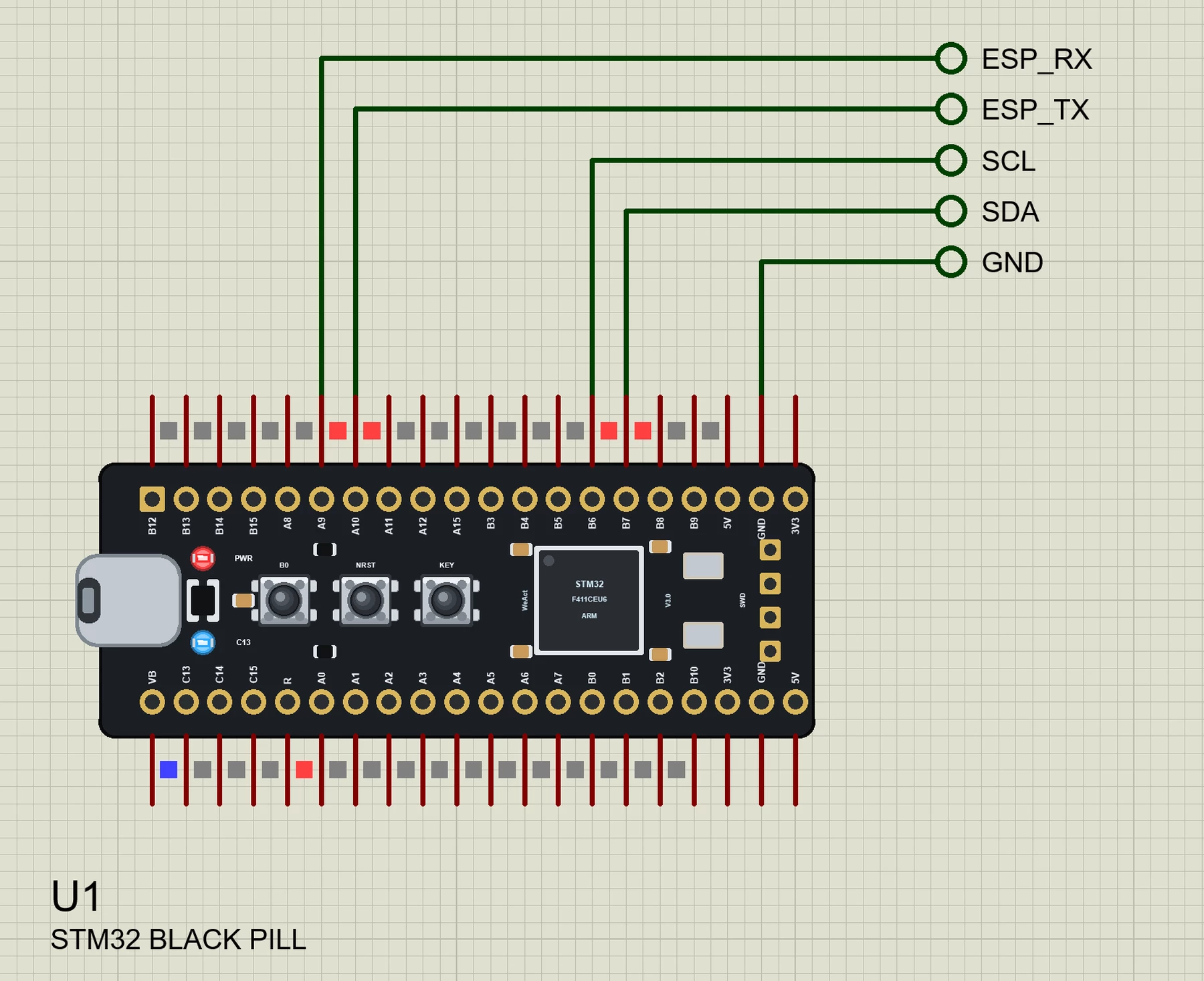
How they work

Sketches are compiled with our “TEP Boards for Proteus” Arduino add-on and executed using Proteus’s ATmega2560 simulation core, with our board models providing pin mappings and supported interfaces. The GIGA uses two execution instances; UNO Q additionally runs bundled Python 3.11.

Supported interfaces include GPIO, analogRead, analogWrite, interrupts, UART, Wire and SPI on the documented pins. Each package includes example source, compiled demonstrations, project files and installation instructions.

Important limitations

  • These are not native STM32 processor emulators: CubeIDE binaries, HAL/LL, STM32 registers, DMA and SWD/ST-LINK debugging are unsupported.
  • Each sketch instance has a 16 MHz AVR core, 8 KB RAM and a 16-bit int. ADC readings generally span 0–1023; STM32 timing and peripheral behaviour are not reproduced.
  • Nucleo Morpho-only pins are visual. GIGA’s secondary sketch supports the RGB LED and RPC; RPC.bind/call are unsupported.
  • UNO Q does not boot Debian or run App Lab Bricks. Networking remains inside the simulated TEP network.

The supplied demonstrations were tested in Proteus 8.5. Downloads are free; simulation models are supplied compiled, and Proteus is required separately. This is an independent TEP project without endorsement from STMicroelectronics, Arduino or Labcenter.

Would this approach be useful in your teaching or prototyping workflow? We’d welcome pin-mapping corrections, compatibility reports and suggestions for practical examples. If something fails, please share the board, Proteus version, sketch and error message so we can investigate.


2 replies

Senior III
Nov 8, 2026 7:07 AM UTC

Having the circuit, code and peripheral models together could be useful for teaching.

Two points I’d be interested in:

  1. Moving a sketch to physical hardware: What checks would you recommend when rebuilding with STM32duino? The differences in integer width and ADC resolution seem particularly relevant. A short migration checklist alongside an example could help beginners.

  2. UNO Q Bridge support: Which calls and argument types are currently supported between Python and the sketch? Can the simulation also exercise timeout and error handling when a function is unavailable or doesn’t respond?

A comparison showing one small example in Proteus and on its physical board would be a useful addition. It could demonstrate what transfers successfully and which behaviours still need checking on hardware.

Visitor
Nov 8, 2026 7:54 AM UTC

Thanks for raising these points. The migration checklist is useful because a successful simulation does not establish compatibility with the physical STM32.

1. Moving a sketch to physical hardware

For the Blue Pill, Black Pill and Nucleo, rebuild the source using STM32duino and the correct board configuration. The HEX generated by our TEP package contains AVR instructions and cannot be uploaded to an STM32. GIGA and UNO Q require their corresponding Arduino hardware packages.

The main checks are:

  • Integer types: The simulation uses a 16-bit int, while STM32 uses a 32-bit int. Use fixed-width types such as int32_t and uint32_t where the width matters, and check intermediate arithmetic, shifts and signed/unsigned comparisons. Assigning an expression to a wider variable does not prevent overflow during its calculation.
  • ADC scaling: Our documented examples generally use 0–1023. STM32duino also defaults to 10-bit results for compatibility, even where the hardware ADC supports higher resolution. Set the intended resolution explicitly on hardware and adjust scaling and thresholds accordingly. The STM32duino API documentation explains this behaviour.
  • Pin and peripheral assignments: Verify UART, I2C and SPI mappings, chip-select pins, LED polarity and the meaning of Serial. Check that the selected physical pins support the required PWM and interrupt functions.
  • Timing and electrical behaviour: Check PWM frequency, interrupt latency, sensor conversion delays, pull-ups and voltage levels on the real circuit. The simulation does not reproduce STM32 timer hardware, CPU performance or electrical noise.

We would start with GPIO and serial output, test each peripheral individually, then run the complete application. The published test results cover the supplied Proteus demonstrations; they should not be read as hardware-validation results.

2. UNO Q Bridge support

The current model implements these principal interfaces:

  • Python: Bridge.call(name, *args, timeout=10), Bridge.notify(name, *args) and Bridge.provide(name, handler).
  • Sketch: Bridge.begin(), Bridge.provide(), Bridge.provide_safe(), Bridge.call(...).result(value) and Bridge.notify().

The supported values include booleans, integers, floating-point values and strings, with a void sketch return represented as Python None. The sketch-side transport uses signed 32-bit integers and 32-bit floating-point values; double is also serialized at 32-bit precision. Receiving into an AVR int still narrows the value to 16 bits. Registered sketch functions support up to eight arguments.

Python lists and dictionaries are converted to JSON text, rather than transferred as native structured objects. Strings and message buffers are bounded, so this is a subset of Bridge functionality, not unrestricted MessagePack compatibility.

Error handling is implemented:

  • A Python call receiving a remote error, including an unavailable method or incorrect argument count, raises ValueError.
  • A Python call that receives no response within its timeout raises TimeoutError; the default is 10 seconds.
  • On the sketch side, .result() returns false on failure. Retain the RpcCall object and inspect getErrorCode() and getErrorMessage(). Its current response timeout is fixed at 10 seconds.
  • notify() does not wait for a response, so it provides no confirmation that the remote operation succeeded.

Callback scheduling also differs from the real UNO Q: ordinary sketch handlers are serviced between loop() iterations or during delay(), while provide_safe() handlers run between iterations. The model does not reproduce the real board’s background RPC thread. Python also rejects a nested Bridge.call() from inside a provided handler.

These behaviours let you exercise application error-handling paths in Proteus. Concurrency, transport recovery and timing still need checking on the physical UNO Q against the Arduino Bridge documentation