
Associate
September 14, 2026
Question

STM32L496 MSI autocalibration in CubeMX

  • September 14, 2026
  • 2 replies
  • 25 views

I am trying to configure the clock for the STM32L496 microcontroller, as shown in the screenshot below.
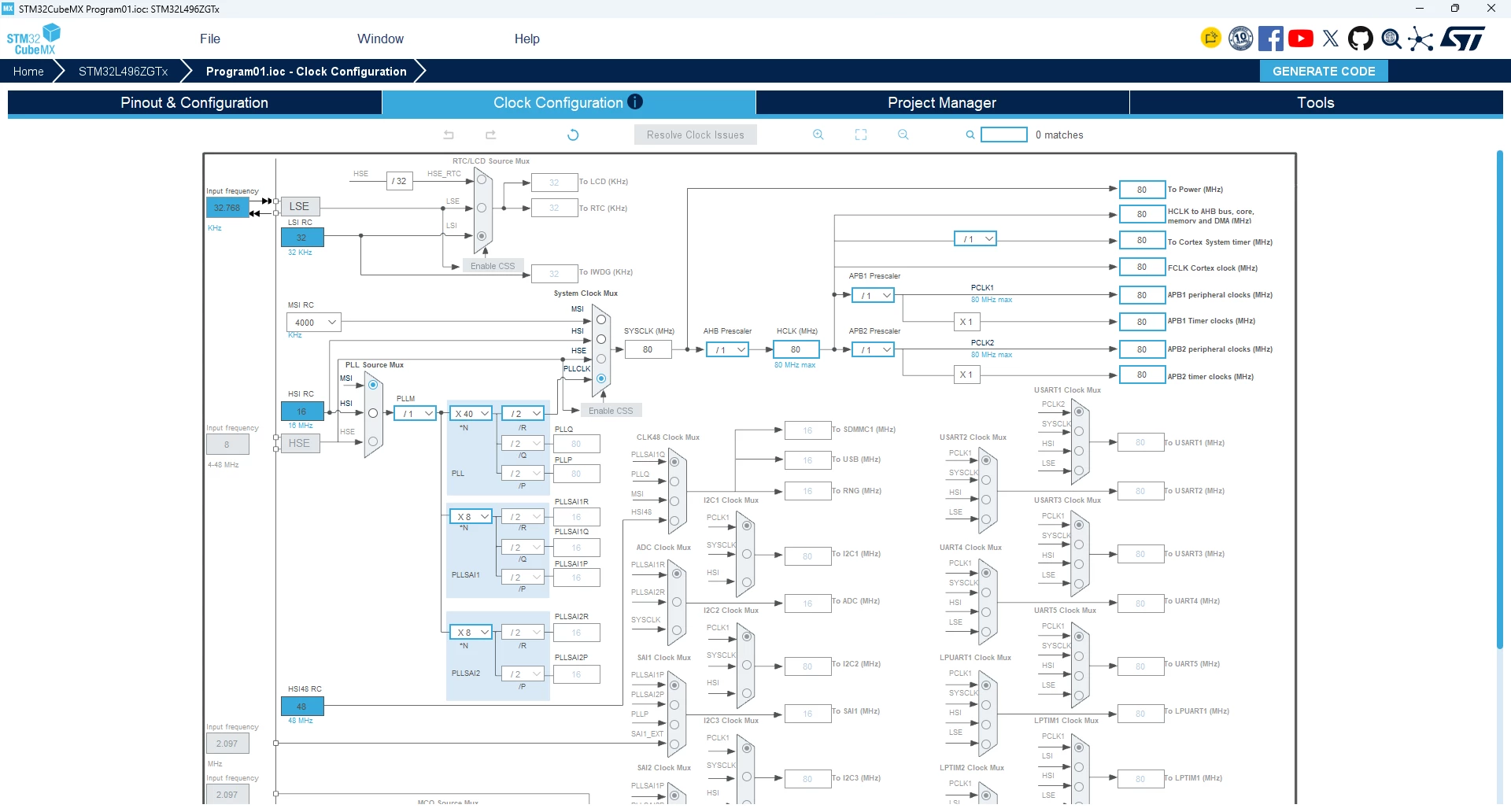
I would like to use MSI in PLL mode with the LSE. When I configure the LSE in CubeMX, the 'MSI Auto Calibration' option disappears. When the LSE is disabled, the option is visible, but it cannot be enabled.
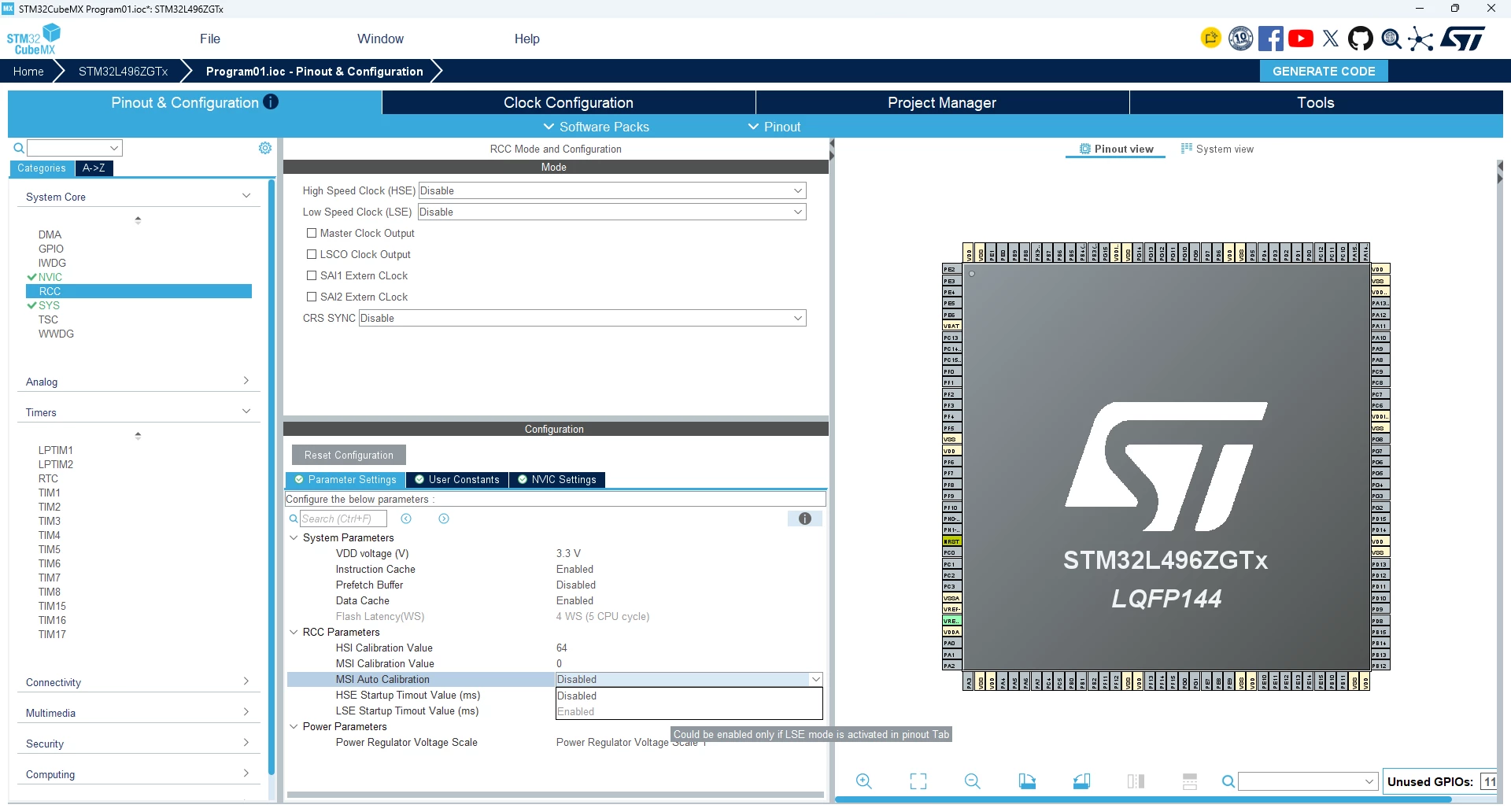
Please tell me how to correctly configure MSI in PLL mode with the LSE in CubeMX.

2 replies

gbm
Super User
September 15, 2026

Just checked with the current CubeMX (6.18.1) and I am unable to reproduce the problem - everything works as intended.

My STM32 stuff on github - compact USB device stack and more: https://github.com/gbm-ii/gbmUSBdevice
MirKoz2Author
Associate
September 16, 2026

I did it in the current CubeMX (6.18.1).

 Perform the following actions:

1.  Create a new project for the STM32L496ZGT6.

2. On the Clock Configuration tab, MSI RC is the default clock signal source.

3.  On the Pinout & Configuration tab, within the RCC group, the MSI Autocalibration option is available but cannot be enabled. This makes sense, as the Low Speed ​​Clock (LSE) is disabled.

4.  When I configure LSE, the MSI Auto Calibration option disappears.

Am I doing something wrong?