


JU_it
Senior
January 25, 2022
Solved

STM32F429ZI Nucleo demonstration - is this it?

  • January 25, 2022
  • 11 replies
  • 2259 views

I am developing a project using STM32F429ZI, I have bought a Nucleo board, read the quick start guide, plugged it into USB power & ethernet... so now what?

The quick-start guide literally says "Press button B1 (left button). Observe the blinking frequency of the three LEDs LD1 to LD3 changes, by clicking on the button B1."

Is that it for demonstration? :|

Do we not get a web page or something from the board to show it working?

Given that I selected this specifically because we are developing an Ethernet-connected device I was hoping for a little bit more from ST to get the basics up & running and show a bare-bones IP project.

Or perhaps it's a failure of documentation because I can't see anything in any of the guides or manuals that says anything more than "look at the blinky lights". :\

This topic has been closed for replies.
Best answer by TDK

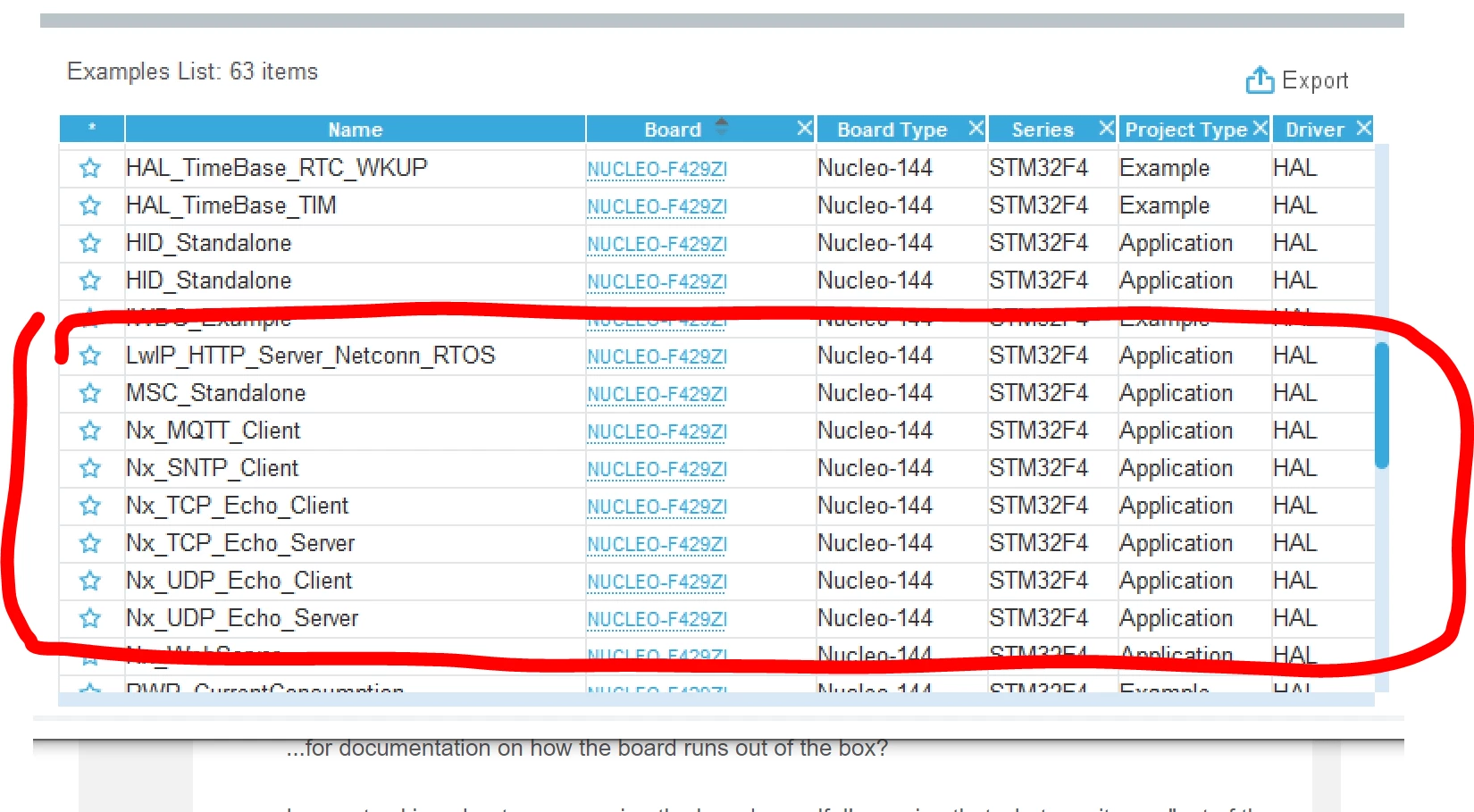
There are many examples in CubeMX repository including some with ethernet functionality. This is a subset. The program that comes with the board doesn't use the ethernet connector.

0693W00000JNFNMQA5.png

11 replies

MM..1
Super User
January 25, 2022

Now choice your IDE , download F4 support, and open examples projects...

JU_it
JU_itAuthor
Senior
January 25, 2022

...for documentation on how the board runs out of the box?

I am not asking about programming the board myself, I'm saying that whatever it runs "out of the box" is (apparrently) completely undocumented.

MM..1
Super User
January 25, 2022

Out of the box is board in teoretical EMPTY, but for manufacturer and your quick check if board buttons and leds work is preprogrammed with blinky....

TDK
TDKBest answer
January 25, 2022

There are many examples in CubeMX repository including some with ethernet functionality. This is a subset. The program that comes with the board doesn't use the ethernet connector.

0693W00000JNFNMQA5.png

"If you feel a post has answered your question, please click ""Accept as Solution""."
JU_it
JU_itAuthor
Senior
January 25, 2022

I've never seen that list - where is that hiding in the CubeMX IDE?

TDK
January 25, 2022
File -> New -> STM32 Project -> Example Selector
"If you feel a post has answered your question, please click ""Accept as Solution""."
Tesla DeLorean
Guru
January 25, 2022

The CubeF4 repository also has many projects and examples

Repository\STM32Cube_FW_F4_V1.24.2\Projects\STM32F429ZI-Nucleo\Examples\ADC .. WWDG

Repository\STM32Cube_FW_F4_V1.24.2\Projects\STM32F429ZI-Nucleo\Applications\LwIP\LwIP_HTTP_Server_Netconn_RTOS

\Repository\STM32Cube_FW_F4_V1.24.2\Projects\STM32F429ZI-Nucleo\Applications\USB_Host\MSC_Standalone

and others which could be ported from EVAL and DISCO examples

Tips, Buy me a coffee, or three.. PayPal Venmo (See Profile) Up vote any posts that you find helpful, it shows what's working..
waclawek.jan
Super User
January 26, 2022

> All the Discovery boards come with full-featured demonstration software burned in, I thought ST might do the same with Nucleo

Posted it as Idea, for ST to ignore https://community.st.com/s/idea/0873W000000fxlTQAQ/detail

Please upvote.

JW