

Associate II
July 8, 2026
Question

I2C2 SCL is always high while SDA is sending data in NUCLEO-G031K8

  • July 8, 2026
  • 5 replies
  • 101 views

Hi experts:

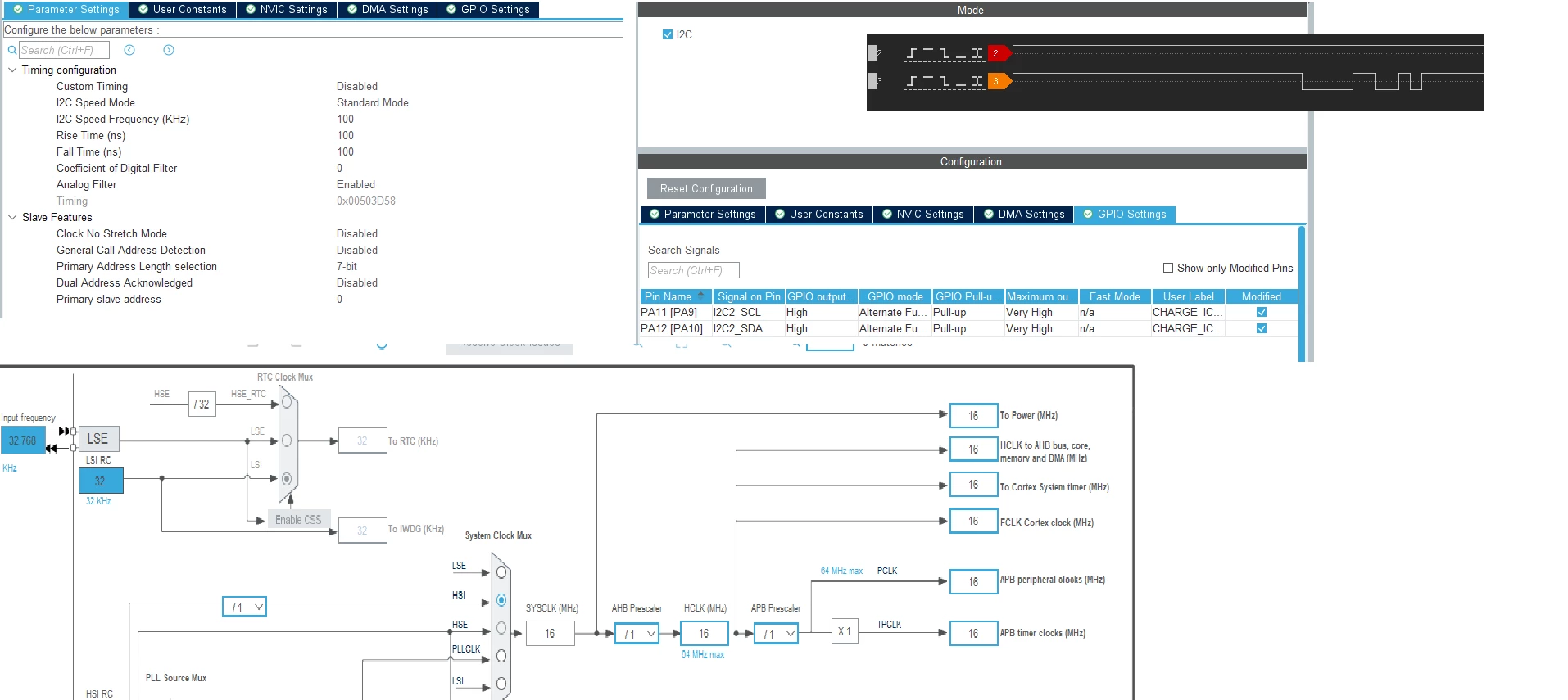
    I’m working on NUCLEO-G031K8 trying to use its I2C2(I2C1 is OK),I set PA11/PA12 as SCL/SDA, pull-up, OD, when I tried to read data, I found SCL is always high, but SDA has datas, I can’t figure out what’s missing, can you help me with that?

Bill
 

5 replies

David Littell
Senior II
July 8, 2026
  1. Don’t rely on the MCU-internal pull-ups for I2C - use real resistors close to the MCU’s SCL and SDA pins.  4K7 or 10K should be fine for 100kHz or less and normal (on-board) distances.
  2. Verify the pin configuration - you certainly don’t need a “very high” rate in the settings.
  3. Confirm that the SCL and SDA pins aren’t connected to something else on the Nucleo.
  4. Andrew always (with good reason!) wants to see a photo of your setup.
TDK
July 9, 2026

It looks like you are using a sampling rate that is too slow to see what is on the line. Perhaps use an analog capture. Show wiring. Ensure you are actually monitoring the pin you think you are. Toggle the pin as a GPIO output and view on the scope to verify that it can be toggled and is not shorted high.

"If you feel a post has answered your question, please click ""Accept as Solution""."
padawan
Senior
July 9, 2026

I am thinking about the PA11(PA9) .

is there anything on PA9? Is PA9 an outputpin?

i can’t get an schematic of this nucleo board.

But on L412KC we have to remove two jumpers on the board to get it work with 

SPI and I²C

just my 2 cent

padawan 

Andrew Neil
Super User
July 9, 2026

i can’t get an schematic of this nucleo board.

As always, the schematics are on the ‘CAD Resources’ tab of the board’s Product Page:

https://www.st.com/en/evaluation-tools/nucleo-g031k8.html#cad-resources

A complex system that works is invariably found to have evolved from a simple system that worked.A complex system designed from scratch never works and cannot be patched up to make it work.
padawan
Senior
July 10, 2026

Hello Neil,

palm to face.

i looked at “Dokumentation”.

Okay in the view of stm its “(E)CAD.

The schematic schows no link between PA9 and PA11.

I wonder whats the PA11(PA9) in the GPIO settings…

padawan

ST Technical Moderator
July 9, 2026

Hello ​@lbapplem 

Please use the configuration below in your code :

    __HAL_RCC_GPIOA_CLK_ENABLE();
/**I2C1 GPIO Configuration
PA11 ------> I2C1_SCL
PA12 ------> I2C1_SDA
*/
GPIO_InitStruct.Pin = GPIO_PIN_11|GPIO_PIN_12;
GPIO_InitStruct.Mode = GPIO_MODE_AF_OD;
GPIO_InitStruct.Pull = GPIO_PULLUP;
GPIO_InitStruct.Speed = GPIO_SPEED_FREQ_LOW;
GPIO_InitStruct.Alternate = GPIO_AF6_I2C2;
HAL_GPIO_Init(GPIOA, &GPIO_InitStruct);

/* Peripheral clock enable */
__HAL_RCC_I2C2_CLK_ENABLE();


In order to give better visibility on the answered topics, please click on 'Best answer' on the reply which solved your issue or answered your question. Saket_Om
David Littell
Senior II
July 9, 2026

Once again, DON”T USE THE INTERNAL PULLUPS FOR I2C.

Andrew Neil
Super User
July 9, 2026

@David Littell 

Confirm that the SCL and SDA pins aren’t connected to something else on the Nucleo


@TDK 

Ensure you are actually monitoring the pin you think you are


@lbapplem Indeed - which was the initial problem here:


A complex system that works is invariably found to have evolved from a simple system that worked.A complex system designed from scratch never works and cannot be patched up to make it work.