Associate II
May 15, 2024
Solved

building cloned project

Hi Team,

I've recently cloned https://github.com/STMicroelectronics/STM32CubeL5/tree/master/Projects/STM32L562E-DK/Applications/USB-PD/USB-PD_Consumer_1port , for USB PD project.

But when i imported the folder into workspace ,the build option is disabled in the cube ide. I also tried updating the IDE, but the problem remains same.

how to build that file system?

Thanks in advance

Nithin

This topic has been closed for replies.
unsigned_char_array
Lead III
May 17, 2024

Recursively clone

git clone --recursive https://github.com/STMicroelectronics/STM32CubeL5.git

or if you forgot to recursively clone:

git submodule update --init --recursive
click refresh in STM32CubeIDE if you already opened the project

Open the project:

File
Open Projects from File System
Directory
"<YOUR_DIRECTORY>\STM32CubeL5\Projects\STM32L562E-DK\Applications\USB-PD\USB-PD_Consumer_1port\STM32CubeIDE"

Then click on any folder or source file inside the project in the Project Explorer and then the build button is enabled.

unsigned_char_array_0-1715936191224.png


"Kudo posts if you have the same problem and kudo replies if the solution works.Click ""Accept as Solution"" if a reply solved your problem. If no solution was posted please answer with your own."

8 replies

NITHINAuthor
Associate II
May 15, 2024

Screenshot 2024-05-15 130230.png

mƎALLEm
ST Technical Moderator
May 15, 2024

Hello,

That's strange.

If you go to the Preprocessor menu, you need to find the flag _GUI_INTERFACE:

SofLit_0-1715778782383.png

I've cloned the project and the define is there.. could you please check in your Preprocessor config? 

To give better visibility on the answered topics, please click "Best answer" on the reply which solved your issue or answered your question.
Peter BENSCH
ST Technical Moderator
May 15, 2024

You have cloned a project from the repository that has many internal references to library functions within the STM32L5 firmware package. If you download the whole STM32L5 firmware package (via Github or here) and import the project directly from it, you should be able to compile.

Hope that helps?
Regards
/Peter

In order to give better visibility on the answered topics, please click on Accept as Solution on the reply which solved your issue or answered your question.
Nicolas P.
ST Employee
May 16, 2024

Hello @NITHIN 

Have you cloned the repo using recursive option ?

see main L5 page:

    Important :

    This repository has been created using the git submodule command. Please refer to the "How to use" section for more details.


regards,

Nicolas

NITHINAuthor
Associate II
May 17, 2024

Hi @Nicolas P. , @Peter BENSCH , @mƎALLEm ,

I've cloned this repository using recursive option and i directly imported the project file "USB-PD_Consumer_1port" only , from "D:\USB_PD\project_1\STM32CubeL5\Projects\STM32L562E-DK\Applications\USB-PD\USB-PD_Consumer_1port"

but i can't build the project ,as the build option is disabled, but I'm able to build other  projects in my ide.

other projects are opening as stm32 project and this one is opening as just a file system, is that the reason?


Screenshot 2024-05-17 105125.png

unsigned_char_array
Lead III
May 17, 2024

Recursively clone

git clone --recursive https://github.com/STMicroelectronics/STM32CubeL5.git

or if you forgot to recursively clone:

git submodule update --init --recursive
click refresh in STM32CubeIDE if you already opened the project

Open the project:

File
Open Projects from File System
Directory
"<YOUR_DIRECTORY>\STM32CubeL5\Projects\STM32L562E-DK\Applications\USB-PD\USB-PD_Consumer_1port\STM32CubeIDE"

Then click on any folder or source file inside the project in the Project Explorer and then the build button is enabled.

unsigned_char_array_0-1715936191224.png


"Kudo posts if you have the same problem and kudo replies if the solution works.Click ""Accept as Solution"" if a reply solved your problem. If no solution was posted please answer with your own."
Nicolas P.
ST Employee
May 17, 2024

Hello @NITHIN 

From the picture it seems you opened the .ioc file. Am I right ?

We wouldn't see the EWARM, MDK-ARM directories because useless when using CubeIDE.

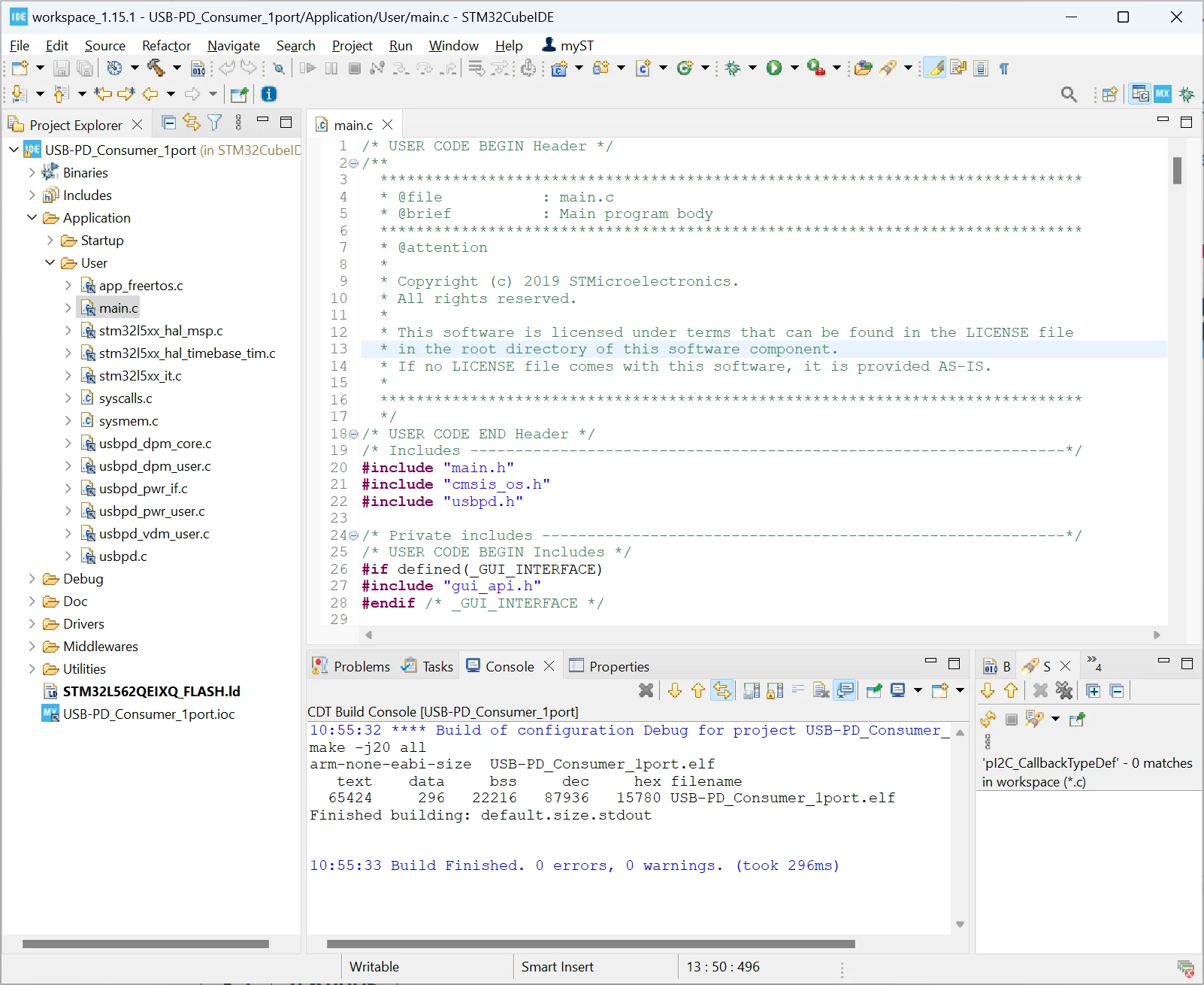
I'm using CubeIDE 1.15.1, and opening the file : STM32CubeL5\Projects\STM32L562E-DK\Applications\USB-PD\USB-PD_Consumer_1port\STM32CubeIDE\.cproject opens the project without issue.

I have no issue compiling too.

Regards,

Nicolas

NITHINAuthor
Associate II
May 17, 2024

Hi @unsigned_char_array  and @Nicolas P. ,

thank you for your guidance....

all the problems are solved and the program built perfectly

Thank you

best regards

NITHIN :raising_hands: