


Unable to program using ST-Link
We are using STM32L476ZGTx. Until recently I was able to program the chip using ST-Link. A few hours back programming failed due to power issue and since then I have been unable to program the controller.
The device connects with ST-Link Utility every time, so I am guessing the connections are not an issue. Reading the device shows garbage , repeated at every memory location, PFA
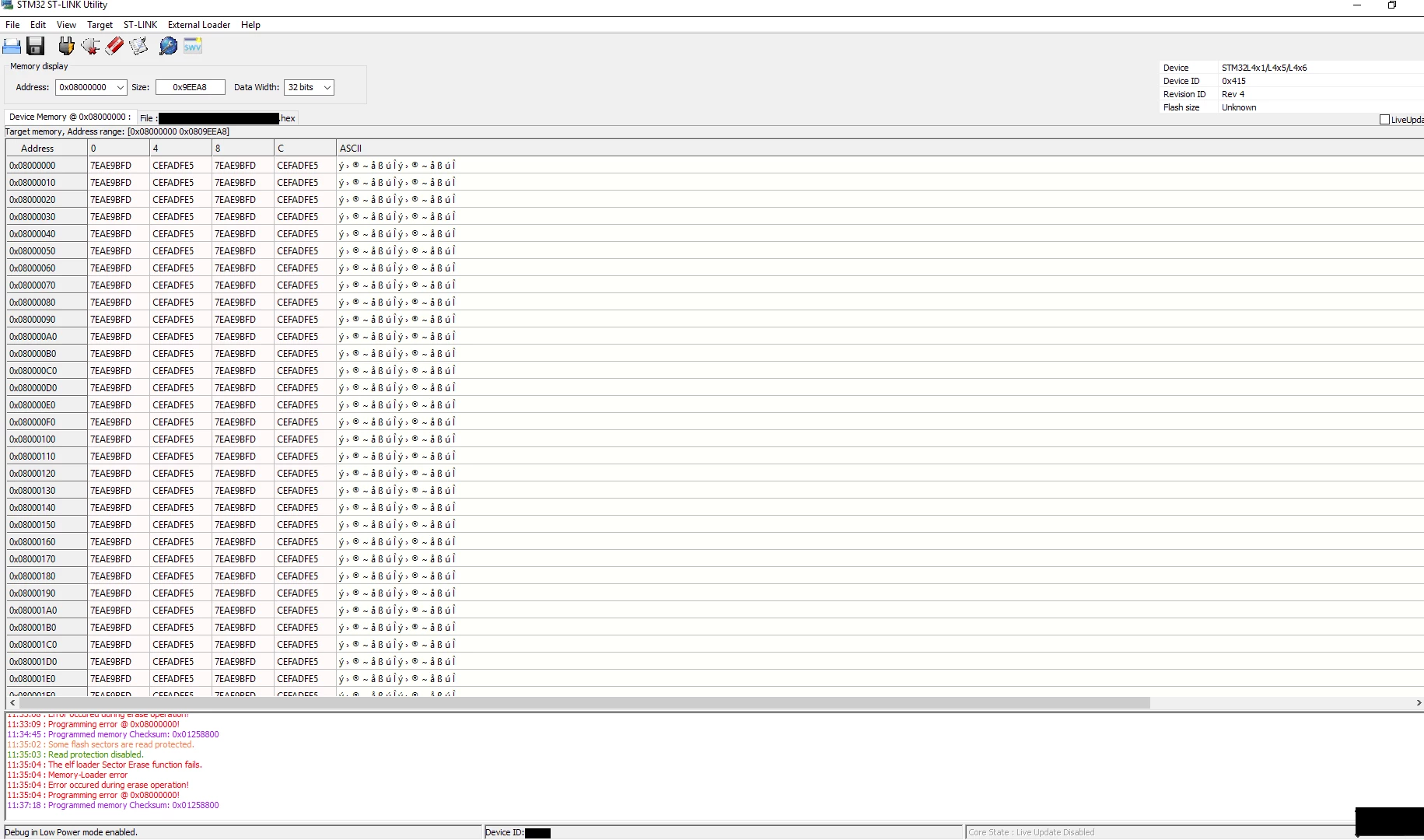
Full chip erase gives the error "Some flash pages are read protected!"
Programming a file gives error "Programming error @ 0x08000000!" in the gui, this log in the log window
11:43:53 : Some flash sectors are read protected.
11:43:57 : Read protection disabled.
11:43:57 : The elf loader Sector Erase function fails.
11:43:57 : Memory-Loader error
11:43:57 : Error occured during erase operation!
11:43:58 : Programming error @ 0x08000000!
and this in the .log file generated
11:47:57 : ST-LINK SN : -----
11:47:57 : V2J33S7
11:47:57 : Connected via SWD.
11:47:57 : SWD Frequency = 4,0 MHz.
11:47:57 : Connection mode : Connect Under Reset.
11:47:57 : Debug in Low Power mode enabled.
11:47:58 : Device ID:----
11:47:58 : Device family :STM32L4x1/L4x5/L4x6
11:47:58 : [some_hex.hex] opened successfully.
11:47:58 : [some_hex.hex] checksum : 0x03A16C7F
11:47:59 : Some flash sectors are read protected.
11:48:00 : Read protection disabled.
11:48:01 : The elf loader Sector Erase function fails.
11:48:01 : Memory-Loader error
11:48:01 : Error occured during erase operation!
11:48:01 : Programming error @ 0x08000000!
11:48:02 : Programmed memory Checksum: 0x0124CE00
Please advise ASAP