Ricky Gai
Associate II
February 21, 2021
Solved

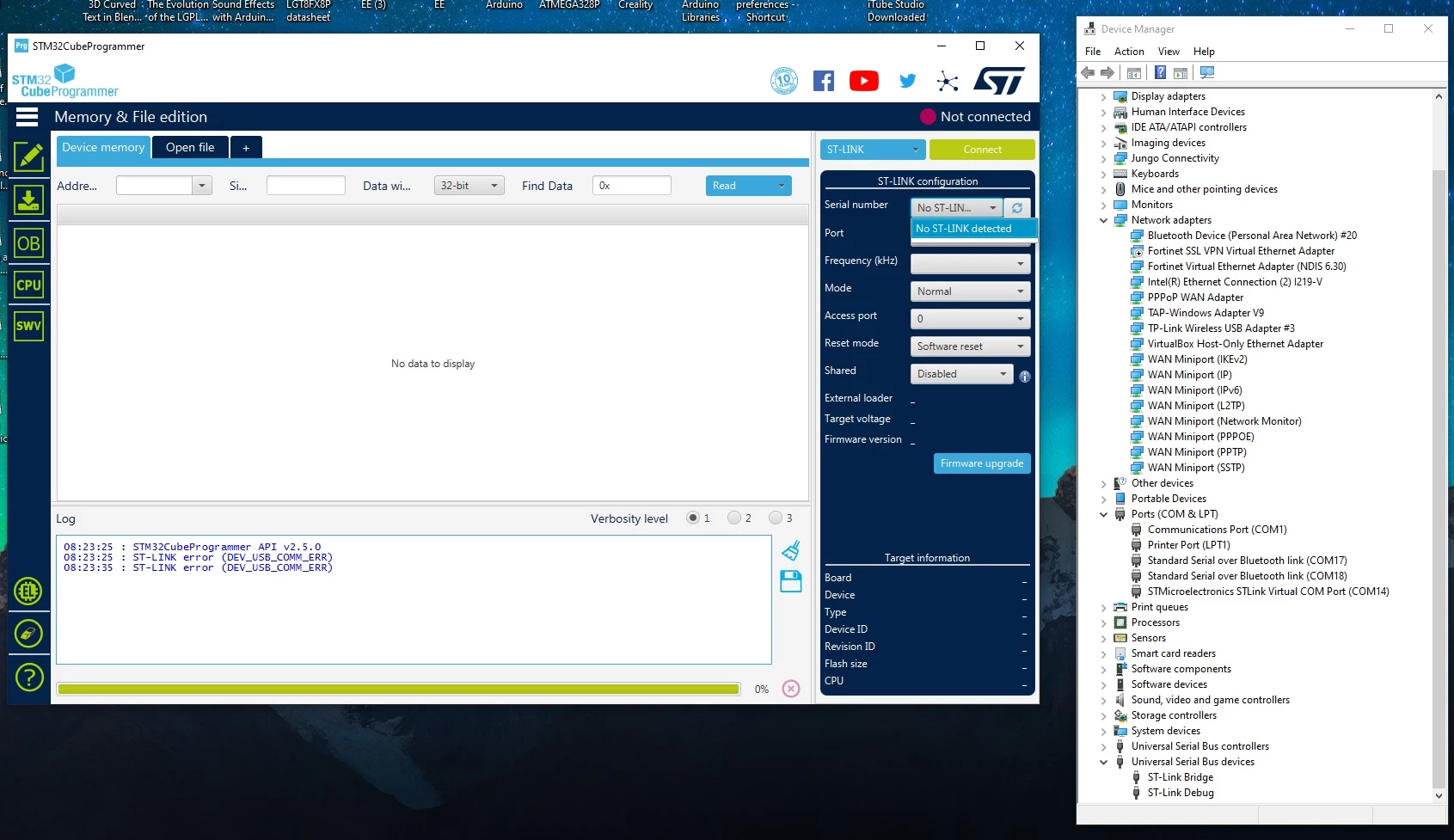
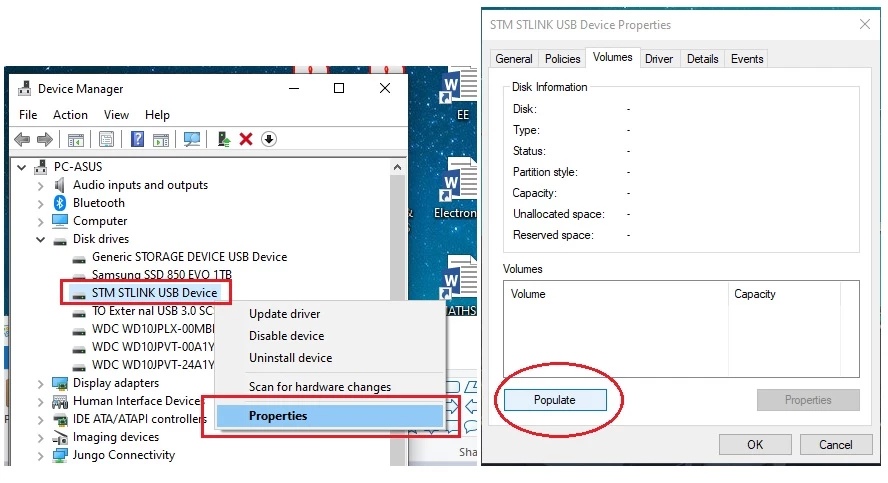
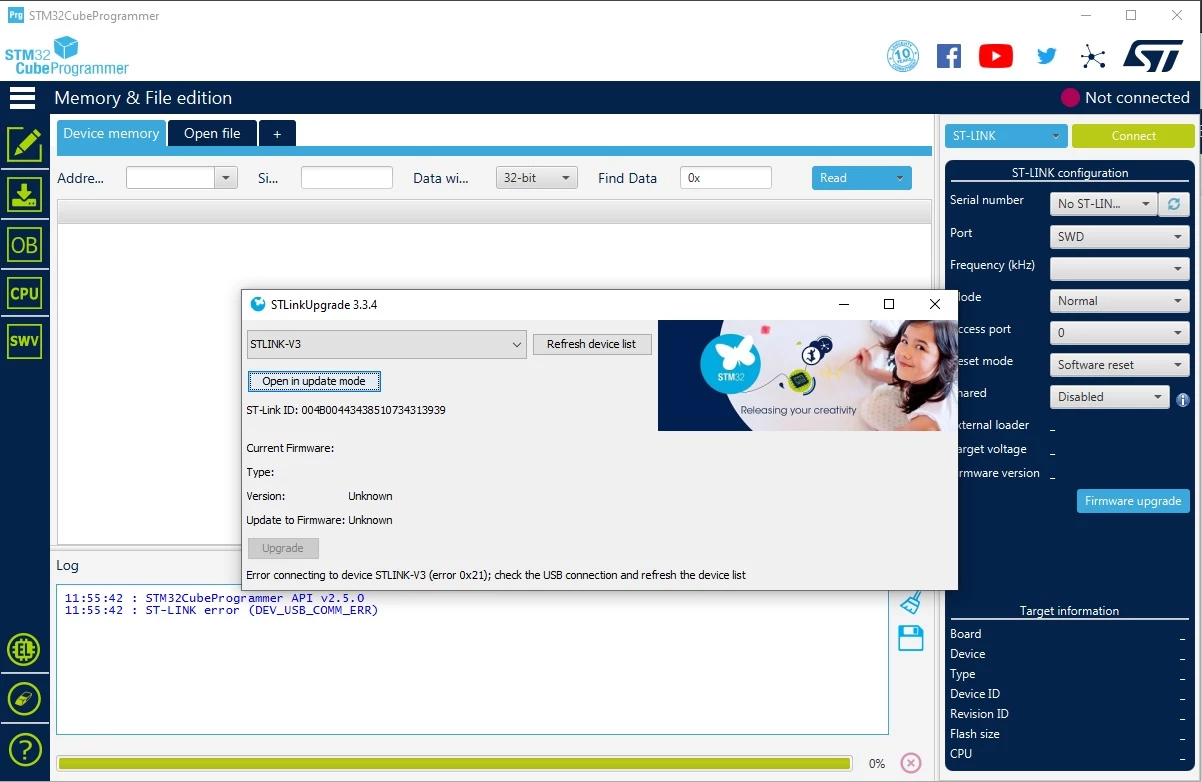
The new unit of STLINK V3SET received on 17/2/2021, - Cannot performs "Firmware upgrade" under STM32CubeProgrammer - Cannot "populate" its flash disk, 0MB, hangs for long time - Cannot connect even via UART option under STM32CubeProgrammer
  • February 21, 2021
  • 4 replies
  • 3529 views

0693W000007Z16DQAS.jpg0693W000007Z15eQAC.jpg0693W000007Z15oQAC.jpg

This topic has been closed for replies.
Best answer by Tesla DeLorean

Why does it need to populate? It is designed to provide a simple drag-n-drop for a binary file.

Why would it connect as a UART?

Probably crashed the driver stack at this point. Remove connection and reboot.

AV software or policies blocking USB Storage Devices? Performance or Remote Diagnostic Tools (Intel / DELL)?

Connected via a Hub or Docking Station?

Try using a different cable, rated for High Speed

Have only one application open the ST-LINK at a time.

It should really need updating out of the box

Download the Firmware Update application separately

https://www.st.com/en/development-tools/stsw-link007.html

Click to get it into upgrade mode, it should enter its DFU mode and reenumerate.

Current version of Cube Programmer is v2.6.0, just click the "Get Software" button, don't fiddle with the version option

https://www.st.com/en/development-tools/stm32cubeprog.html

4 replies

Tesla DeLorean
Tesla DeLoreanBest answer
Guru
February 21, 2021

Why does it need to populate? It is designed to provide a simple drag-n-drop for a binary file.

Why would it connect as a UART?

Probably crashed the driver stack at this point. Remove connection and reboot.

AV software or policies blocking USB Storage Devices? Performance or Remote Diagnostic Tools (Intel / DELL)?

Connected via a Hub or Docking Station?

Try using a different cable, rated for High Speed

Have only one application open the ST-LINK at a time.

It should really need updating out of the box

Download the Firmware Update application separately

https://www.st.com/en/development-tools/stsw-link007.html

Click to get it into upgrade mode, it should enter its DFU mode and reenumerate.

Current version of Cube Programmer is v2.6.0, just click the "Get Software" button, don't fiddle with the version option

https://www.st.com/en/development-tools/stm32cubeprog.html

Tips, Buy me a coffee, or three.. PayPal VenmoUp vote any posts that you find helpful, it shows what's working..
Ricky Gai
Ricky GaiAuthor
Associate II
February 22, 2021

Why does it need to populate? It is designed to provide a simple drag-n-drop for a binary file.

  • There is no physical USB disk drive of 1MB that allows me to drag-n-drop files as per your mentioned.

Why would it connect as a UART?

  • Since STLINK is not detected but it has its COM port detected, so I try connect it via COM14 as shown on the picture, merely for trial-n-error.

Probably crashed the driver stack at this point. Remove connection and reboot.

  • Already RESET, unplugged and re-plugged in many times.

Connected via a Hub or Docking Station?

  • Yes via Hub, will try on standalone USB port and see, but the Hub is powered with two input voltage supplies, why there is a problem using Hub connection ?

Try using a different cable, rated for High Speed

  • the ST-LINK V3SET specification mentioned is USB 2.0 only, so not connecting it to USB 3.0
  • already tested with different working USB cables that had been used for Arduino development previously.

AV software or policies blocking USB Storage Devices? Performance or Remote Diagnostic Tools (Intel / DELL)?

  • Just Microsoft default anti-virus, no third party antivirus software
  • which Windows policies are you referring to, please advise ?

Have only one application open the ST-LINK at a time.

  • Yes

Download the Firmware Update application separately

  • en.stsw-link007_V2-37-26 - To upgrade firmware for ST-LINK V2, V2-1 only, you sure can be used for ST-LINK V3SET ?

Current version of Cube Programmer is v2.6.0, just click the "Get Software" button, don't fiddle with the version option

  • Yes, I am using v2.6.0 now

Additional Information:

  • The STLINK V3SET is a new unit, first day received, tested immediately, result as mentioned.
  • Already tested, both USB cables are working on Arduino and had been used to connect this STLINK V3SET.
  • Tested using STLINK UTILITY, unable detect as well and standalone STLINK Upgrade.
  • Already checked Dupont cables/wires, all OK.

  • STM32CubeProgrammer 2.5.0
  • ST-LINK Utility 4.6.0.0
  • STLinkUSBDriver.dll v5.1.2.0
  • ST-LINK_CLI.exe v3.6.0.0
  • Latest ( recent download ) en.stsw-link009 - USB driver for ST-LINK V2, V2-1, V3 and Nucleo boards
  • Microsoft Windows 10 x64 Version 20H2 (OS Build 19042.804), 16G RAM, nVidia 2070 GPU

I am returning this unit to Element14, to obtain a replacement later.

Tesla DeLorean
Guru
February 22, 2021

0693W000007Z2iwQAC.jpg

Tips, Buy me a coffee, or three.. PayPal VenmoUp vote any posts that you find helpful, it shows what's working..
Ricky Gai
Ricky GaiAuthor
Associate II
February 22, 2021

Thanks for the hint, actually I referred to the databrief PDF document which I downloaded on 16/2/2021, even now if you clicked on the "Download databrief" button, the document title is stated like picture shown below, that's why is confusing me:

I try to test using pure USB port from the PC motherboard, what I don't like is, the use of USB Hub is very common, by having limitation to use only via direct USB port, I have to unplug and replug the USB connection very often, where with Hub, is easier by switching it OFF/ON.

Anything wrong, I will get back to you. Thank you.

0693W000007Z2nXQAS.jpg

Houda GHABRI
ST Employee
March 3, 2021

Hi @Ricky Gai​ ,

Sorry for the delay.

Can you please try to use STLink utility instead of STM32CubePRogrammer to confirm if issue is related to CubePRogrammer or STLINK V3SET?

Try also to decrease the frequency to 3300 KHZ and tell me if you are able to connect?

Houda

Ricky Gai
Ricky GaiAuthor
Associate II
March 4, 2021

hi Houda,

Thanks for the feedback, apologizing I have returned the STLINK V3SET to Element14 already.

Yes, I used STLINK Utility and successfully updated to latest firmware for STLINK V3SET.

I also changed the frequency to 3300 kHz that time because STLINK V2 at 4000kHz works, but for STLINK V3SET 3300kHz, it failed to establish connection to the target STM32F103C8T6 clone board.

I will use Nucleo boards for learning the STM32 microcontrollers.

For STM32F103C8 clone board as alternative because I don't want to build something at the end is too expensive and cannot sell.

Thanks.

Uwe Bonnes
Chief
March 3, 2021

If you use only tested agaonst a bluepill as target. keep in mind that a lot of clone float around and STLINKV3 only connects to genuine STM devices.

Ricky Gai
Ricky GaiAuthor
Associate II
March 4, 2021

hi Uwe Bonnes,

Thanks for the feedback, I will temporarily focus on bluepill using STLINK V2 at the moment.

For understanding STM32, will use Nucleo Boards such as NUCLEO-F103RB or NUCLEO-F411RE as study platform.

Thanks.